- Mark as New
- Bookmark
- Subscribe
- Mute
- Subscribe to RSS Feed
- Permalink
- Report Inappropriate Content
04-06-2026 09:10 AM
Hi Community,
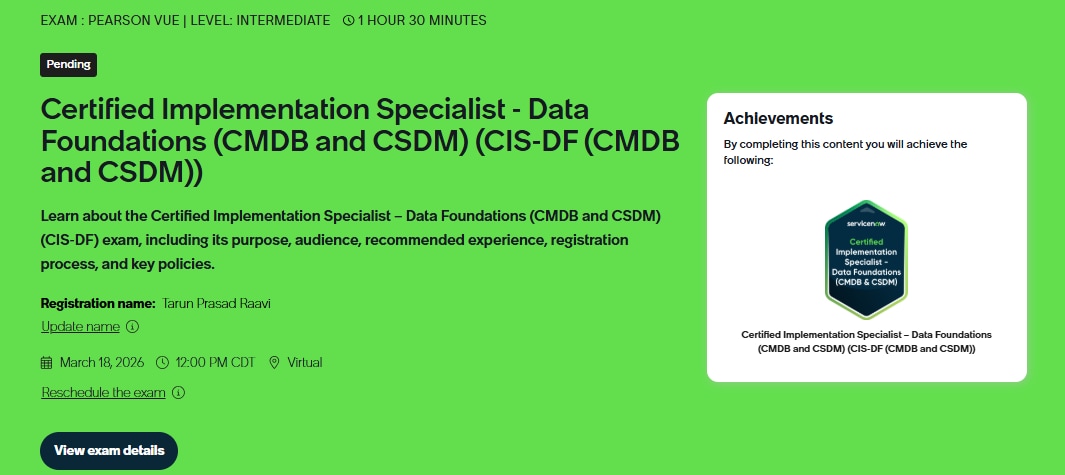
I have taken the CIS-Data Foundations exam on Mar - 18 through web proctor Pearson Vue. My Exam got revoked due to suspicious activity (looking off screen) which not my intesion to cheat.
Later that i tried to register again for the same exam but it is not allowing me to register. I have raised a ticket to Help Center and its been two weeks no one replied.
I even tried to create a new ticket for the same but they replied that "Already a ticket has been raised on the same we are closing the ticket considering it as a duplicate.
I dont know what to do. And i have a deadline to meet the certification exam for my new job.
Can anyone help me on this.
Thank You
Solved! Go to Solution.

- Mark as New
- Bookmark
- Subscribe
- Mute
- Subscribe to RSS Feed
- Permalink
- Report Inappropriate Content
04-07-2026 04:36 AM
I've raised the issue with the certification leads to at least get you a response as to where they are in the process. I know getting details from the vendor can take some time, assuming they had to go that route.
- Mark as New
- Bookmark
- Subscribe
- Mute
- Subscribe to RSS Feed
- Permalink
- Report Inappropriate Content
06-04-2026 04:39 AM
Hey @tarunraaviu
Have you got any solution for it?. How much time they took to enable that re-take button in servicenow university.
- Mark as New
- Bookmark
- Subscribe
- Mute
- Subscribe to RSS Feed
- Permalink
- Report Inappropriate Content
06-04-2026 10:37 PM
Hi @Kuldeep Verma1,
We need to raise a ServiceNow help support case. After 3 days, they have provided a solution and the register button has now populated, allowing us to take a reattempt for the exam.
Best Regards, Siddhant
- Mark as New
- Bookmark
- Subscribe
- Mute
- Subscribe to RSS Feed
- Permalink
- Report Inappropriate Content
05-27-2026 09:51 PM
Hi Jim,
I have merged my Account with my Company Account and lost the DF Certification I thaught it was due to merging but later got mail from ServiceNow as, My Certification also revoked by ServiceNow, due to suspicious activity (looking off screen) which not my intesion to cheat. And I am not able to register for further Discovery and CIS -HAM Examination. I need your help in this matter. Case number - CS0617985
Best Regards,
Siddhant
- Mark as New
- Bookmark
- Subscribe
- Mute
- Subscribe to RSS Feed
- Permalink
- Report Inappropriate Content
06-08-2026 09:18 PM
Hello @Jim Poisson ,
I am also facing the similar situation right now. I have written exam at authorised centre, still I have received certificate invalidation without any specific reason mentioned.
I also raised a ticket to Help Center but no response from 2 weeks. Not sure what to do now.
Could you please help me on this.
Thanks in advance.
- Mark as New
- Bookmark
- Subscribe
- Mute
- Subscribe to RSS Feed
- Permalink
- Report Inappropriate Content
06-26-2026 05:04 AM
Hi @Jim Poisson ,
I completed my CIS–Data Foundations exam in April, but the certification was revoked by ServiceNow in June. I raised a case regarding this but did not receive a clear or proper response.
I couldn't reattempt from old account, So I attempted the exam again at the exam center using a new account and merged it with my old account. The certification showed as active initially, but after four days, it was revoked again. I raised another case, but I’m still not getting a proper explanation—only being asked to refer to Knowledge Articles.
In my old account, it is now asking me to pay and retake the certification. However, I’ve lost confidence in this process, as even after passing the exam at the exam center, the certification is being revoked without clear justification.
Could you please help me with this issue?
Case numbers: CS0625225, CS0625578
Thanks in advance for your support.