Languages field disappears on Policies knowledge base (Translation Management task)

- Mark as New
- Bookmark
- Subscribe
- Mute
- Subscribe to RSS Feed
- Permalink
- Report Inappropriate Content
Monday
Hi,
I’m working on the Now Learning lab for “Task: Translation Management (Content)” and I’m blocked on the step that asks to enable translation management and add English and Spanish to the Policies knowledge base.
My lab instance URL: [ https://nowlearning-nlinst04357545-1qhvp-0001.lab.service-now.com/now/nav/ui/classic/params/target/k... ]
What I have done so far:
Activated the required plugins in Application Manager:
Knowledge Management Advanced (com.snc.knowledge_advanced)
I18N: Knowledge Management Internationalization Plugin v2 (com.glideapp.knowledge.i18n2)
Core I18N and I18N: Spanish Translations
Enabled the translation management property:
glide.knowman.translation.enable_translation_task is ON in Knowledge Management Properties → Knowledge Other Properties.
Opened the Policies knowledge base record and configured the form:
In Form Builder, the Languages field is present, Active, and even marked as Mandatory.
Type = List, default value = English.
The panel on the right says: “The field is not affected by any UI Policies”.
Issue:
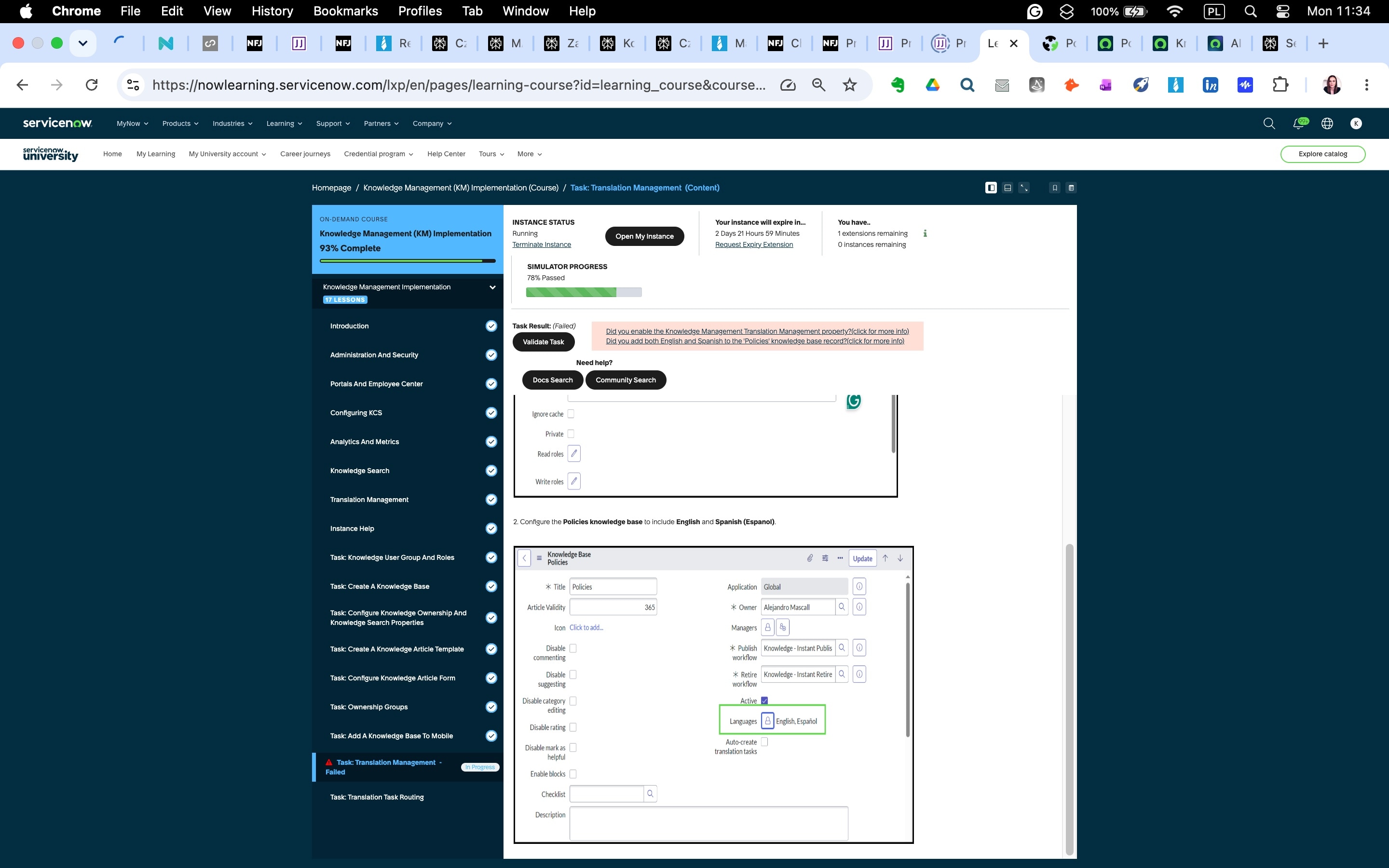
When I open the Policies knowledge base record in the normal view, the Languages field appears for a second and then disappears.
Because the field disappears, I cannot select English and Spanish in the way the lab instructions and screenshots expect.
I can only set Language via the “Set default knowledge field values” section at the bottom of the form, but the lab validator for the Translation Management task still reports:
“Did you enable the Knowledge Management Translation Management property?”
“Did you add both English and Spanish to the ‘Policies’ knowledge base record?”
Questions:
Is this behaviour (Languages field disappearing after load) expected in this lab instance, i.e. should I be setting languages only via the “Set default knowledge field values” section?
How does the validator for the Translation Management task check the languages for the Policies knowledge base in this lab?
If this is a lab configuration defect, what is the recommended way to formally report it to ServiceNow University / Now Learning support so that:
the lab instance is corrected, or
the step can be marked as completed for my account?
I’m attaching screenshots showing:
Knowledge Management Properties → Knowledge Other Properties (translation property ON),
Application Manager (required plugins activated and Up to date),
Form Builder for the Policies knowledge base with the Languages field configured (Active, Mandatory, not affected by UI Policies),
Policies knowledge base record where the Languages field briefly appears and then disappears.
Any guidance or confirmation on how to proceed so I can complete this lab as designed would be greatly appreciated.
Thank you!
Kamila


- Mark as New
- Bookmark
- Subscribe
- Mute
- Subscribe to RSS Feed
- Permalink
- Report Inappropriate Content
Monday
ahoj @kamilazonak,
when you say a property "is ON", you mean its value is set to "true", right?
When you added the Language field, did you go to the selected knowledge base and added Spanish and English to that field as well? Not only adding it on the field but giving it the values (you might need to unlock it by clicking the padlock, add it and lock it again, then save the form).
Aren't you impersonating someone or is it done by correct account as required?
You can try to log out fro mthe instance, clear cache, log in and retry again..
Where the rules are real, you'll find me
- Mark as New
- Bookmark
- Subscribe
- Mute
- Subscribe to RSS Feed
- Permalink
- Report Inappropriate Content
15 hours ago
Same problem for me. Tried to clear cach and log on again.
Was there a solution here?
