- Mark as New
- Bookmark
- Subscribe
- Mute
- Subscribe to RSS Feed
- Permalink
- Report Inappropriate Content
02-08-2026 02:02 PM
I am having issues with task and filler tasks. Task will not validate, i got though the instruction and completed the step but it says failed can you offer some assistance please.
Task Description: View a list of incidents and personalize the list, as well as update some fields using the List Editor.
Task Instructions:
| 1. | Navigate to the All menu and select Incident > All. | |
| 2. | Select Show/hide filter (funnel) icon. | |
| 3. | 4. | Select Run. |
| 5. | Select the Priority column to sort the list so that 1-Critical incidents appear first in the list. | |
| Select the Personalize List (gear) icon to remove the "Opened" and "Updated by" columns. | Select the State column of all 1-Critical incidents and use the List Editor to change the State to In Progress. Select the green check mark to save the list changes. (10 rows will be updated.)
| |
| 8. | Locate INC0000055 and set the Category to Software. |
Solved! Go to Solution.
- Mark as New
- Bookmark
- Subscribe
- Mute
- Subscribe to RSS Feed
- Permalink
- Report Inappropriate Content
02-10-2026 02:48 AM
Hi @RomandaS,
Have you had any luck with this?
I've just run through this task on the Welcome to ServiceNow (Zurich) to confirm that it does work as expected, and I carried on from directly from Task 1: Next Experience, Navigation, and Access Task.
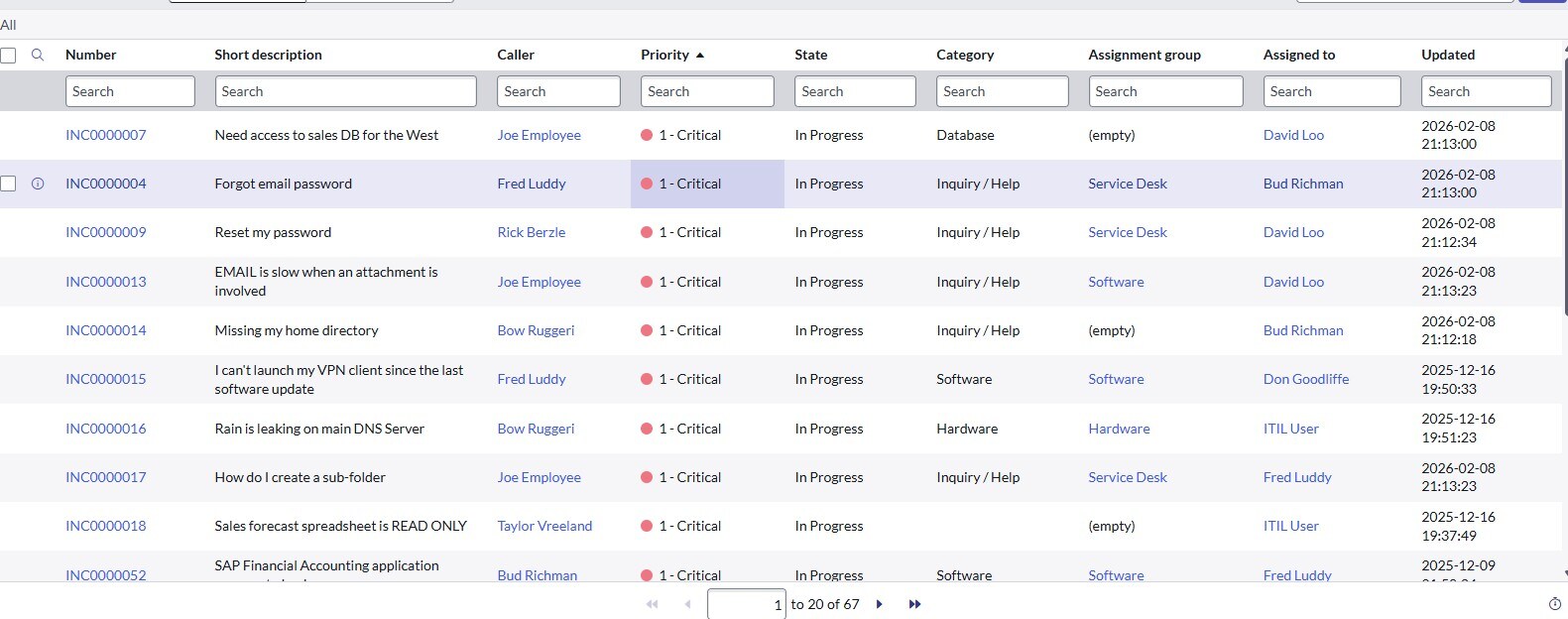
Looking at the screenshot you have attached, the filter conditions do not appear to have been applied (steps 2-4) - the validation is only successful for an exact match to the steps outlined... nothing more, nothing less.
Here's my final result which validated successfully:

☕ Powered by caffeine, curiosity, and more failed attempts than I'd like to admit
- Mark as New
- Bookmark
- Subscribe
- Mute
- Subscribe to RSS Feed
- Permalink
- Report Inappropriate Content
02-10-2026 02:48 AM
Hi @RomandaS,
Have you had any luck with this?
I've just run through this task on the Welcome to ServiceNow (Zurich) to confirm that it does work as expected, and I carried on from directly from Task 1: Next Experience, Navigation, and Access Task.
Looking at the screenshot you have attached, the filter conditions do not appear to have been applied (steps 2-4) - the validation is only successful for an exact match to the steps outlined... nothing more, nothing less.
Here's my final result which validated successfully:
☕ Powered by caffeine, curiosity, and more failed attempts than I'd like to admit
- Mark as New
- Bookmark
- Subscribe
- Mute
- Subscribe to RSS Feed
- Permalink
- Report Inappropriate Content
03-17-2026 07:44 PM
Is the list filtered to only display active incidents? Was the list sorted so that the Priority 1-Cr... I am having this type of error. How to solve even though I finish all the steps
- Mark as New
- Bookmark
- Subscribe
- Mute
- Subscribe to RSS Feed
- Permalink
- Report Inappropriate Content
03-17-2026 07:49 PM
- Mark as New
- Bookmark
- Subscribe
- Mute
- Subscribe to RSS Feed
- Permalink
- Report Inappropriate Content
03-18-2026 08:00 AM
Hi @foramp,
It's difficult to tell from your screenshot alone however I have put together some notes on common validation errors. Check out [Lab Validation Notes] Welcome to ServiceNow (Zurich): Lists and Filters to see if this helps.
If you're still stuck, let me know and I'll see if I can help further.
☕ Powered by caffeine, curiosity, and more failed attempts than I'd like to admit