On-Call Rotation Schedule Report Automation

- Mark as New
- Bookmark
- Subscribe
- Mute
- Subscribe to RSS Feed
- Permalink
- Report Inappropriate Content
03-25-2025 12:53 PM
I am trying to find a way to run the built in schedule report programmatically so I can use what it returns when I use my API call on the v_rotation table. This is the last piece to the puzzle, but I am unsure where/how to find the information needed.
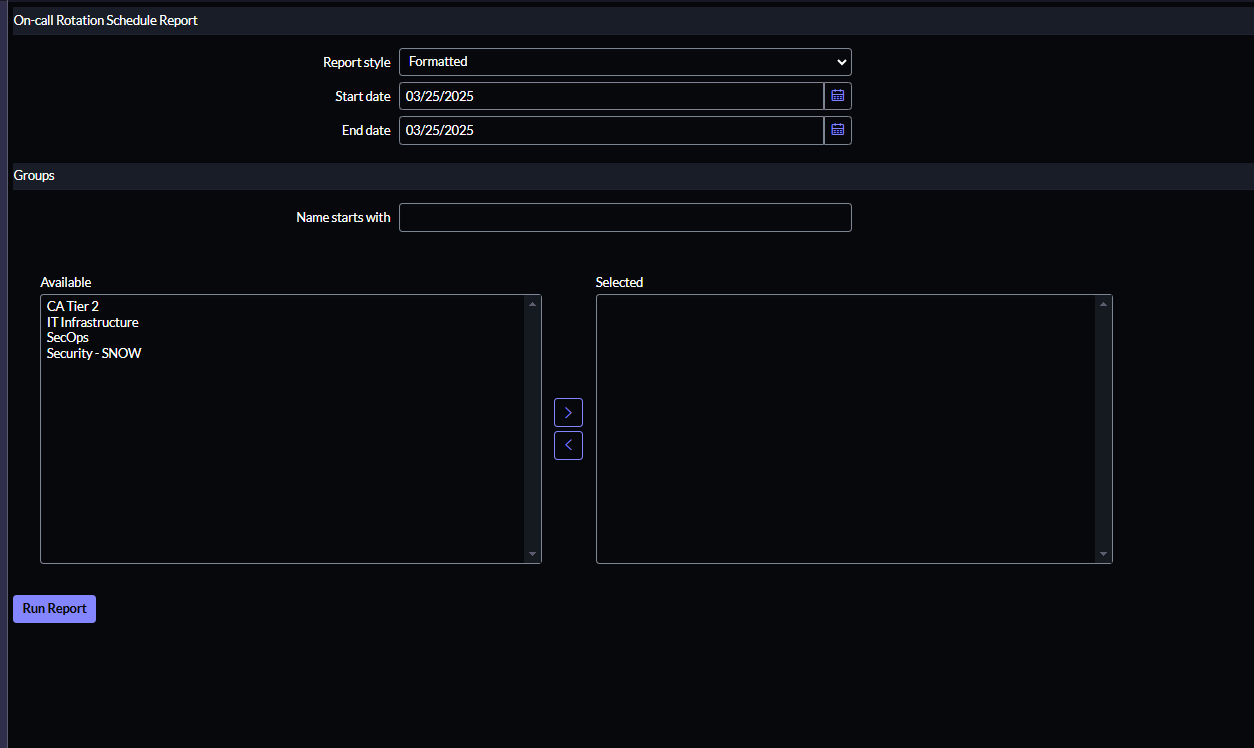
On-Call Scheduling -> Reports -> Schedule Report
The path above is how you get to the specific built in report I am trying to automate, but where this report gets logged or any other useful information I am unable to find.
Attached is a screenshot of where the report is run from. When a particular group is selected then the report runs and the user that is on call for that group and the given parameters are populated into the v_rotation table.
Any help or guidance on this would be much appreciated.
- Mark as New
- Bookmark
- Subscribe
- Mute
- Subscribe to RSS Feed
- Permalink
- Report Inappropriate Content
01-30-2026 08:53 AM
I would love an automation of this report. We have an offshore after-hours NOC that monitors passes that run through the night. They need a list of who's on-call, incase they have issues. But they aren't allowed access to our instance, so we have to manually run the On-call Rotation Schedule Report every month, save it as a PDF, and email it to them. I would have thought by now this could be automated. It's 2026, c'mon!