reachvikas
ServiceNow Employee

You can now restore your instance straight from the HI Service Catalog! This catalog item is useful for those who want to revert their instance to and previous time. At ServiceNow, we are committed toward a pleasant Customer Experience and we understand that as a ServiceNow customer, you would like to have more self-service capabilities in your hand. One way we try to empower you is through our HI Service Catalog. Service Catalog on HI Service Portal has many items for you to request spanning from instance management to general access.

Note: Service Catalogs are security trimmed. Number of items visible to you are dependent on your role in HI Service Portal.

find_real_file.png

Restore a sub-prod or demo instance using HI Service Catalog

As a Customer you often need to restore your instance to a previous state and would open a case with ServiceNow Technical Support for the help. This process can take some time. We recognize your ability to restore your instance doesn't need involvement from a TSE. Keeping self-service in mind, we have recently created a new catalog item on HI Service Portal to help do your work more efficiently. Introducing new catalog item for instance restore.

To get to the catalog item (as long as you have the right role in HI)

  1. Log in to https://hi.service-now.com/
  2. Click "Service Catalog" on the left nav
  3. Select "Instance Management" in the Catalog Menu
  4. Click the "Instance Restore" tile

We utilized ServiceNow Service Catalogs to intake Instance Restore requests and using our own Digital Workflows, we achieved automation end-to-end fulfillment.

Benefits of using the Catalog on HI

  Drive greater self-service by fulfilling all requests through an intuitive interfacefind_real_file.png

find_real_file.png  Increased efficiency with end-to-end automation and no more manual intervention


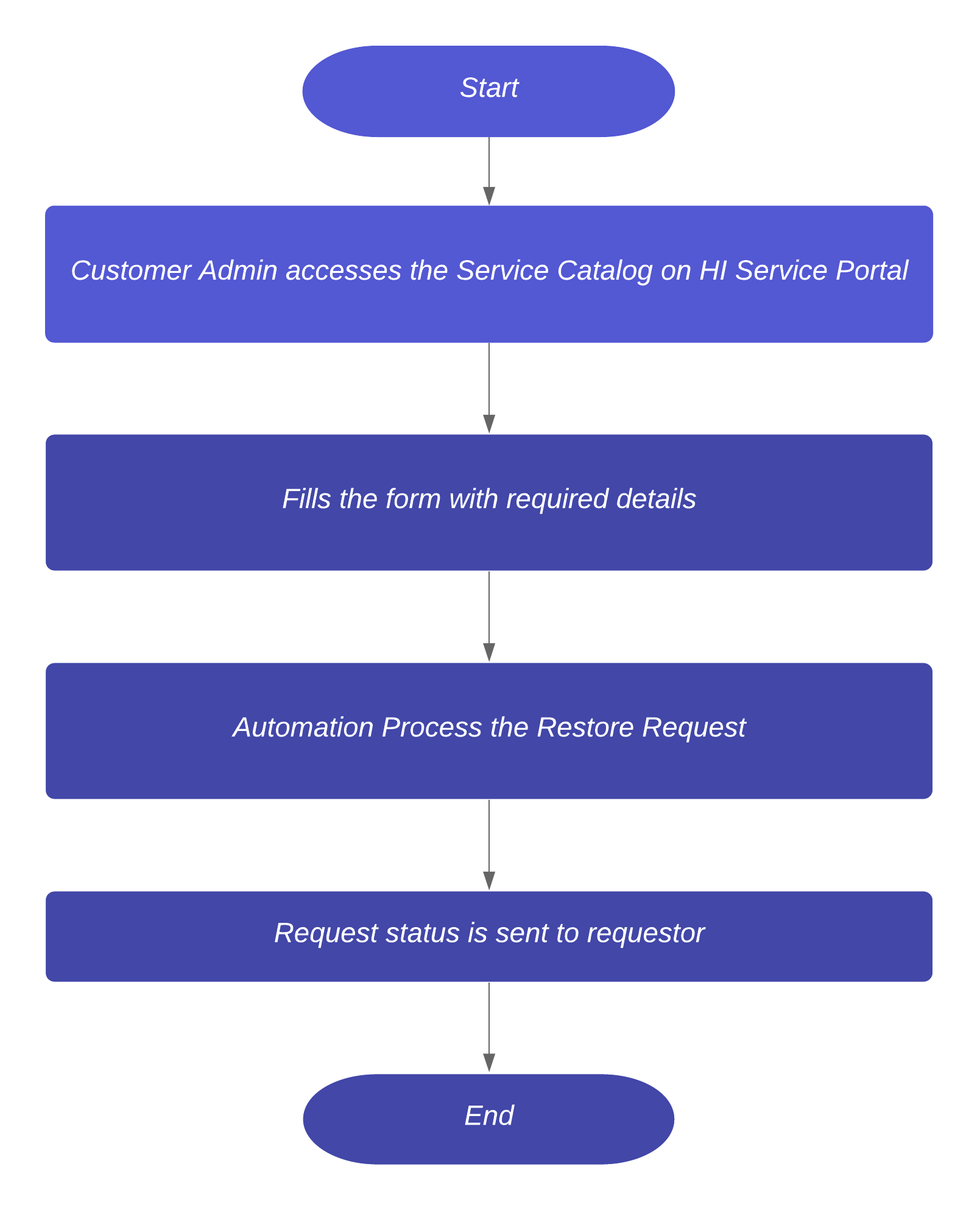
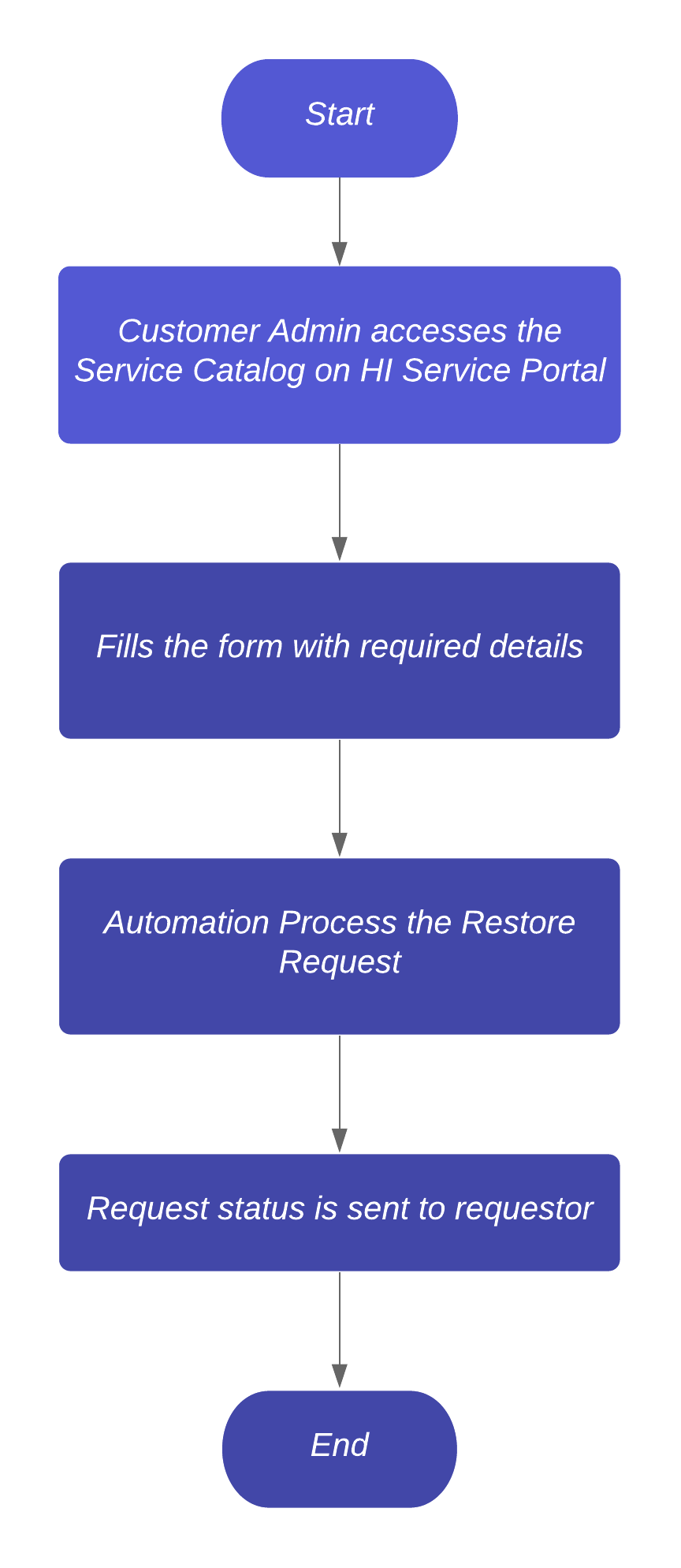
The four-step process makes it easy for a requestor to restore their ServiceNow instance without having to wait for response from a support engineer.

find_real_file.png

Notes

  • Due to security constraint, you need to have Administrator access of your instance
  • Production instances can’t be used as Target using this Service Catalog. If you need a Production to Production restore, you need to open a case with ServiceNow Technical Support.

Additional Resources


We have utilized ServiceNow Service Catalogs to intake the Instance Restore requests and using our own Digital Workflows, we have achieved automation end-to-end fulfillment.


Restore your ServiceNow Subprod or Demo instance 

(You will need to login to view)

Comments
Community Alums

Hi Vikas,

Thanks for the information.

We already have zboot catalog item in service catalog, to reset the instance.
Could you please help me to understand the difference between restore your instance and zboot ?


Regards,
Ravi

ServiceNow Employee
ServiceNow Employee

Hi Ravi,

zBoot instance is used when you would like to go back to out-of-the-box state (with or without demo data). It can be used in a scenario when you simply wipe out all your data and customisations from the instance and want to start over.

The Instance Restore catalog can be used to restore your instance to a previous state using any of the available backup of your instance. It can be used in a scenario when you realised that any of your change causing an issue on the instance and you want to go back to previous state (before your change).

Hope this helps!

Regards,
Vikas

Community Alums

Hi Vikas,

Thanks for the information and clearing my confusioin.

In the process of moving to out of the box, please help me with below questions :

1. Is thier any way we can keep our data as is and go out of the box ?

2. Or any other way where in we can keep our data and one by one move to out of the box like for incident, change other ITSM applications.


Regards,
Ravi

ServiceNow Employee
ServiceNow Employee

Hi Ravi,

I don't think there is a simple straight way to move to an OOTB state while carrying all your data. The only way to truly get back to OOTB configuration is to reset the instance (zBoot) and start over. You would be responsible for exporting the data and re-importing it.

Some have chosen to get a new instance and manually migrate what they need from the old instance to the new. Again, no simple way to do this because the platform is designed to allow you to build on it quickly.

Regards,
Vikas

Giga Guru

I've just tried the restore on one of our instances that was accidentally upgraded from New York to Orlando (but an auto-created change ticket that we missed.)

The restore appears to have worked fine but I see that the WAR version property is still sitting as Orlando.


Restored Instance:

find_real_file.png


Correct Instance:

find_real_file.png


I suspect that this may cause us issues. Is the WAR property something that should be reset during a restore? If not, are there any other exclusions that we should be aware of?

Thanks!

ServiceNow Employee
ServiceNow Employee

Hi Sue,

I see you have requested restore for 2 instances. Did you see this issue in both the cases? If you encountered the issue in one of the instance please let me know which one (child3 or child1) so that I can have it investigated and update you back on the same.

Regards,
Vikas

Giga Guru

Hi Vikas,

Yes, both restores show the same behaviour - but both were also accidentally auto-upgraded, so I'm not surprised.

It's an easy fix, but I am curious if it was deliberate omission and if there are any other such tidbits around.

The restore is GREAT functionality and faster than cloning back from production (which would've been our previous option.) 

Thanks for investigating.

Kilo Explorer

,

ServiceNow Employee
ServiceNow Employee

What is the typical time it takes ServiceNow to restore an instance, once a request for restore is submitted?
Is there an internal or external SLA time for the restore to be completed?

ServiceNow Employee
ServiceNow Employee

Able to answer my own question by looking that the Service Catalog Restore Instance item.
Noted within item that it is currently an expected/estimated 6 hours of time to restore a non-prod instance.find_real_file.png

ServiceNow Employee
ServiceNow Employee

@michaeltaylor - The restore time purely depends on database size. While actual restore takes ~5 mins for a 1 GB DB, there are lots of pre and post validations runs in overall restore process. It would be safe to assume that for an instance running on Primary and Secondary DB with size of 2 GB would take approx an hour or so.