SNPI - Import CMDB Data - Failed

- Mark as New
- Bookmark
- Subscribe
- Mute
- Subscribe to RSS Feed
- Permalink
- Report Inappropriate Content
03-24-2026 05:56 AM
I got this task result that prevents me from validating the task.
Did you correctly import 6 CloudDimensions (CD) servers?
I have searched the community search to see if I can try something different but mainly the Field Maps Related List does not seem to be seen at the right timing. Whenever I save the record, and remain on the form at first it showed up. However when I tried to do it from the very beginning it flickered and did not show up. I must have done something wrong.
I wonder if there is way I can start this module SNPI - Import CMDB Data from scratch. If I repeat it it said the lable name exists so needs to save it differently and even when I tried it no luck.
This is more difficult than previous task and I would need your help on this.
Thanks.
Regards,
Jihyung Kim
- Mark as New
- Bookmark
- Subscribe
- Mute
- Subscribe to RSS Feed
- Permalink
- Report Inappropriate Content
03-25-2026 01:06 PM
@jihyungkim Which training you are referring to? can you please mention it?
- Mark as New
- Bookmark
- Subscribe
- Mute
- Subscribe to RSS Feed
- Permalink
- Report Inappropriate Content
03-25-2026 05:55 PM
@Vijaya_Mnpram
ServiceNow Platform Implementation
SNPI: Plan Your Project
SNPI-Import CMDB Data - Failed
I folllowed the steps on the lab but here is some issue I have had.
1. Under Configure CMDB Services step, Label name portion gave me the error since I have tried multiple times and need to save it as different name I was asked. That is why I just wonderd if I could delete previous name and starts from scratch but do knot know how.
2. Under Create Transform Maps step & A'Server Transform Map', Source table name is different from what I have although I tried to follow each steps accurately and carefully. Also Source field: Server indicated the red color saying it did not match for some reasons.
3. Run the Transform Maps step, I do not jave 3 selected maps but only one indicated so I must have not done something right.
4. Validate Successful Transformation step, I do not see the CD Billing record and Show dependency views.
*Note: It is tricky to validate task successfully even though I have tried to go to Community Search since the case is all different although they fall under the same error message, "Did you correctly import 6 CloudDimensions (CD) services? It is difficult to verify exact same steps with sample and if I repeat the steps the file name has to be changed to go forward and it will ruin the originality setting and maybe that will result in failing to validate task.
I still have 2 modules to troubleshoot and 3 more to go and within 1 week I must complete them without failure so that I can complete ServiceNow Platform Implementation. I know I am novice on this lab but if I do not meet the due date this will be disappeared and the whole lab instance will not be restored. So it is a bit stressful; however I would like to do my best to complete and learn about it for sure.
Thanks for your kind reply.
Regards,
JihyungKim
- Mark as New
- Bookmark
- Subscribe
- Mute
- Subscribe to RSS Feed
- Permalink
- Report Inappropriate Content
03-25-2026 07:35 PM
@jihyungkim If you gave the Label as "CMDB Import" then the table name would have been u_cmdb_import.
If you want to delete this table and start from the beginning, then type sys_db_object.list in All menu in Default view. This gives you the list of tables present in the whole instance. Search for 'u_cmdb_import' table and delete it.
After that, you carefully follow the steps. However, in the Step 2, there is an error. They mentioned Services(cmdb_ci_service) but they are pointing to Servers table(cmdb_ci_server). Take a note of the tables and names mentioned and follow.
Hope it helps.
- Mark as New
- Bookmark
- Subscribe
- Mute
- Subscribe to RSS Feed
- Permalink
- Report Inappropriate Content
03-25-2026 09:07 PM
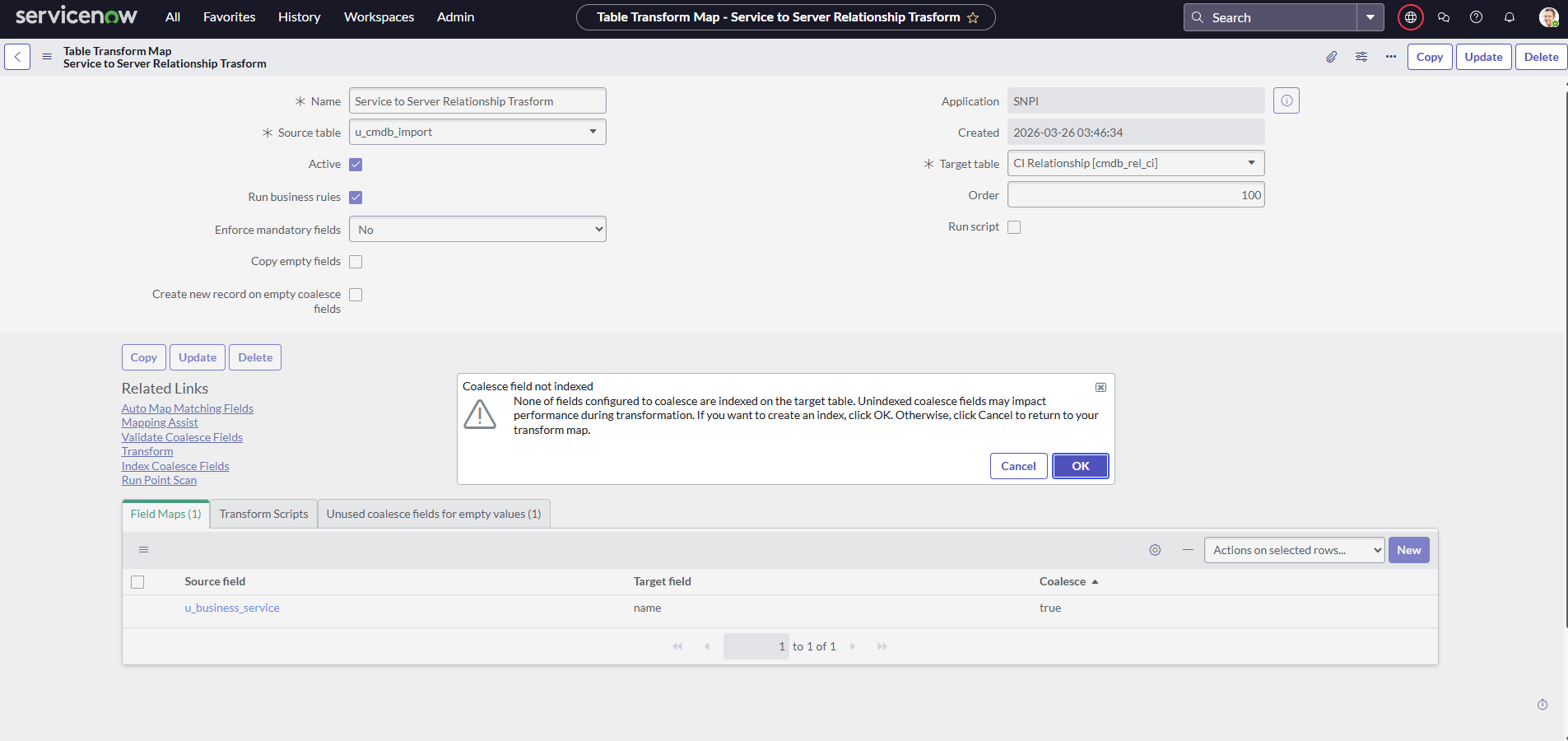
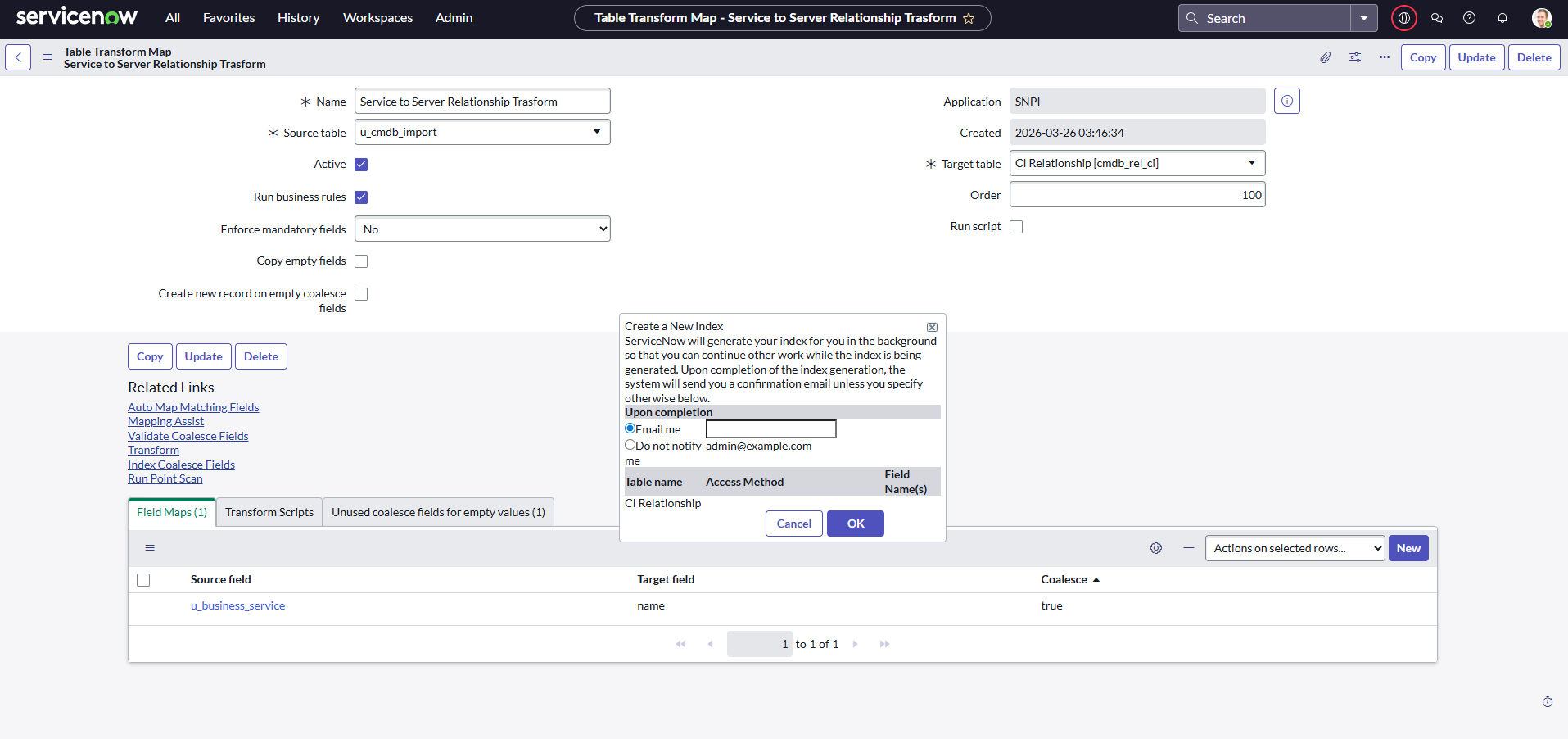
@Vijaya_Mnpram Thanks for your message. I have tried to follow the steps carefully and received this screen error. If I cliked ok, I got this second screen. Also Application was changed to SNPI and unsure if it is right.
This is the last module I need to finish to complete ServiceNow Platform Implementation Instance.
Hope I can make it happen today if I will.
Regards,
Jihyung Kim