Assessment simulator task 1: Personalize your instance

- Mark as New
- Bookmark
- Subscribe
- Mute
- Subscribe to RSS Feed
- Permalink
- Report Inappropriate Content
05-22-2026 12:57 AM
Please, how do I complete the following tasks?
1. Impersonate 'Platform User'.
2. Set your instance preferences to show date and time formats on forms.
3. Set your instance preferences to show help tips on forms.

- Mark as New
- Bookmark
- Subscribe
- Mute
- Subscribe to RSS Feed
- Permalink
- Report Inappropriate Content
05-22-2026 07:59 AM
ahoy@ChineduI,
first to impersonate Platform user (or any other), follow these steps and type name and confirm:

It will reload the page and then go to preferences and mark these two checkboxes to true:

One is under Accessibility and another under Display section, mark both to true and then validate the step again, but ensure that you are impersonating Platform user first.
✂-----Cutting-out-the---✦AI-noise✦---All-replies-written-and-vouched-for-by-GlideFather---

- Mark as New
- Bookmark
- Subscribe
- Mute
- Subscribe to RSS Feed
- Permalink
- Report Inappropriate Content
05-23-2026 11:00 PM
Hi @ChineduI ,
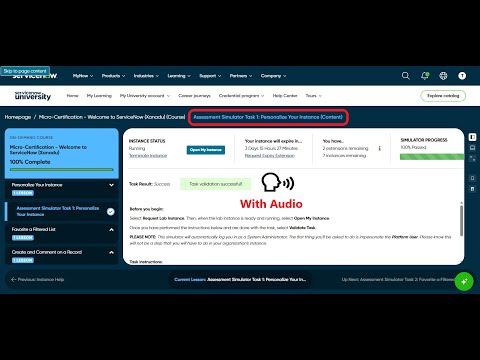
Check this videos on how to navigate to impersonate by Platform user. Follow the same in your lab instance.
https://www.youtube.com/watch?v=fV5O3xckXvk
https://www.youtube.com/watch?v=Ygl4aSCKevQ
Regards
Tanushree Maiti
ServiceNow Technical Architect
LinkedIn: https://www.linkedin.com/in/tanushreemaiti

- Mark as New
- Bookmark
- Subscribe
- Mute
- Subscribe to RSS Feed
- Permalink
- Report Inappropriate Content
05-23-2026 11:30 PM
Hi @ChineduI,
Make sure you have impersonated by Platform User.
Refer this video - Assessment Simulator Task 1: Personalize Your Instance/servicenow - YouTube.
- Mark as New
- Bookmark
- Subscribe
- Mute
- Subscribe to RSS Feed
- Permalink
- Report Inappropriate Content
06-08-2026 02:47 AM
1. Impersonate 'Platform User'To simulate another user's account environment:Click your user profile avatar or initials in the top-right corner of the global banner.Select "Impersonate user" from the dropdown menu.Search for and choose 'Platform User' in the search box that pops up.Click the "Impersonate user" button to confirm the change.2. Show Date and Time Formats on FormsTo make field formatting explicit within records:Click your user profile avatar in the top-right corner.Select "Preferences" from the user menu.Click on "Display" (or "Accessibility" depending on your exact version).Toggle on "Show date and time formats on forms".3. Show Help Tips on FormsTo reveal localized instructions and tooltips next to field headers:Click your user profile avatar in the top-right corner.Select "Preferences" from the user menu.Click on "Display" (or "Accessibility").Toggle on "Show help tips on forms".

