Help with Creating Report

- Mark as New
- Bookmark
- Subscribe
- Mute
- Subscribe to RSS Feed
- Permalink
- Report Inappropriate Content
09-24-2024 01:56 PM
How can I create a report in Service now that when ran will tell me if, within a 30 day period, someone has had more that 3 incidents created?


- Mark as New
- Bookmark
- Subscribe
- Mute
- Subscribe to RSS Feed
- Permalink
- Report Inappropriate Content
09-24-2024 02:55 PM
Hi @hollye!
To create a report in ServiceNow that identifies users with more than 3 incidents created within a 30-day period, you can follow these steps:
1. Create a Report with a "Group by" Field:
Navigate to Reports:
- Go to the filter navigator and type Reports, then click Create New.
Select a Table:
- For the report, select the Incident [incident] table, as you're interested in incidents.
Choose the Type of Report:
- Choose a Bar or Pie chart type, which works well with grouped data, or even a List view if you'd like a detailed breakdown.
Define Conditions:
- In the Conditions section, set the following conditions to filter the incidents:
- Opened on or Created on is relative Last 30 days (this ensures you're only looking at incidents created in the past 30 days).
- In the Conditions section, set the following conditions to filter the incidents:
Group the Report:
- In the Group By field, select Caller. This will group the incidents by the user who created the incidents.
Add an Aggregation (Count):
- In the Aggregation section, select Count and choose the Number field (or sys_id) to count the total number of incidents per user.
Filter the Results:
- To focus on users with more than 3 incidents, add a having condition in the Group by section:
- Count greater than 3.
- To focus on users with more than 3 incidents, add a having condition in the Group by section:
2. Save and Run the Report:
After setting up the filters and aggregations, give the report a name like Users with More Than 3 Incidents in Last 30 Days.
Click Run to execute the report. It will show you a list or chart of users (callers) who have had more than 3 incidents created within the last 30 days.
If my answer helped you in any way, please mark it as correct/helpful 🎯
Regards,
Isaac Vicentini.
- Mark as New
- Bookmark
- Subscribe
- Mute
- Subscribe to RSS Feed
- Permalink
- Report Inappropriate Content
09-25-2024 07:31 AM
- Mark as New
- Bookmark
- Subscribe
- Mute
- Subscribe to RSS Feed
- Permalink
- Report Inappropriate Content
09-24-2024 03:09 PM
- Mark as New
- Bookmark
- Subscribe
- Mute
- Subscribe to RSS Feed
- Permalink
- Report Inappropriate Content
09-24-2024 03:57 PM
Check if you selected the report type:

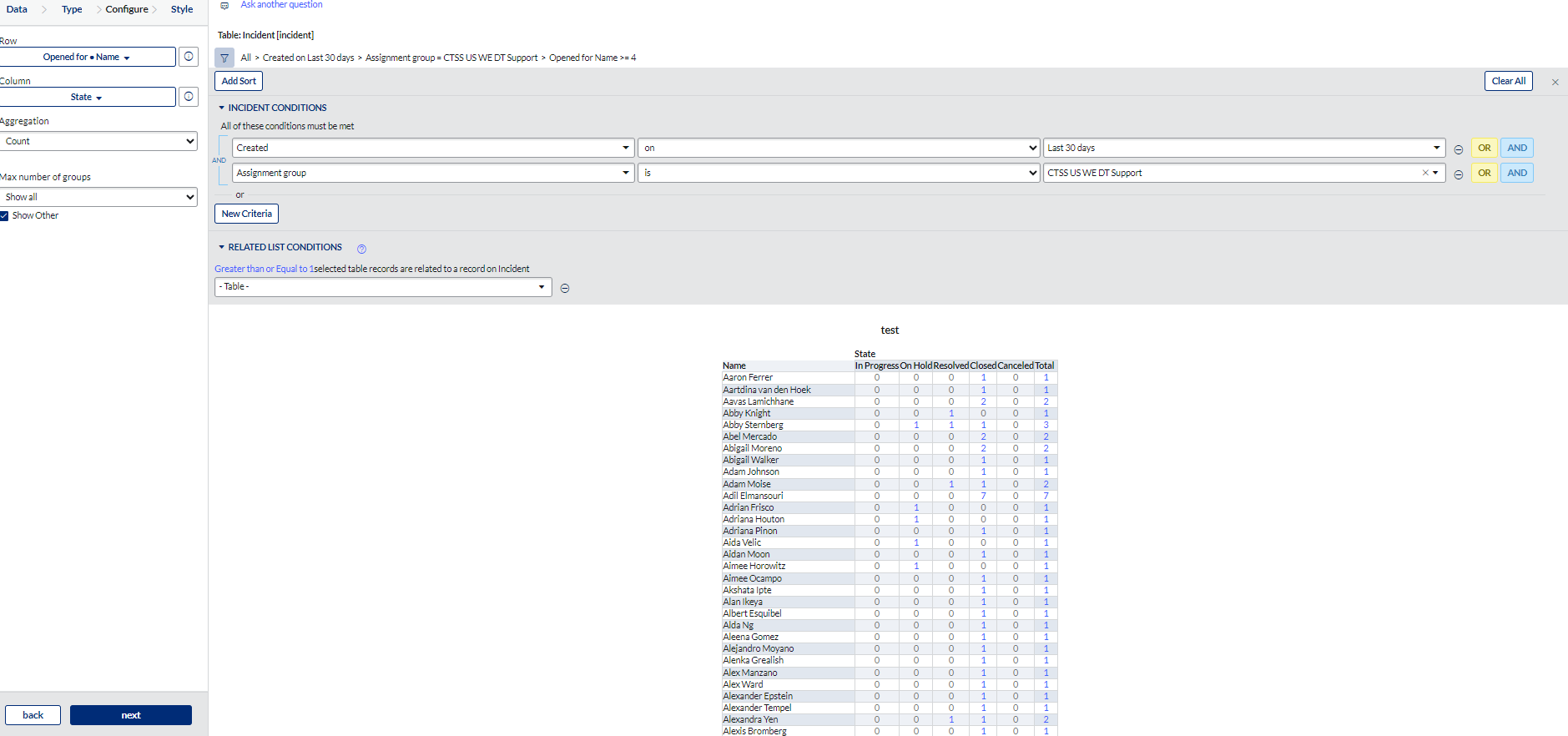

If my answer helped you in any way, please mark it as correct/helpful 🎯
Regards,
Isaac Vicentini.
