AI Task Health Monitor Built with ServiceNow Build Agent

- Mark as New
- Bookmark
- Subscribe
- Mute
- Subscribe to RSS Feed
- Permalink
- Report Inappropriate Content
11-19-2025 09:44 PM
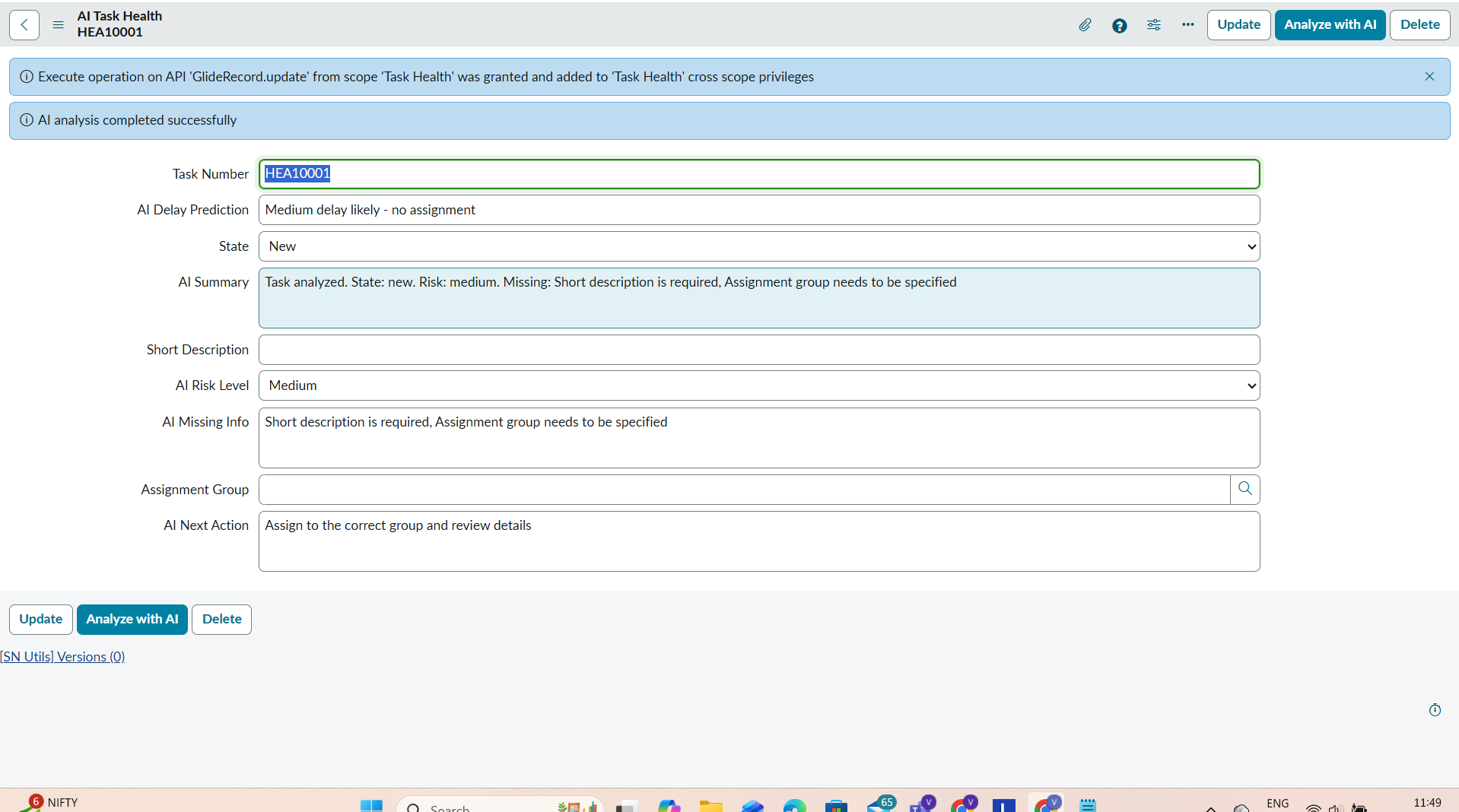
I created a lightweight AI-powered application called AI Task Health Monitor using ServiceNow Build Agent. My goal was to build a clean, simple, and fully Fluent-based ServiceNow app that analyzes task quality, identifies missing information, predicts delays, and recommends next actions — all without using UI Builder, Flow Designer, or catalog items.
What the Application Does
The app is built on a custom table named ai_task_health, which includes fields like:
- task_number
- short_description
- assignment_group
- state
- ai_risk_level
- ai_missing_info
- ai_next_action
- ai_delay_prediction
- ai_summary
These fields store both the original task information and the AI-generated insights.
At the core of the application is a Script Include named AITaskAnalyzer, which reads each task and returns a fully structured JSON analysis including:
- risk_level
- missing_info
- next_action
- delay_prediction
- summary
The logic evaluates task completeness, state, clarity, and assignment to determine potential risk and delay.
One-Click AI Analysis
I added a UI Action called Analyze with AI on the form.
When users click the button:
- It calls AITaskAnalyzer.analyze(current)
- Updates all AI assessment fields
- Shows instant feedback on the form
This makes the experience simple and intuitive — no need for extra UI pages or flows.
Application Menu & Navigation
The app includes an Application Menu called AI Task Health Monitor, with two modules:
- All Tasks → complete list of records
- High Risk Tasks → filtered where ai_risk_level = High
This helps teams immediately focus on the riskiest work.
Security & Roles
I created two roles for proper access control:
- ai_task_user → read and create
- ai_task_admin → full access (includes ai_task_user)
ACLs ensure only authorized users can update AI results.
Impact
In internal testing, the AI Task Health Monitor helped teams spot missing information faster and identify high-risk tasks earlier.
(You may replace this with your own metric)
Example metric: Reduced manual triage time by 40% in sample tests.
#Build Agent , #Servicenow
#Build With Build Agent