Connect Chat (Chat with Live Agent) - No agent available

- Mark as New
- Bookmark
- Subscribe
- Mute
- Subscribe to RSS Feed
- Permalink
- Report Inappropriate Content
06-05-2020 10:48 AM
Hello all....
I am trying to use "Live Chat" in my PDI on OOB ESC (HR Portal). I have few question:
1) How do I disable virtual agent - we are not ready to use virtual agent just yet
2) I have activate the plugins, create new chat queue, assigned it to HR Portal, but once I skip "Virtual agent" topic selection,

this is what I get:

I am not sure what I am doing incorrect. Can someone please help me
- Labels:
-
Personal Developer Instance


- Mark as New
- Bookmark
- Subscribe
- Mute
- Subscribe to RSS Feed
- Permalink
- Report Inappropriate Content
06-05-2020 11:23 AM
Follow below to disable virtual agent
- Go to the ‘Theme’ associated with the your portal (Example: Customer Service).
- Note the Header field in the Theme record, go to it. The OOTB header is read-only so I made a duplicate of the OOTB header.
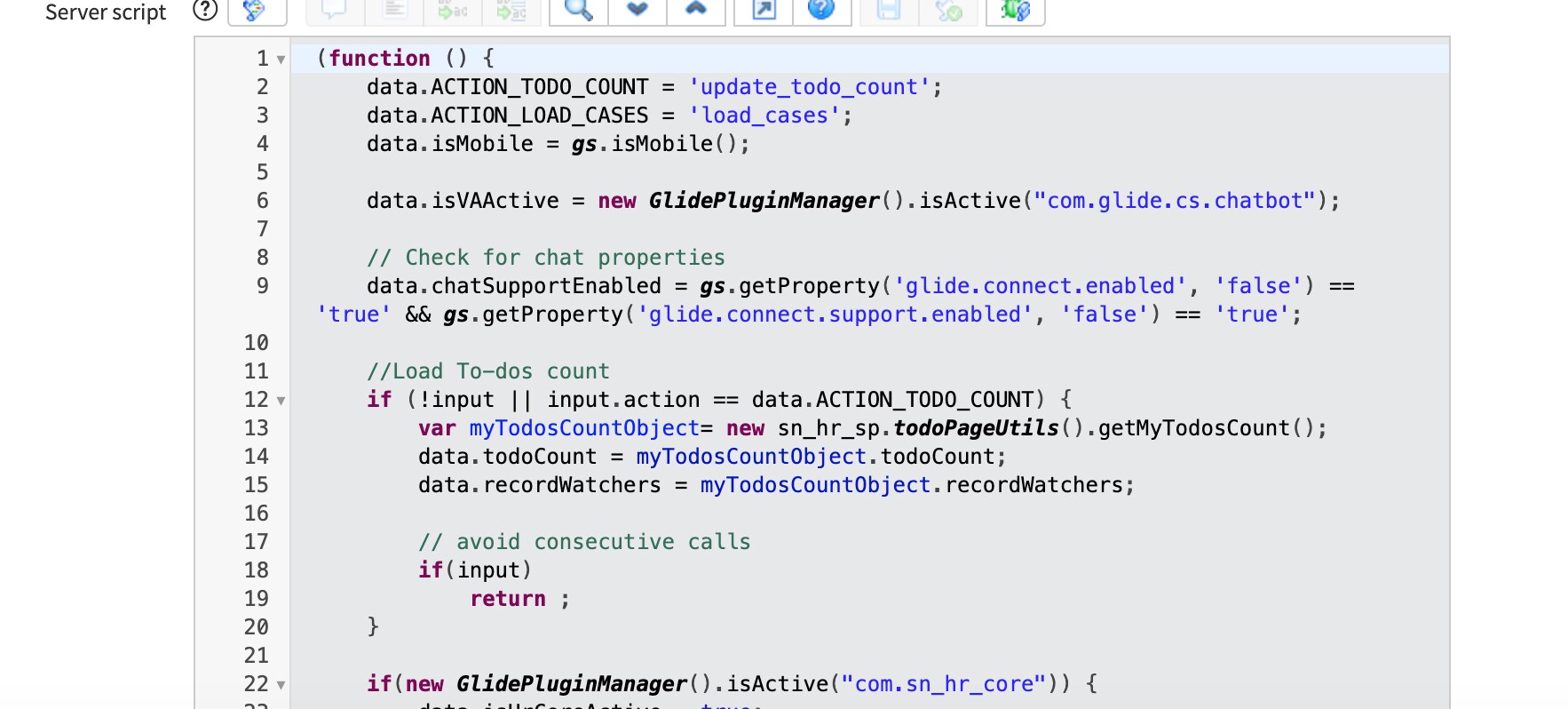
- The header is responsible for rendering the top portal menu. See line 33 in the server script. This is where you can force to a live agent.
data.live_agent_only = true;
Regards,
Sachin
- Mark as New
- Bookmark
- Subscribe
- Mute
- Subscribe to RSS Feed
- Permalink
- Report Inappropriate Content
06-05-2020 11:49 AM

- Mark as New
- Bookmark
- Subscribe
- Mute
- Subscribe to RSS Feed
- Permalink
- Report Inappropriate Content
06-05-2020 11:56 AM
Strange, you can also try below solution
Regards,
Sachin
- Mark as New
- Bookmark
- Subscribe
- Mute
- Subscribe to RSS Feed
- Permalink
- Report Inappropriate Content
06-05-2020 01:20 PM
I request new instance in "Orlando" ...also check in subprod instance for our company which is on Orlando - both doesn't have "Collaborate"....Does something needs to activate to enable it?
Both Connect & Connect support and Service portal integration is Installed. DO I need any other plugins?

- Mark as New
- Bookmark
- Subscribe
- Mute
- Subscribe to RSS Feed
- Permalink
- Report Inappropriate Content
06-05-2020 02:35 PM
By updating Chat Set up, the functionality is working as expected.....Collaborate is not available , not sure how to disable "Virtual agent" that is initiating by default.

In Header Menu Server script in Portal, I see its validating if plugin is active, Virtual chat is not activated.