- Mark as New
- Bookmark
- Subscribe
- Mute
- Subscribe to RSS Feed
- Permalink
- Report Inappropriate Content
02-12-2021 03:13 PM
Hey guys,
I am exploring Batch API
My requirement is , an internal team will post 10000 of Rest Calls per day.
Each Rest Call has around 300 records that has to be inserted to target table . So i cannot use Import Set API , as Import Set API only inserts/updates one record per call .
So I was exploring Scripted Rest API to parse the JSON and then insert to the Import Set table to transform.
There are some reference fields i have to populate and also create a Parent Child Relationships , so i would have to have a transform to build logic .
I also wanted to know about the Batch API .
Lets assume , i provide the Batch API end point to a different team, if they are going to post Rest Calls with multiple records , how is the data being transformed and how can i add logic before i transform data to Target table .
Is Batch API is an upgraded version of Table API with batches of Records ??
Thank You
Solved! Go to Solution.


- Mark as New
- Bookmark
- Subscribe
- Mute
- Subscribe to RSS Feed
- Permalink
- Report Inappropriate Content
02-17-2021 09:01 PM
Hi,
you need to send array of json objects
the key would be the column name in import set
Example:
field1 and field2 are the column names of the import set staging table
[

{

"field1":"value1",

"field2":"value2"

},

{

"field1":"value3",

"field2":"value3"

}

]
Regards
Ankur
Ankur
✨ Certified Technical Architect || ✨ 10x ServiceNow MVP || ✨ ServiceNow Community Leader
- Mark as New
- Bookmark
- Subscribe
- Mute
- Subscribe to RSS Feed
- Permalink
- Report Inappropriate Content
02-14-2021 07:37 PM
Hi,
I haven't explored much on the Batch API
Regards
Ankur
Ankur
✨ Certified Technical Architect || ✨ 10x ServiceNow MVP || ✨ ServiceNow Community Leader
- Mark as New
- Bookmark
- Subscribe
- Mute
- Subscribe to RSS Feed
- Permalink
- Report Inappropriate Content
02-17-2021 12:49 PM
Hey Ankur ,
I tried the above solution
I was able to create records on Stage table , but where do i create the mapping for JSON fields , can you show me an example .
Where do i build a response here ?
Where do i do the mapping ?
And why do we have to trigger import set api here ??
Is that not automatic ?
I came across one of your solution , where you have parsed and inserted to stage tables .
var ImportSetLoader = Class.create();
ImportSetLoader.prototype = {
    initialize: function(importSetTable, requestBody) {
        this.importSetTable = importSetTable;
        this.requestBody = requestBody;
        this.importSetRowCounter = 0;
        this.importSetSysID = this.createImportSet();
    },
    startImport: function() {
        for (var jsonRow in this.requestBody) {
            this.createImportSetRows(this.requestBody[jsonRow]);
        }
		this.closeImportSet();
    },
    createImportSet: function() {
        var importSertGr = new GlideRecord('sys_import_set');
        importSertGr.initialize();
        importSertGr.setValue('mode', 'synchronous'); //@ARG: to make sure transform map runs immediately after importset rows are inserted
        importSertGr.setValue('state', 'loading');
        importSertGr.setValue('table_name', this.importSetTable);
        importSertGr.setValue('short_description', 'Bypassing importsetAPI: Synchronous REST transformation');
        importSertGr.setValue('creation_source', 'ws_insert');
        importSertGr.max_row_id = 1; //@ARG: Not sure what this is
        var importSetSysID = importSertGr.insert();
        return importSetSysID;
    },
	closeImportSet: function(){
		var importSertGr = new GlideRecord('sys_import_set');
		importSertGr.get(this.importSetSysID);
		importSertGr.setValue('state', 'loaded');
		importSertGr.update();
	},
    createImportSetRows: function(jsonRow) {

        var importSetRowGr = new GlideRecord(this.importSetTable);
        importSetRowGr.initialize();
        importSetRowGr.setValue('sys_import_set', this.importSetSysID);
        importSetRowGr.setValue('sys_import_row', this.importSetRowCounter);
        importSetRowGr.setValue('sys_import_state', 'pending');
        /*@ARG: Map all the columns in the Request Body to the Import set Columns  */
        for (var jsonColumn in jsonRow) {
            try {
                importSetRowGr[jsonColumn] = jsonRow[jsonColumn];
            } catch (e) {
                gs.log('Unable to import the column ' + jsonColumn + ' Error:' + e.getMessage());
            }
        }

        importSetRowGr.insert();
        this.importSetRowCounter++;//@ARG: Incriment the import set row Counter, this is used by the transform map to sequentially process the import set rows
    },
    type: 'ImportSetLoader'
};
Thank You
- Mark as New
- Bookmark
- Subscribe
- Mute
- Subscribe to RSS Feed
- Permalink
- Report Inappropriate Content
02-17-2021 09:01 PM
Hi,
you need to send array of json objects
the key would be the column name in import set
Example:
field1 and field2 are the column names of the import set staging table
[

{

"field1":"value1",

"field2":"value2"

},

{

"field1":"value3",

"field2":"value3"

}

]
Regards
Ankur
Ankur
✨ Certified Technical Architect || ✨ 10x ServiceNow MVP || ✨ ServiceNow Community Leader
- Mark as New
- Bookmark
- Subscribe
- Mute
- Subscribe to RSS Feed
- Permalink
- Report Inappropriate Content
02-17-2021 09:04 PM
Hey Ankur
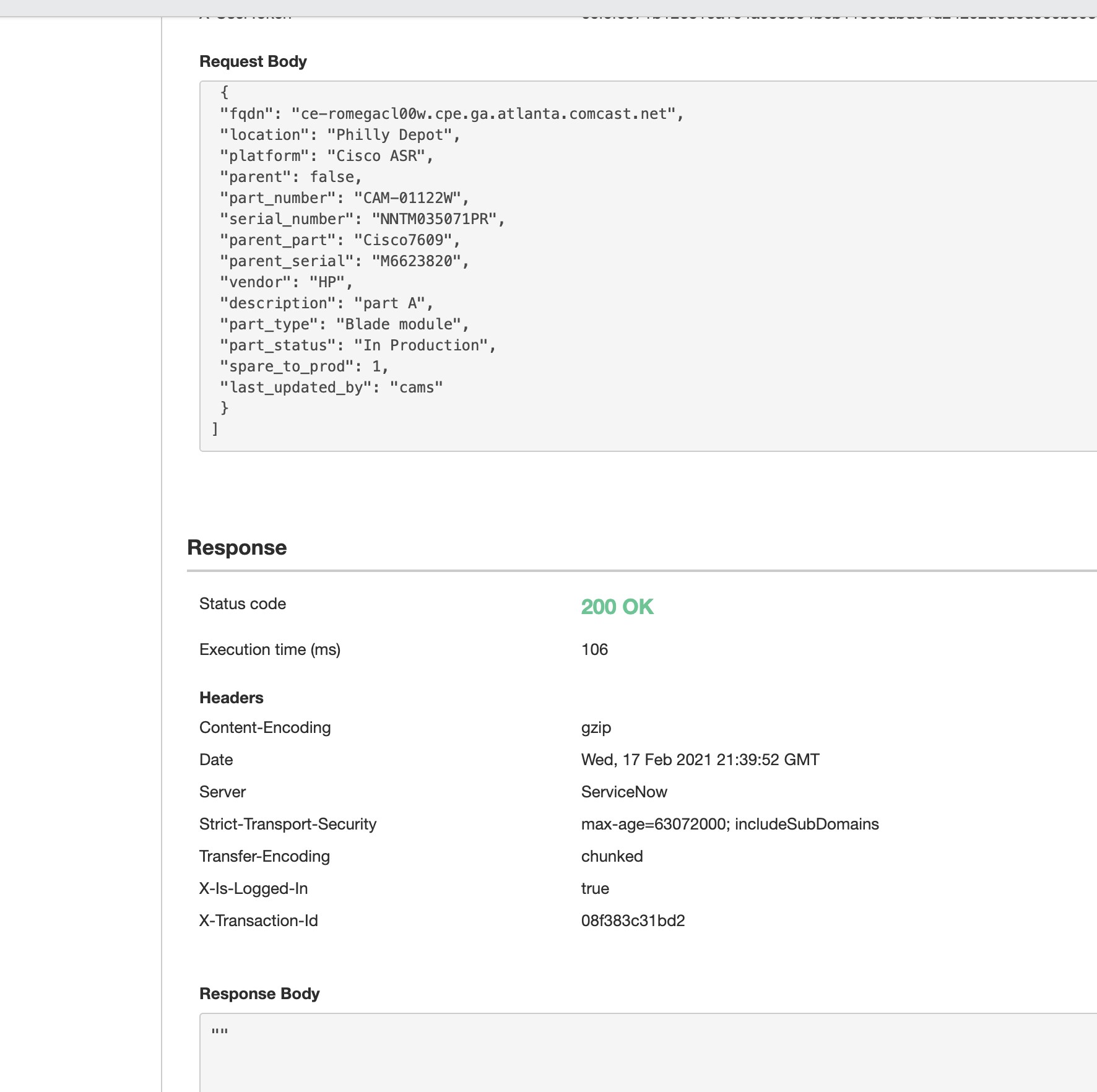
I am sending the write JSON Request body .
But i doubt i built the mapping in script include .
I need more details how mapping can be done in script include
How do i do my mapping of fields here
for (var jsonColumn in jsonRow) {
            try {
                importSetRowGr[jsonColumn] = jsonRow[jsonColumn];

- Mark as New
- Bookmark
- Subscribe
- Mute
- Subscribe to RSS Feed
- Permalink
- Report Inappropriate Content
02-17-2021 09:14 PM
Hi,
try sending it as an array of json object
wrap the request body with square brackets
[
{
// your object here
}
}
did you check records got created in staging table
Regards
Ankur
Ankur
✨ Certified Technical Architect || ✨ 10x ServiceNow MVP || ✨ ServiceNow Community Leader