- Mark as New
- Bookmark
- Subscribe
- Mute
- Subscribe to RSS Feed
- Permalink
- Report Inappropriate Content
03-28-2026 12:31 AM
Hello Community
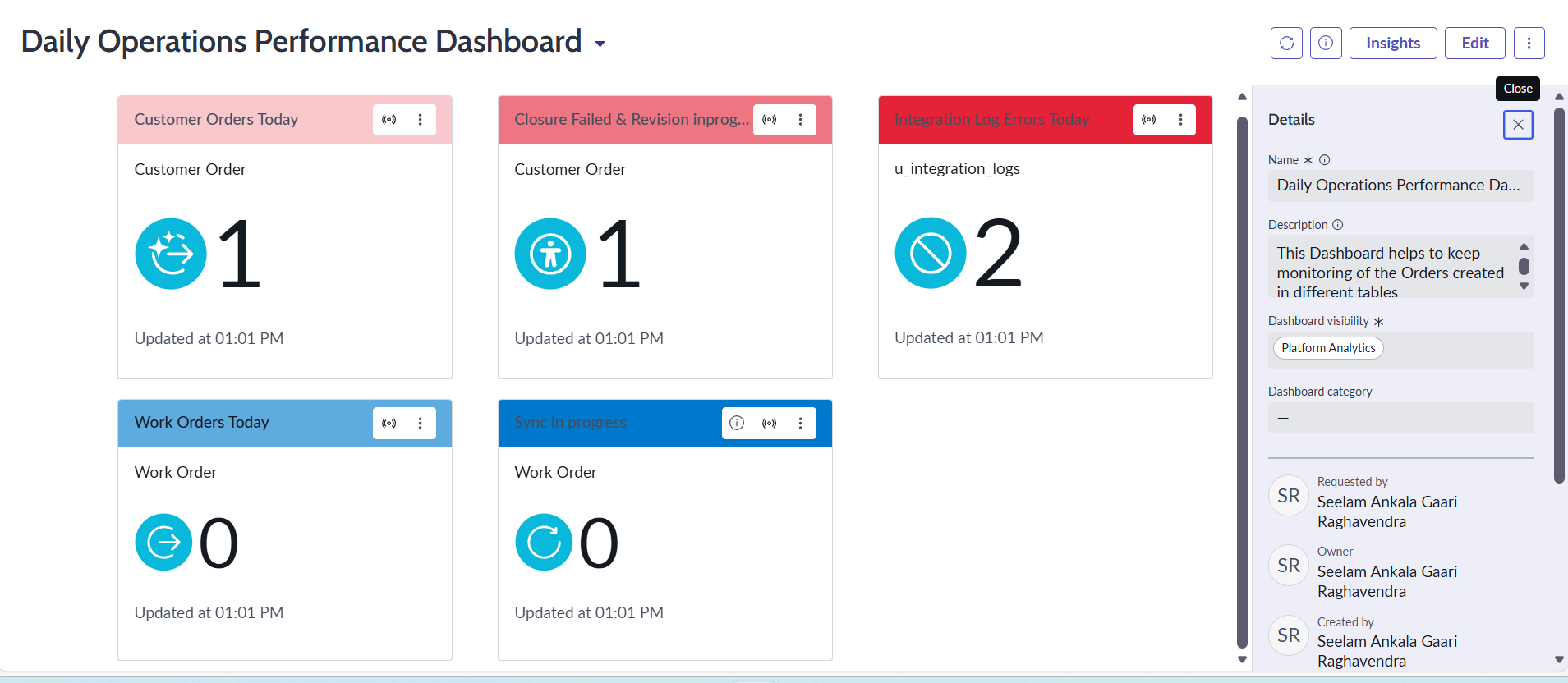
I just got struck at Dashboard Movement to test where I have created the DASHBOARD directly from platform analytics and added data source conditions from there in order to pick relevant data rather than generating reports and adding it to the dashboard but when I am trying to capture those changes through the update sets only few of them got captured in the customer updates and i didn't noticed and tried to move those changes to the test instance even after previewing and accepting those errors and committed the Dashboard visibility is not there in the test instance means the changes not captured in update sets and currently my update set is in global scope and even if i changed my scope to platform analytics also I am not able to capture those changes it is not allowing to save the dashboard changes in the view.
Any assistance would be helpful! Thanks
Solved! Go to Solution.

- Mark as New
- Bookmark
- Subscribe
- Mute
- Subscribe to RSS Feed
- Permalink
- Report Inappropriate Content
03-28-2026 02:07 AM
Refer : KB0717180 Deep Copy a Dashboard from one ServiceNow Instance to Another
Regards
Tanushree Maiti
ServiceNow Technical Architect
LinkedIn: https://www.linkedin.com/in/tanushreemaiti
- Mark as New
- Bookmark
- Subscribe
- Mute
- Subscribe to RSS Feed
- Permalink
- Report Inappropriate Content
03-28-2026 02:32 AM
I faced a similar issue earlier. For Platform Analytics dashboards, update sets don’t always capture everything directly.
Before moving to another instance, make sure to click “Unload Dashboard” from the dashboard menu and then save the record. so it can be captured in the update set.

I hope this work.
If this helped, please mark it as helpful and accept it as a solution 😊
Regards
Dimple Shaik
- Mark as New
- Bookmark
- Subscribe
- Mute
- Subscribe to RSS Feed
- Permalink
- Report Inappropriate Content
03-28-2026 02:07 AM
Refer : KB0717180 Deep Copy a Dashboard from one ServiceNow Instance to Another
Regards
Tanushree Maiti
ServiceNow Technical Architect
LinkedIn: https://www.linkedin.com/in/tanushreemaiti
- Mark as New
- Bookmark
- Subscribe
- Mute
- Subscribe to RSS Feed
- Permalink
- Report Inappropriate Content
03-28-2026 02:32 AM
I faced a similar issue earlier. For Platform Analytics dashboards, update sets don’t always capture everything directly.
Before moving to another instance, make sure to click “Unload Dashboard” from the dashboard menu and then save the record. so it can be captured in the update set.
I hope this work.
If this helped, please mark it as helpful and accept it as a solution 😊
Regards
Dimple Shaik
- Mark as New
- Bookmark
- Subscribe
- Mute
- Subscribe to RSS Feed
- Permalink
- Report Inappropriate Content
03-28-2026 03:52 AM
Hi @Shaik Dimple ,
It worked Thanks for the solution😊
Thank you