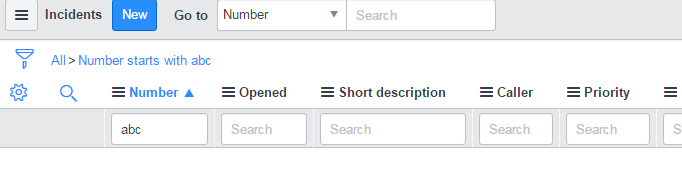
Default filter operator to 'contains'

- Mark as New
- Bookmark
- Subscribe
- Mute
- Subscribe to RSS Feed
- Permalink
- Report Inappropriate Content
03-02-2017 02:34 AM
Hi All,
How to change default filter operator to 'contains'?
Thanks,
Gopal

- Mark as New
- Bookmark
- Subscribe
- Mute
- Subscribe to RSS Feed
- Permalink
- Report Inappropriate Content
03-02-2017 02:37 AM
Screen shot wud be helpful where you want to change?
Administrators can add a property to perform a default contains search instead of a greater than search. To make this change, add the property glide.ui.goto_use_contains (it is not available by default) and set the property value to true
.Please check section 5.3 from below link
Harish

- Mark as New
- Bookmark
- Subscribe
- Mute
- Subscribe to RSS Feed
- Permalink
- Report Inappropriate Content
03-02-2017 02:39 AM

- Mark as New
- Bookmark
- Subscribe
- Mute
- Subscribe to RSS Feed
- Permalink
- Report Inappropriate Content
03-02-2017 05:53 AM


- Mark as New
- Bookmark
- Subscribe
- Mute
- Subscribe to RSS Feed
- Permalink
- Report Inappropriate Content
03-02-2017 05:56 AM