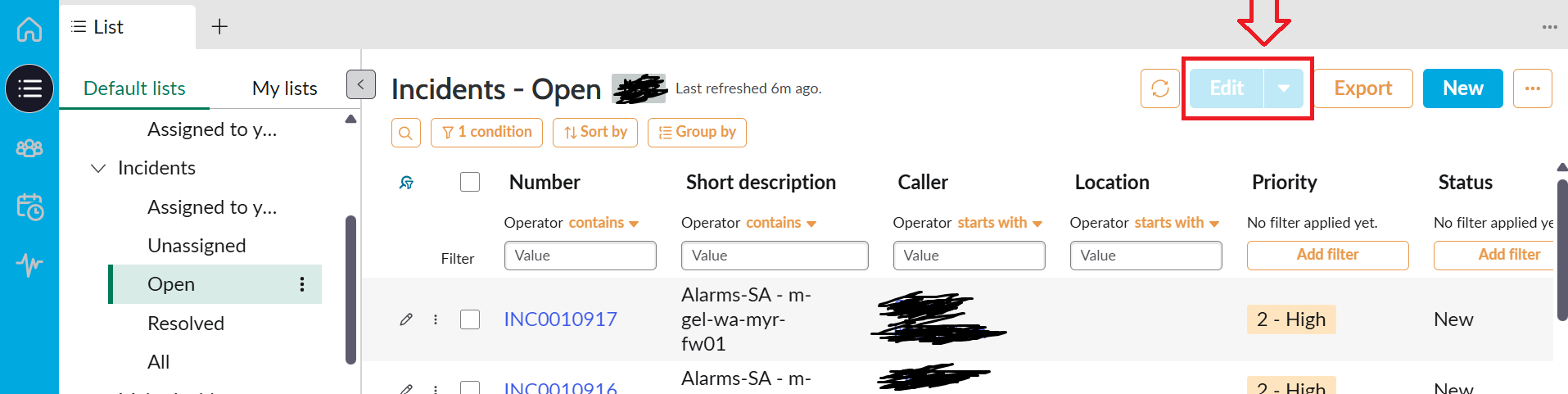
Edit UI action visible but greyed out for all users (workspace view)

- Mark as New
- Bookmark
- Subscribe
- Mute
- Subscribe to RSS Feed
- Permalink
- Report Inappropriate Content
04-15-2026 07:41 PM
- Mark as New
- Bookmark
- Subscribe
- Mute
- Subscribe to RSS Feed
- Permalink
- Report Inappropriate Content
04-15-2026 07:49 PM
If you select records with the tickboxes from the list it'll be available.
If you still want to remove it, it is not an ui action but a declarative action. There are example ones that hide it per table or you can just inactivate the global one


- Mark as New
- Bookmark
- Subscribe
- Mute
- Subscribe to RSS Feed
- Permalink
- Report Inappropriate Content
04-15-2026 08:13 PM
Hi @amita2

To disable the Edit button, follow these steps:
- Go to Declarative Action → List Action.
- Open the record using the following link.
https://<instance-id>.service-now.com/sys_declarative_action_assignment.do?sys_id=4a9232b273131010a0a79329faf6a732 - Create a new record as shown below in the Action Exclusion related list.
Regards,
Siva


- Mark as New
- Bookmark
- Subscribe
- Mute
- Subscribe to RSS Feed
- Permalink
- Report Inappropriate Content
04-15-2026 09:19 PM
Thanks heaps for your response, much appreciated. Just a last question - does this mean i have to create exclusion record for all the tables that I see?? this in currently( greyed out) its everywhere 😞
- Mark as New
- Bookmark
- Subscribe
- Mute
- Subscribe to RSS Feed
- Permalink
- Report Inappropriate Content
04-15-2026 09:49 PM - edited 04-15-2026 09:50 PM