Flow designer - In flow context steps not running in UI but records updating

- Mark as New
- Bookmark
- Subscribe
- Mute
- Subscribe to RSS Feed
- Permalink
- Report Inappropriate Content
08-27-2026 01:07 AM
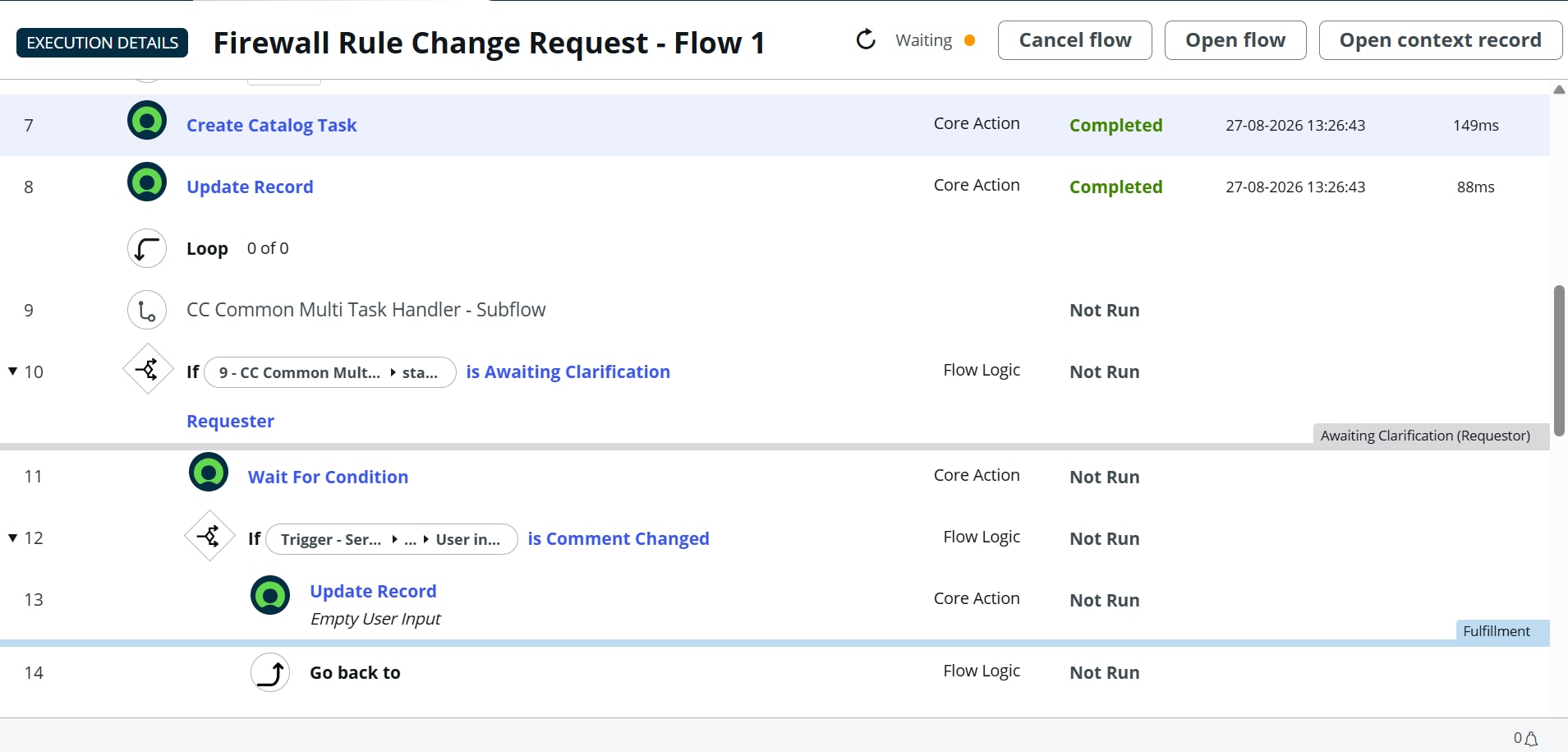
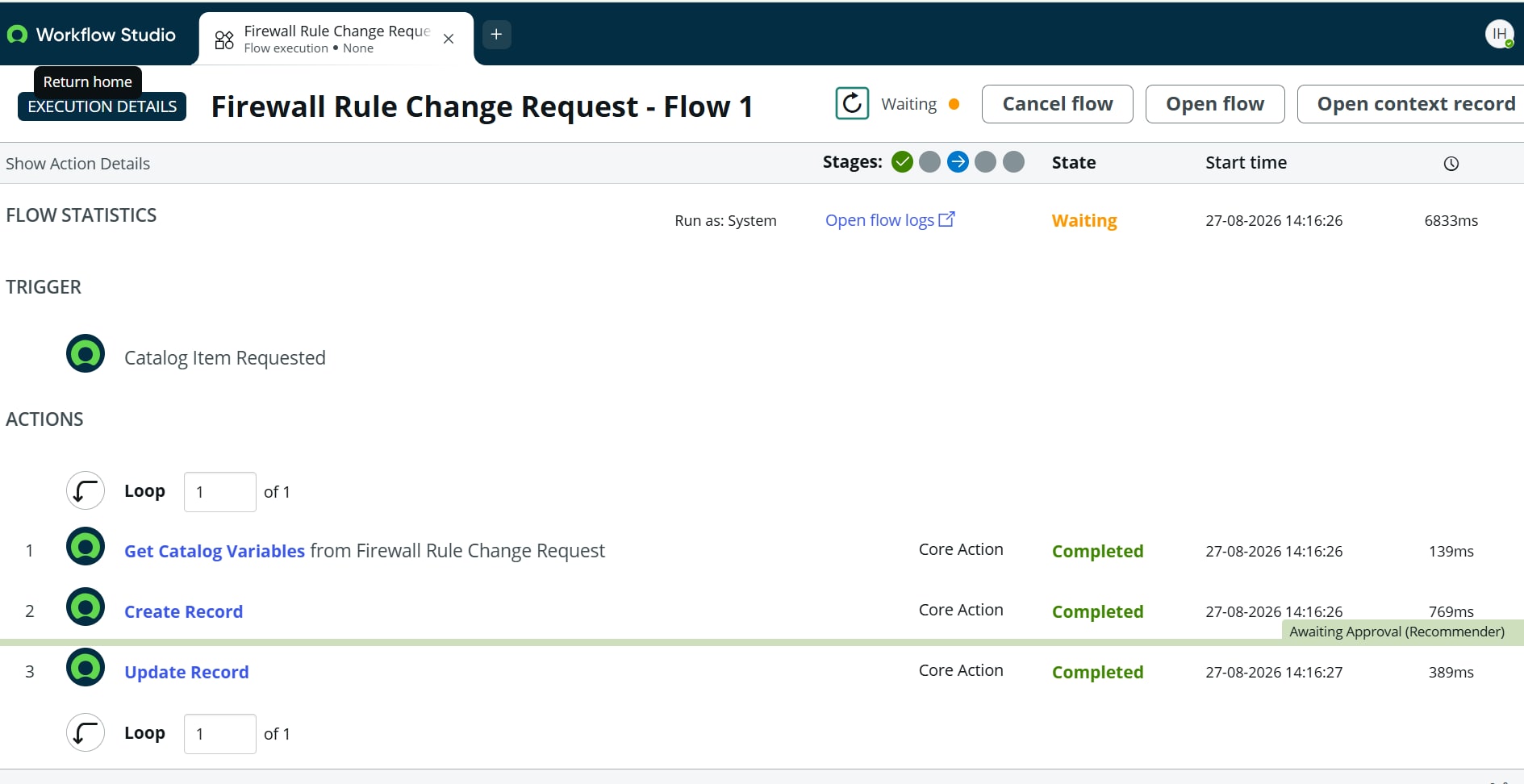
When i tried testing a flow , In flow context only first 7,8 steps are showing as running on flow context UI. I cant open any subflows or action outputs and logs from UI . But the subflows and actions are running and updating the specified values in records . Because of this i cant debug the flow correctly .
#flowdesigner #flowcontext #flowtesting #flowcontextui #flowstepmapping
- Mark as New
- Bookmark
- Subscribe
- Mute
- Subscribe to RSS Feed
- Permalink
- Report Inappropriate Content
08-27-2026 02:35 AM


- Mark as New
- Bookmark
- Subscribe
- Mute
- Subscribe to RSS Feed
- Permalink
- Report Inappropriate Content
08-27-2026 03:05 AM
Hi @irfan_fedserv ,
Thank you for your screenshots, could you please confirm below
1. is this requested getting created through integration
2. Is it happening for all the request? Manually submitted vs integration?
3. Could you please open a step number 7 from the flow context and see for any error logs
4. are there any approvals Pending on the flow
5. Can you remove states and try once
6. Please check if any other logic(BR, flows. etc..) triggers while updating/creating task step 7 and 8.
Thank you,
Hemanth
Certified Technical Architect (CTA), ServiceNow MVP 2024, 2025,2026
- Mark as New
- Bookmark
- Subscribe
- Mute
- Subscribe to RSS Feed
- Permalink
- Report Inappropriate Content
08-29-2026 01:48 AM
Hi @Hemanth M ,
Thank you for the suggestions
1) This request is created manually by end user from employee centre
2)No , only flows in which i added integartion steps later (custom rest action)
3)There is no error shown in step 7 & 8
4) No approvals are completed and the required SC task is closed with close notes properly and the subflow is getting completed (sc task state check is happening in subflow) when opened separately from flow context table .(Cant open subflow from main flow -no option shown)
5)tried
6)No br's which is stopping the flow
when i discussed with team , they said they have encountered this issue 3,4 months ago and installed a plugin provided by SNOW support team . So now raised a case and is in 'In progress' .
- Mark as New
- Bookmark
- Subscribe
- Mute
- Subscribe to RSS Feed
- Permalink
- Report Inappropriate Content
08-30-2026 12:08 PM
The flow is running. The context UI is not. Check system property com.snc.process_flow.reporting.level. It is often OFF (especially in test/prod). Set it to ON, or FULL if you are on Workflow Studio and still only see the first few steps.
Then open the sys_flow_context record for that run and use the related operations / flow report, not only the pretty diagram. Subflow steps often do not expand in the canvas even though they committed.
If the run is older, Table Cleaner may have dropped detail rows while the RITM updates remain. Completed contexts are retained only for the cleaner age (commonly ~30 days).
Update Workflow Studio to current, then re-test one run after the property change. Do not add extra logging until reporting is actually on.