- Mark as New
- Bookmark
- Subscribe
- Mute
- Subscribe to RSS Feed
- Permalink
- Report Inappropriate Content
10-25-2019 02:31 AM
Hi All?
Actually I have made the changes but during that time i did not created the Update set ,
I want to know the process step by step How to capture those missing changes in new update set ?
Much Appreciated your help !
Kuma
Solved! Go to Solution.
- Labels:
-
Multiple Versions


- Mark as New
- Bookmark
- Subscribe
- Mute
- Subscribe to RSS Feed
- Permalink
- Report Inappropriate Content
10-25-2019 02:39 AM
Hi Kuma,
Create an update set first
then go to sys_update_xml.LIST table
add the remote update set column in list view
search with created by your name; those changes will be in default update set
Now if you find 10 records then update all 10 records with update set column as the newly created update set
steps:
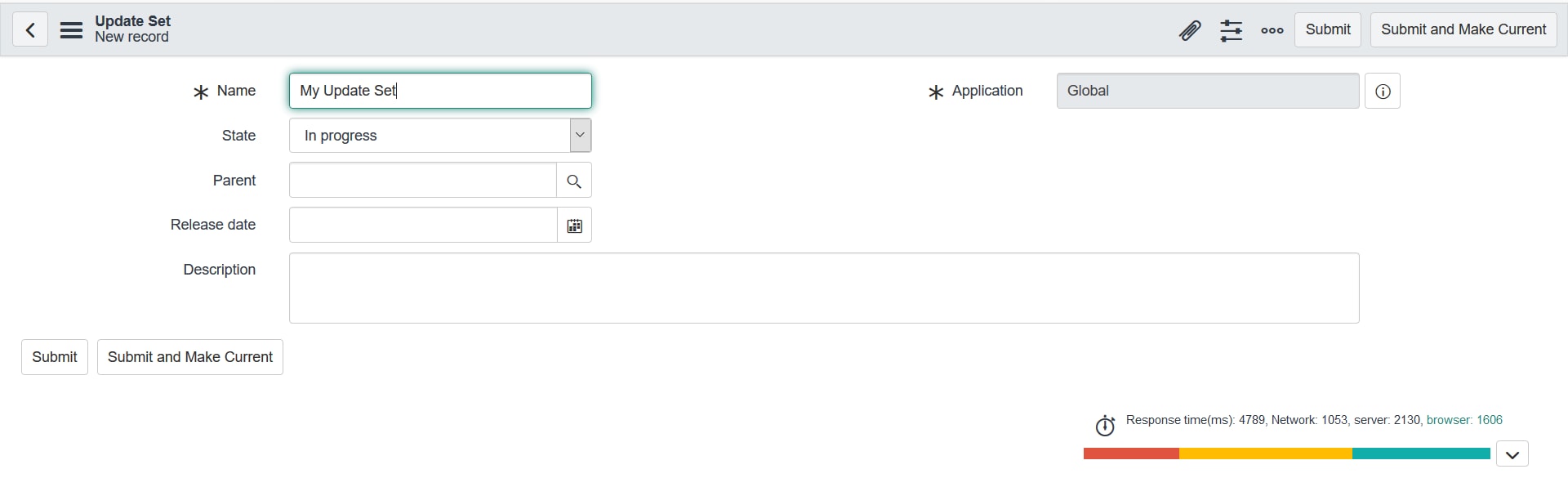
1) in left navigation type local update sets then create new and give name to your update set and then submit and make current

Mark ✅ Correct if this solves your issue and also mark 👍 Helpful if you find my response worthy based on the impact.
Thanks
Ankur
Ankur
✨ Certified Technical Architect || ✨ 10x ServiceNow MVP || ✨ ServiceNow Community Leader

- Mark as New
- Bookmark
- Subscribe
- Mute
- Subscribe to RSS Feed
- Permalink
- Report Inappropriate Content
10-25-2019 02:37 AM
kindly refer the below thread.
- Mark as New
- Bookmark
- Subscribe
- Mute
- Subscribe to RSS Feed
- Permalink
- Report Inappropriate Content
10-25-2019 02:39 AM
Hi Kuma,
Create an update set first
then go to sys_update_xml.LIST table
add the remote update set column in list view
search with created by your name; those changes will be in default update set
Now if you find 10 records then update all 10 records with update set column as the newly created update set
steps:
1) in left navigation type local update sets then create new and give name to your update set and then submit and make current
Mark ✅ Correct if this solves your issue and also mark 👍 Helpful if you find my response worthy based on the impact.
Thanks
Ankur
Ankur
✨ Certified Technical Architect || ✨ 10x ServiceNow MVP || ✨ ServiceNow Community Leader
- Mark as New
- Bookmark
- Subscribe
- Mute
- Subscribe to RSS Feed
- Permalink
- Report Inappropriate Content
10-25-2019 03:51 AM
Hi you can have a look at below: