- Mark as New
- Bookmark
- Subscribe
- Mute
- Subscribe to RSS Feed
- Permalink
- Report Inappropriate Content
11-18-2020 06:59 AM
HI,
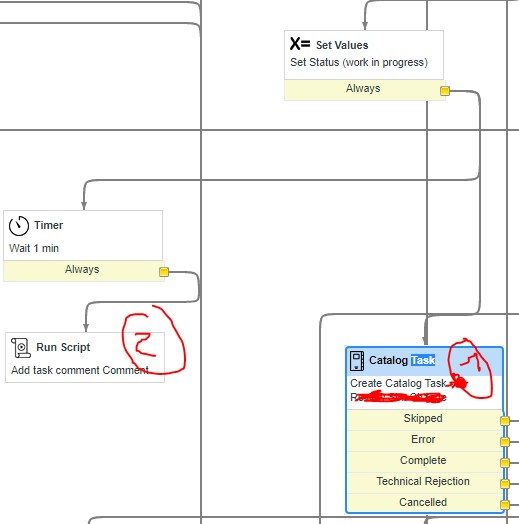
within a Workflow on RITM we create a catalog task via the normal activity.
Beside setting the variables accordingly I need to update the activity stream with the task number created.
I also activated the "wait for completion" .. so I don't nee d the number later - I need it directly with the activity.
Sure I could add a business rule etc. to add it, but I wonder how to do WITHIN the activity.
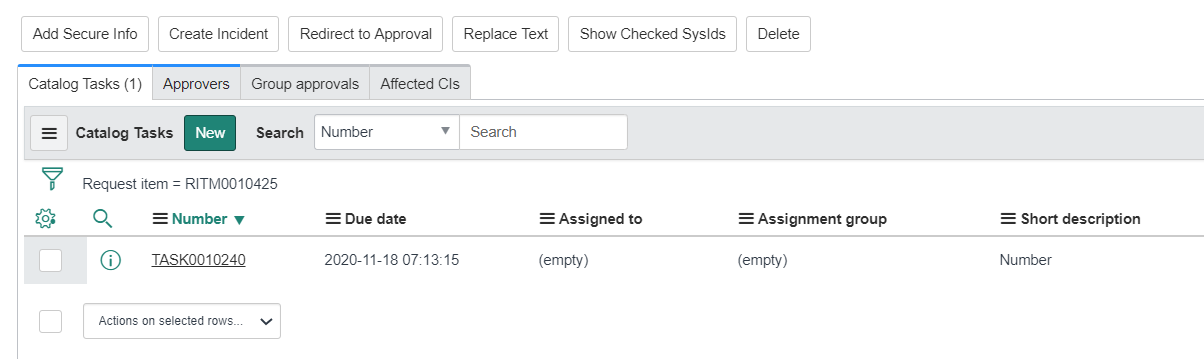
This way it does not work ... The Text will show up, but not the number ...

Solved! Go to Solution.
- Mark as New
- Bookmark
- Subscribe
- Mute
- Subscribe to RSS Feed
- Permalink
- Report Inappropriate Content
11-18-2020 08:33 AM
Thanks for your help and effort.
I added workflow.scrachpad.task_number = task.number within the task activity.
Then I added a parallel part, with a wait condition to be sure the scratchpad exists ... then I just used it to add the comment ... 😉
Works 😉


- Mark as New
- Bookmark
- Subscribe
- Mute
- Subscribe to RSS Feed
- Permalink
- Report Inappropriate Content
11-18-2020 07:06 AM
Hi,
did you try that? what value it gave
Regards
Ankur
Ankur
✨ Certified Technical Architect || ✨ 10x ServiceNow MVP || ✨ ServiceNow Community Leader
- Mark as New
- Bookmark
- Subscribe
- Mute
- Subscribe to RSS Feed
- Permalink
- Report Inappropriate Content
11-18-2020 07:14 AM
Hi,
as per this question it is not possible from what Chuck mentioned
Workflow - Create Task activity - Get task number
Regards
Ankur
Ankur
✨ Certified Technical Architect || ✨ 10x ServiceNow MVP || ✨ ServiceNow Community Leader
- Mark as New
- Bookmark
- Subscribe
- Mute
- Subscribe to RSS Feed
- Permalink
- Report Inappropriate Content
11-18-2020 08:13 AM


- Mark as New
- Bookmark
- Subscribe
- Mute
- Subscribe to RSS Feed
- Permalink
- Report Inappropriate Content
11-18-2020 08:33 AM