- Mark as New
- Bookmark
- Subscribe
- Mute
- Subscribe to RSS Feed
- Permalink
- Report Inappropriate Content
06-20-2022 11:04 AM
Hi
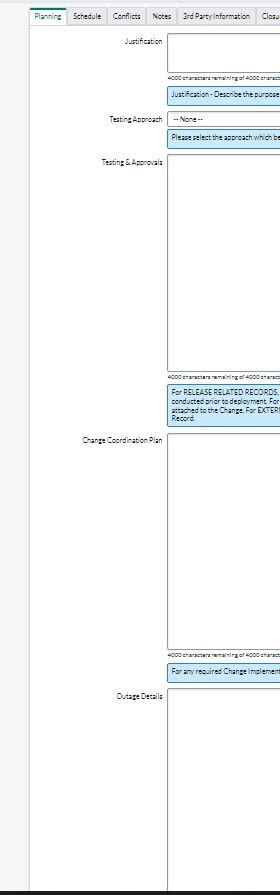
After upgrading to San Diego we noticed that text-box size for the String type of variables changed. They appear much larger than in previous releases.
I found the way how to control individual variable/text-box (updating System UI-> Field Styles -> 'field_name' -> Style -> "height: 80px !important;") but would like to fix this on the platform level.
In San Diego:

before (up to and including Rome):

Thanks!
Solved! Go to Solution.
- Mark as New
- Bookmark
- Subscribe
- Mute
- Subscribe to RSS Feed
- Permalink
- Report Inappropriate Content
06-21-2022 06:34 AM
This is due to a personal preference setting under display with the new San Diego ui display.
enable Use Compact Spacing Mode to see the compact version.
- Mark as New
- Bookmark
- Subscribe
- Mute
- Subscribe to RSS Feed
- Permalink
- Report Inappropriate Content
06-21-2022 06:34 AM
This is due to a personal preference setting under display with the new San Diego ui display.
enable Use Compact Spacing Mode to see the compact version.