- Mark as New
- Bookmark
- Subscribe
- Mute
- Subscribe to RSS Feed
- Permalink
- Report Inappropriate Content
04-29-2022 06:30 AM

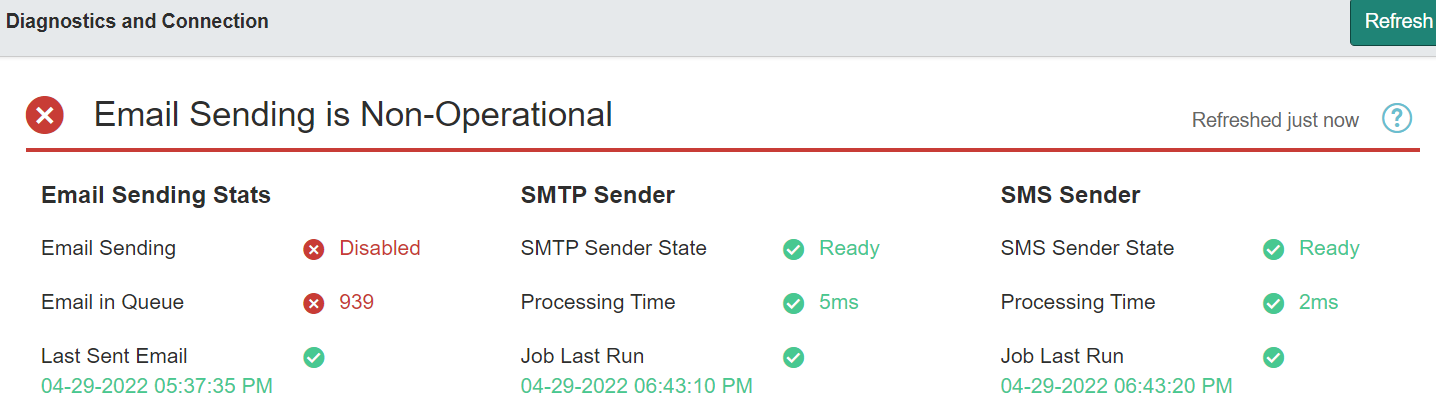
There are 939 emails in the queue how to delete all the records and make it 0 so that I can enable Email sending?
Solved! Go to Solution.
- Labels:
-
Multiple Versions


- Mark as New
- Bookmark
- Subscribe
- Mute
- Subscribe to RSS Feed
- Permalink
- Report Inappropriate Content
04-29-2022 06:58 AM
Hi Rahul
execute the following script:
var grEmail = new GlideRecord('sys_email');

grEmail.addEncodedQuery('type=send-ready');
grEmail.query();

if (grEmail.hasNext()) {
  grEmail.setValue('type', 'send-ignored');
  grEmail.updateMultiple();
}
Kind regards
Maik

- Mark as New
- Bookmark
- Subscribe
- Mute
- Subscribe to RSS Feed
- Permalink
- Report Inappropriate Content
04-29-2022 06:42 AM
Hi Rahul,
Before enabling the email sending you can go to emails module and update all the emails from sent-ready to sent or sent-ignored.
Once all records have been updated, you can enable the email sending.
Regards,
Deepankar Mathur
- Mark as New
- Bookmark
- Subscribe
- Mute
- Subscribe to RSS Feed
- Permalink
- Report Inappropriate Content
04-29-2022 06:58 AM
Hi Rahul
execute the following script:
var grEmail = new GlideRecord('sys_email');

grEmail.addEncodedQuery('type=send-ready');
grEmail.query();

if (grEmail.hasNext()) {
  grEmail.setValue('type', 'send-ignored');
  grEmail.updateMultiple();
}
Kind regards
Maik
- Mark as New
- Bookmark
- Subscribe
- Mute
- Subscribe to RSS Feed
- Permalink
- Report Inappropriate Content
05-24-2024 01:53 PM
Is this a client script on the sys_email table? I am not a developer but I need to remove all emails in my DEV instance so I can test a few things.