How to create a dynamic filter on a related list (EDIT BUTTON)

- Mark as New
- Bookmark
- Subscribe
- Mute
- Subscribe to RSS Feed
- Permalink
- Report Inappropriate Content
05-05-2016 11:32 AM
Hey Folks of ServiceNow! I was wondering if there is a way to create a default filter in related list that references a many to many tables and that it must be dynamic! the issue I am having is because of the fact the tables Im using there is many to many relationship so when I try to get(or choose) information on a related list I get all of the data that it contains without restrictions! I would like to set a default filter that takes the current reference item that it has in common so it would only show the items associated to it for each form (each device in this case for what I am doing).. heres an example!
for example this is what I get in this related list without using a filter:

All of the elements in that table! but from those elements I only need those that has the "product" of the current table that has this related list:

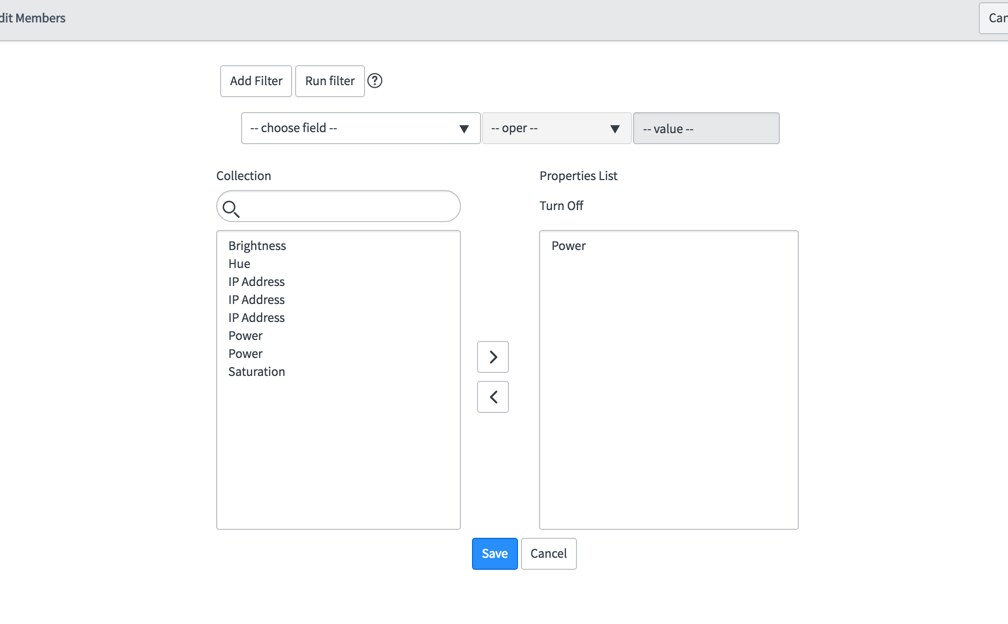
in this case I only want to see those that belongs to this Panasonic Product, that could be achieved by a static default filter(I was able to do that) but it doesnt work because not all of the actions has as product like this panasonic device so another way to do this is manually each time you go into this slushbucket you create a filter for it:

wich is not good! we dont want to be creating filters each time we enter into this slushbucket we would like to have an automated dynamic filter for it! I've tryied everything but now I wonder if this is even possible or achievable?? thank you very much!
What I have tried:
*** Go into List control of this related list and modify the layout to show "Edit default filter" builder condition field.
*** Going into the dictionary of this field and modifying the UI Policy that hinders "the reference qualifier fields" , tested with a dynamic filter and it doesnt allows you to selec the dynamic filter you just created it doesnt even appear in the list of dynamic filters when you need to choose nor any dynamic filter.
*** Creating a ref qualifier for it. (DIDNT WORK).
*** Then I modified the "dynamic filter" field and created a dyanamic scripted filter as well didnt work, it doesnt show the filter once it is created.
*** All kind of different stuff and IT DIDNT WORK!
Thank you very much Guys in regard Jose
- Mark as New
- Bookmark
- Subscribe
- Mute
- Subscribe to RSS Feed
- Permalink
- Report Inappropriate Content
10-26-2016 09:47 AM
Hello Jose,
This can solve our issues which are pending for a long time. Did you get a chance to write a blog? If so please share the details.
Thank You
Revathi
- Mark as New
- Bookmark
- Subscribe
- Mute
- Subscribe to RSS Feed
- Permalink
- Report Inappropriate Content
11-01-2016 11:23 AM
Hey Rev, Sorry I had not had the chance! by the way you just reminded me! thanks for the question! Probably today or tomorrow thank you!

- Mark as New
- Bookmark
- Subscribe
- Mute
- Subscribe to RSS Feed
- Permalink
- Report Inappropriate Content
05-30-2016 05:26 AM
Hi,
Im not able to see the records in related list, after selecting and saving the slushbucket. I have created a new Edit button as for my many to many table
- Mark as New
- Bookmark
- Subscribe
- Mute
- Subscribe to RSS Feed
- Permalink
- Report Inappropriate Content
05-30-2016 08:55 AM
Hi Suraj! I am not sure if I understand your problem, what you mean: "after selecting and saving the slushbucket"??



- Mark as New
- Bookmark
- Subscribe
- Mute
- Subscribe to RSS Feed
- Permalink
- Report Inappropriate Content
12-15-2016 04:26 PM
Thanks Lars! Used this successfully to filter a couple of m2m related lists. There's a couple of OOTB m2m "Edit..." examples for project scope and assessments.
