How to customize a pivot table

- Mark as New
- Bookmark
- Subscribe
- Mute
- Subscribe to RSS Feed
- Permalink
- Report Inappropriate Content
06-13-2022 10:02 PM
Hi, All.
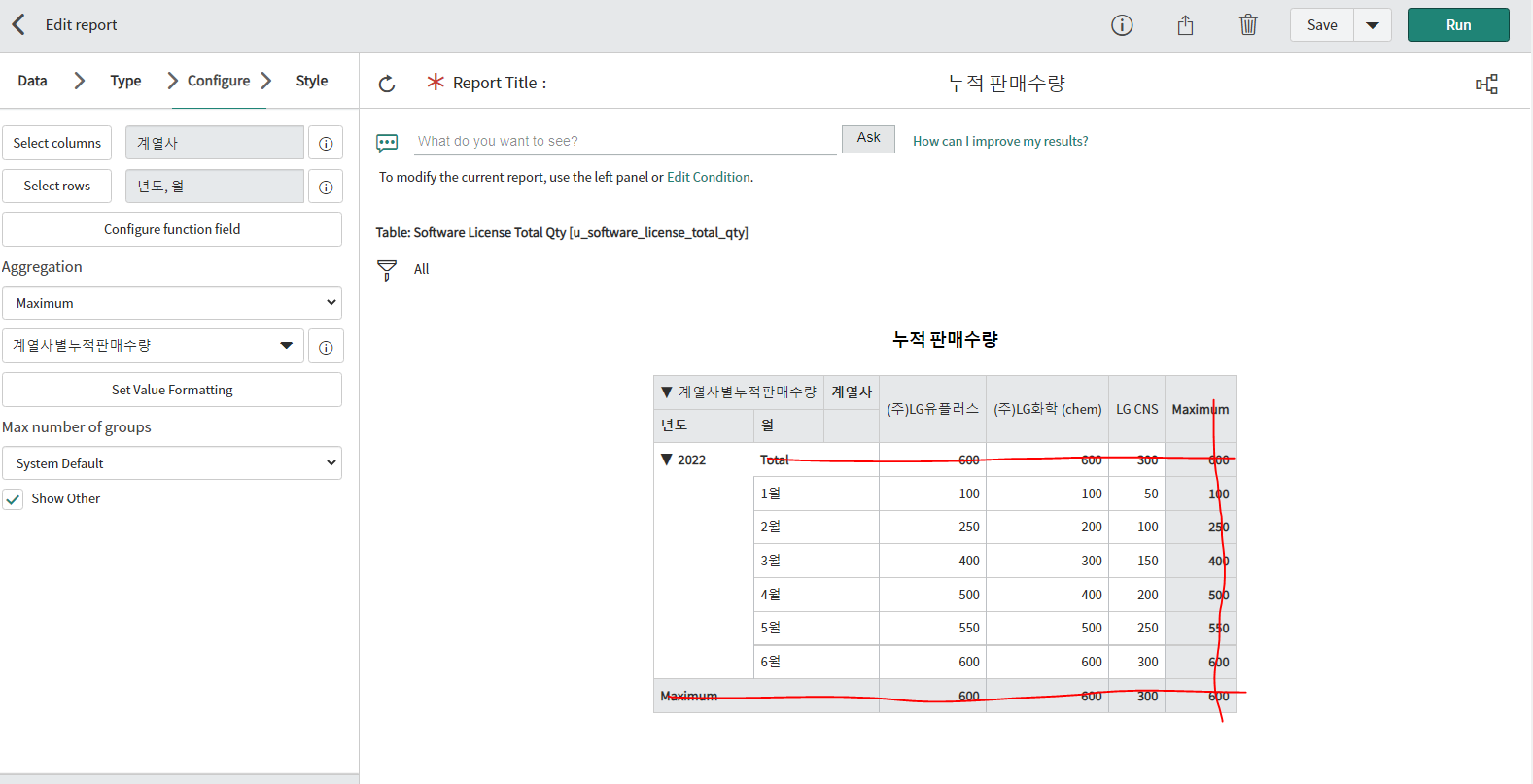
I made a dashboard report, a type of multi-level table.
But I want to remove the maximum and the total columns like the picture I drew underneath. I just want to show the date.
Is there a way to remove the maximum and total columns using this pivot table? Or is there a different way to make the report I want?


- Mark as New
- Bookmark
- Subscribe
- Mute
- Subscribe to RSS Feed
- Permalink
- Report Inappropriate Content
06-13-2022 11:00 PM
Hi
You can refer to this thread :https://community.servicenow.com/community?id=community_question&sys_id=4672cfeddb98dbc01dcaf3231f96...
Also, Travis Toulson created a tutorial on how to do your own. How To Make Custom Pivot Tables
Mark my answer correct & Helpful, if Applicable.
Thanks,
Sandeep
- Mark as New
- Bookmark
- Subscribe
- Mute
- Subscribe to RSS Feed
- Permalink
- Report Inappropriate Content
04-25-2023 11:59 PM
Hi @Jieun Jeong
Did you find the way to do what you wanted? i'm facing the same issue and i haven't been able to get a solution.
Thank you