Options
- Mark as New
- Bookmark
- Subscribe
- Mute
- Subscribe to RSS Feed
- Permalink
- Report Inappropriate Content
04-18-2019 08:09 PM

1 ACCEPTED SOLUTION


Options
- Mark as New
- Bookmark
- Subscribe
- Mute
- Subscribe to RSS Feed
- Permalink
- Report Inappropriate Content
04-18-2019 08:20 PM
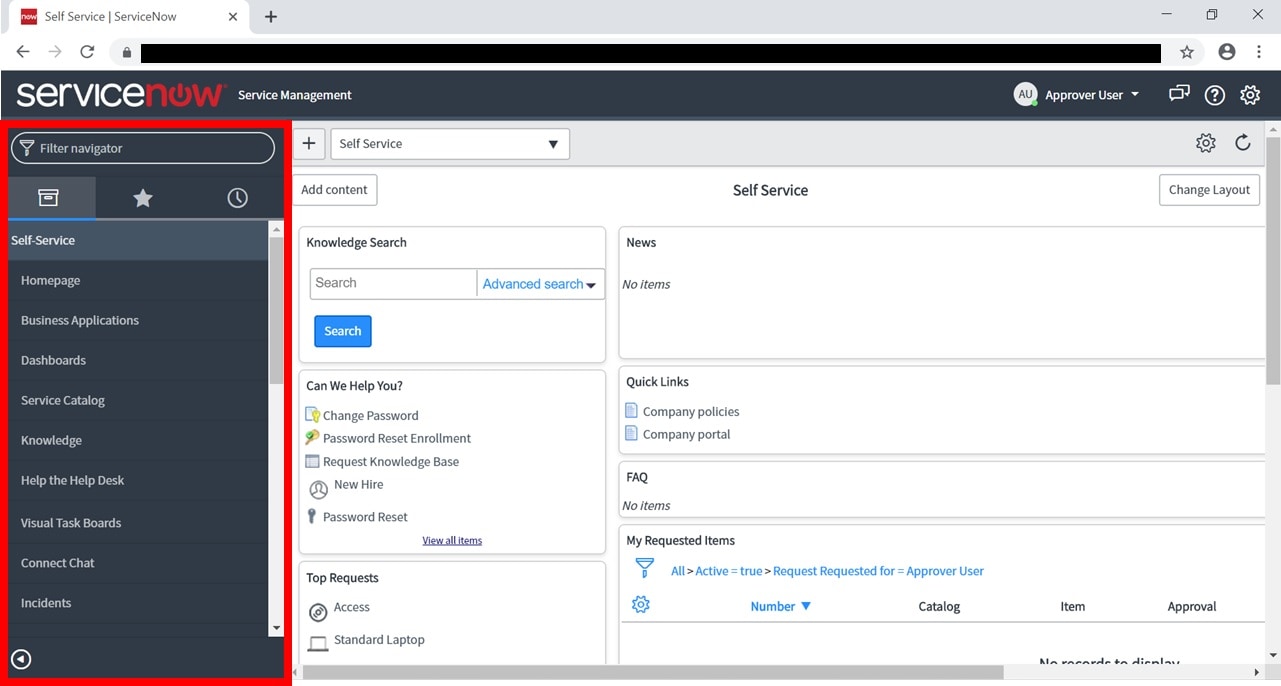
When you hover over the menu or module in the left side pane (as shown in your screenshot), who will see a icon (pen shape) click on it. It will take you to the backend settings page of the module
You can control it by putting roles who can access it in the roles field
2 REPLIES 2
Options
- Mark as New
- Bookmark
- Subscribe
- Mute
- Subscribe to RSS Feed
- Permalink
- Report Inappropriate Content
04-18-2019 08:20 PM
When you hover over the menu or module in the left side pane (as shown in your screenshot), who will see a icon (pen shape) click on it. It will take you to the backend settings page of the module
You can control it by putting roles who can access it in the roles field
Options
- Mark as New
- Bookmark
- Subscribe
- Mute
- Subscribe to RSS Feed
- Permalink
- Report Inappropriate Content
04-18-2019 08:42 PM
Is it possible to hide all, not do one by one module?