How to set the page rerouting in portal

- Mark as New
- Bookmark
- Subscribe
- Mute
- Subscribe to RSS Feed
- Permalink
- Report Inappropriate Content
01-29-2020 11:41 AM
Hi All,
I am new for portal development. I need your help in changing the landing pages for search in custom portal page.
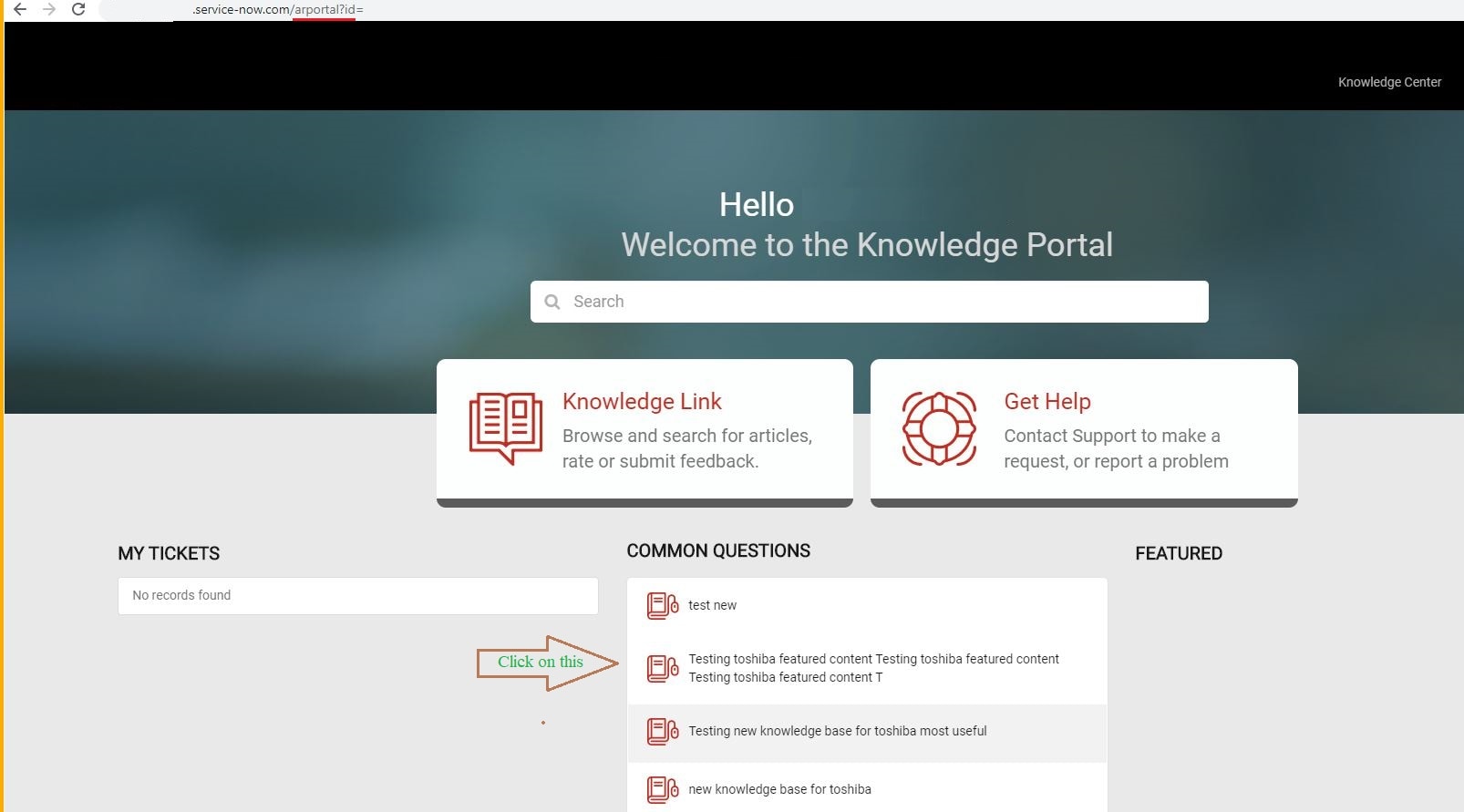
When I open the article from home page (screenshot 1), it is opening in ar_kb_article custom page (screenshot 2).
But when I click on the breadcrumbs (screenshot 3) it is routing to kb_category page (screenshot 3). I want all the search results to be routed to ar_kb_category custom page
- Thank you..
- Labels:
-
Scripting and Coding
- Mark as New
- Bookmark
- Subscribe
- Mute
- Subscribe to RSS Feed
- Permalink
- Report Inappropriate Content
01-29-2020 12:25 PM
var c = this;
This is available on Client Script of custom widget. Does this need to be removed?
Is this what you mean?
function() {
/* widget controller */
var c = this;
c.url = "?id=ar_kb_category"
}
- Thank you.
- Mark as New
- Bookmark
- Subscribe
- Mute
- Subscribe to RSS Feed
- Permalink
- Report Inappropriate Content
01-29-2020 12:32 PM
Yes sai.You can try it and let me know.
Thanks,
Sumanth
- Mark as New
- Bookmark
- Subscribe
- Mute
- Subscribe to RSS Feed
- Permalink
- Report Inappropriate Content
01-29-2020 12:34 PM
No Luck Sumanth.
- Thank you.
- Mark as New
- Bookmark
- Subscribe
- Mute
- Subscribe to RSS Feed
- Permalink
- Report Inappropriate Content
01-29-2020 12:40 PM
Can you paste your custom widget code here
Thanks,
Sumanth

- Mark as New
- Bookmark
- Subscribe
- Mute
- Subscribe to RSS Feed
- Permalink
- Report Inappropriate Content
01-29-2020 12:52 PM
Hi Sai!
You can accomplish this pretty easily with a Page Route Map record. Navigate to Service Portal > Page Route Maps and create a new record.
Add your portal to the list, set your Route from to kb_category and your Route to to ar_kb_category.
Now, whenever a user goes to the kb_category page it will auto-redirect them to the page you want. In the url it will still say kb_category but it will be the correct page.
Let me know if this helps!
Dylan