
- Mark as New
- Bookmark
- Subscribe
- Mute
- Subscribe to RSS Feed
- Permalink
- Report Inappropriate Content
05-27-2026 10:45 PM
Hello, I recently opted in for the Enhanced Request Experience and now have a different setup for the My Request page that is showing at the top of my employee portal in the Employee Center Header. The current default OOB view looks to only be showing the Incidents and Requests. I have a couple custom tables that I need to see tickets for in this view. Does anyone know the best approach to add these. Would Standard Ticket Configuration be the best approach. If so, does anyone have a quick how to for adding a custom table.
Thanks for your assistance.
Solved! Go to Solution.

- Mark as New
- Bookmark
- Subscribe
- Mute
- Subscribe to RSS Feed
- Permalink
- Report Inappropriate Content
05-28-2026 06:44 AM - edited 05-28-2026 06:44 AM
Refer this article: Enhanced Requests experience - Top level Filter configurations
Also check this post: Employee Center View Requests: adding details
Regards
Tanushree Maiti
ServiceNow Technical Architect
LinkedIn: https://www.linkedin.com/in/tanushreemaiti


- Mark as New
- Bookmark
- Subscribe
- Mute
- Subscribe to RSS Feed
- Permalink
- Report Inappropriate Content
05-27-2026 10:51 PM
you need to create my request filter for your table
Then configure the standard ticket config for that table
This will work only when your table is task extended
If your custom table is not task extended then you can add a separate header menu for that
💡 If my response helped, please mark it as correct ✅ and close the thread 🔒— this helps future readers find the solution faster! 🙏
Ankur
✨ Certified Technical Architect || ✨ 10x ServiceNow MVP || ✨ ServiceNow Community Leader
- Mark as New
- Bookmark
- Subscribe
- Mute
- Subscribe to RSS Feed
- Permalink
- Report Inappropriate Content
05-27-2026 10:59 PM
hi @Danny Barker ,
Yes, Standard Ticket Configuration is the correct approach ..
Your custom table should ideally extend task table. and Users must have proper ACL access.
Rregister your custom table(s) as supported ticket sources.

create New recrd for your table and Save
clear cache and test
you can refer incident table record for creating new record

- Mark as New
- Bookmark
- Subscribe
- Mute
- Subscribe to RSS Feed
- Permalink
- Report Inappropriate Content
05-28-2026 06:16 AM
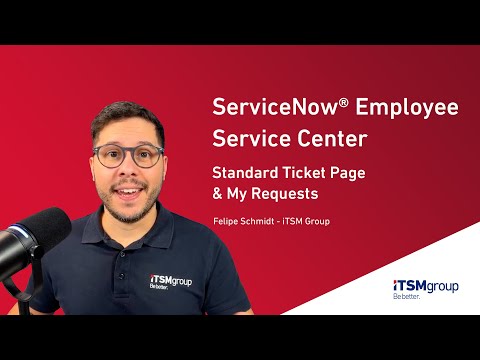
Thank you both for your replies. To maybe help with more detail, I found a video that I thought gave me what I needed, https://www.youtube.com/watch?v=eo7NFSizJoY however since I opted in for the new request experience, the My Request filter option I tried, did not show the new filter. I created a filter for the Change Request as a test as seen in the video but the tickets did not populate in my list view. I did however see them show up when I look at my old /sp page that is using the old My Request filter. AI chat recomedations say to switch back to the old My Request view as the new My Request experience requires more configurations, more complex setup, requires configuring additional related tables like sn_ex_sp_request_filter_definition and sn_ex_sp_request_filter_config, and less documentation available. Would this be accurate or is there another way to help configure this. Thanks again for all your help.
- Mark as New
- Bookmark
- Subscribe
- Mute
- Subscribe to RSS Feed
- Permalink
- Report Inappropriate Content
05-28-2026 06:44 AM - edited 05-28-2026 06:44 AM
Refer this article: Enhanced Requests experience - Top level Filter configurations
Also check this post: Employee Center View Requests: adding details
Regards
Tanushree Maiti
ServiceNow Technical Architect
LinkedIn: https://www.linkedin.com/in/tanushreemaiti

