- Mark as New
- Bookmark
- Subscribe
- Mute
- Subscribe to RSS Feed
- Permalink
- Report Inappropriate Content
03-28-2018 10:04 AM
I've created a custom widget and the purpose of it is to execute a rest api call from server side code and get the access token(server side) and pass it to client controller script to perform SSO with a third party vendor. I'm able to execute both scripts separately and got logs for it. All I need is to pass the token and user's email through variables from server side to client controller script, I've created the data object in server side script and using $scope or c.variable to retrive the data, but I'm not getting the data back to client script.
Here is an example code:
server side:
(function() {
data.name = [];
// get current user email
var uemail;
var usr = new GlideRecord('sys_user');
usr.addQuery('sys_id', gs.getUserID());
usr.query();
if(usr.next())
{
uemail = usr.email;
}
data.name.push({email: uemail});
gs.log("server side user>>>" +uemail + "and " + data.name, "Test code");
})();
client code:
function($scope) {
var c = this;
var temp = c.data.email;
alert("client code>>>" +temp); // not working
}
Do I need to define anything in the HTML template? I've included <input type="text" ng-model="c.data.name"/> in HTML too, but wont work. Any help is appreciated.
Solved! Go to Solution.


- Mark as New
- Bookmark
- Subscribe
- Mute
- Subscribe to RSS Feed
- Permalink
- Report Inappropriate Content
03-28-2018 10:26 AM
Did you try this code?
server side:
(function() {
data.name = '';
data.email = '';
data.code = '';
// get current user email
var uemail;
var usr = new GlideRecord('sys_user');
usr.addQuery('sys_id', gs.getUserID());
usr.query();
if(usr.next())
{
data.email = usr.email;
data.code = 'your code';
}
//data.name.push({email: uemail});
//gs.log("server side user>>>" +uemail + "and " + data.name, "Test code");
})();
client code:
function($scope) {
var c = this;
var temp = c.data.email;
alert("client code>>>" +temp); // not working
alert("client code>>>" +c.data.code); // not working
}
- Mark as New
- Bookmark
- Subscribe
- Mute
- Subscribe to RSS Feed
- Permalink
- Report Inappropriate Content
03-28-2018 10:11 AM
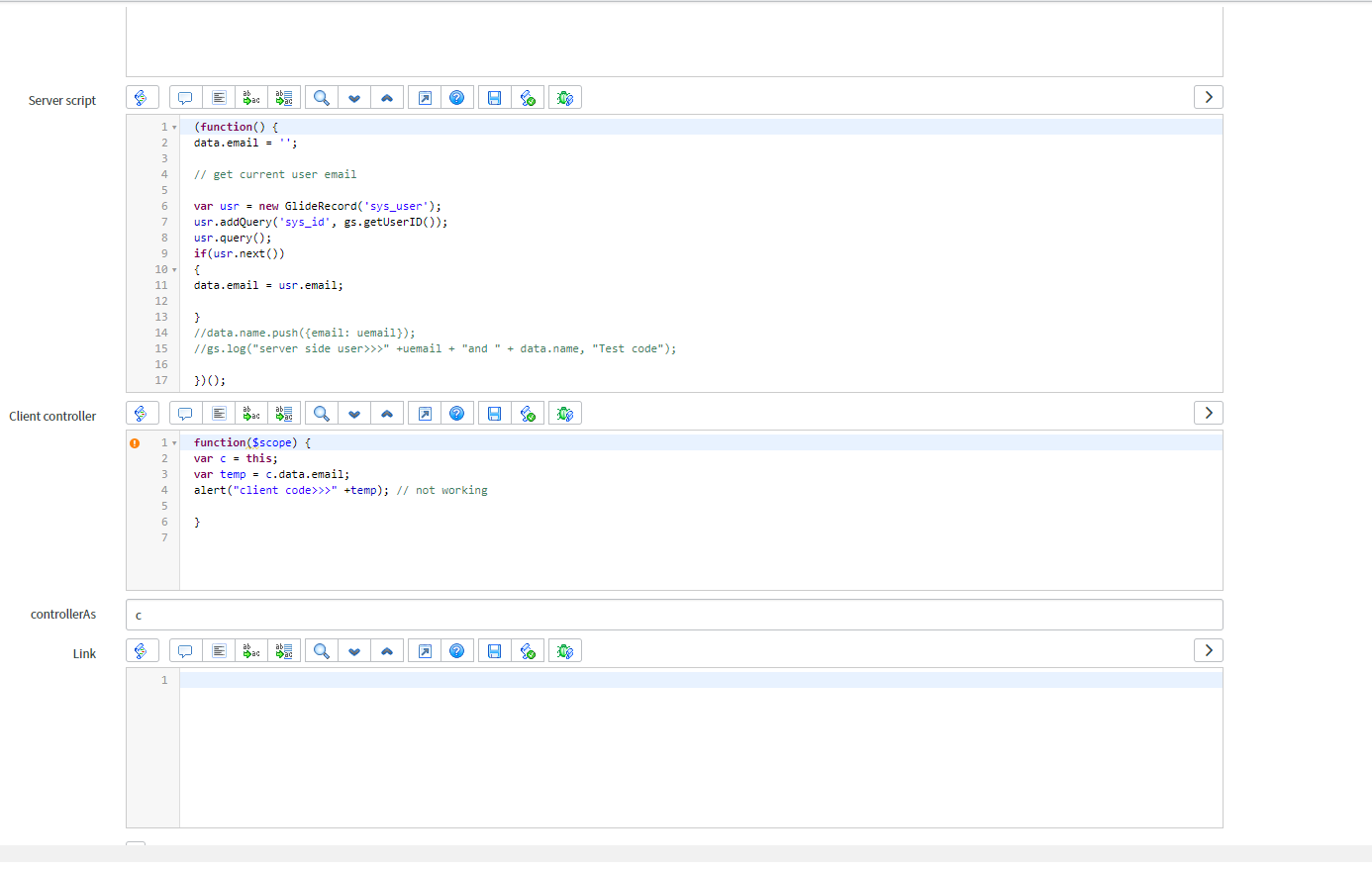
If it is just value, why use array? Just use this.
server side:
(function() {
data.name = '';
data.email = '';
// get current user email
var uemail;
var usr = new GlideRecord('sys_user');
usr.addQuery('sys_id', gs.getUserID());
usr.query();
if(usr.next())
{
data.email = usr.email;
}
//data.name.push({email: uemail});
//gs.log("server side user>>>" +uemail + "and " + data.name, "Test code");
})();
client code:
function($scope) {
var c = this;
var temp = c.data.email;
alert("client code>>>" +temp); // not working
}
- Mark as New
- Bookmark
- Subscribe
- Mute
- Subscribe to RSS Feed
- Permalink
- Report Inappropriate Content
03-28-2018 10:21 AM
Hi Sanjiv,
The sample code I've attached I just added email, but in my actual code I need to pass token as well, but that's not the issue, even if I pass the single variable I'm getting the alert executed as "client code>>>[object Object]".
Thanks,
Meghana
- Mark as New
- Bookmark
- Subscribe
- Mute
- Subscribe to RSS Feed
- Permalink
- Report Inappropriate Content
03-28-2018 10:26 AM
Did you try this code?
server side:
(function() {
data.name = '';
data.email = '';
data.code = '';
// get current user email
var uemail;
var usr = new GlideRecord('sys_user');
usr.addQuery('sys_id', gs.getUserID());
usr.query();
if(usr.next())
{
data.email = usr.email;
data.code = 'your code';
}
//data.name.push({email: uemail});
//gs.log("server side user>>>" +uemail + "and " + data.name, "Test code");
})();
client code:
function($scope) {
var c = this;
var temp = c.data.email;
alert("client code>>>" +temp); // not working
alert("client code>>>" +c.data.code); // not working
}
- Mark as New
- Bookmark
- Subscribe
- Mute
- Subscribe to RSS Feed
- Permalink
- Report Inappropriate Content
03-28-2018 10:37 AM