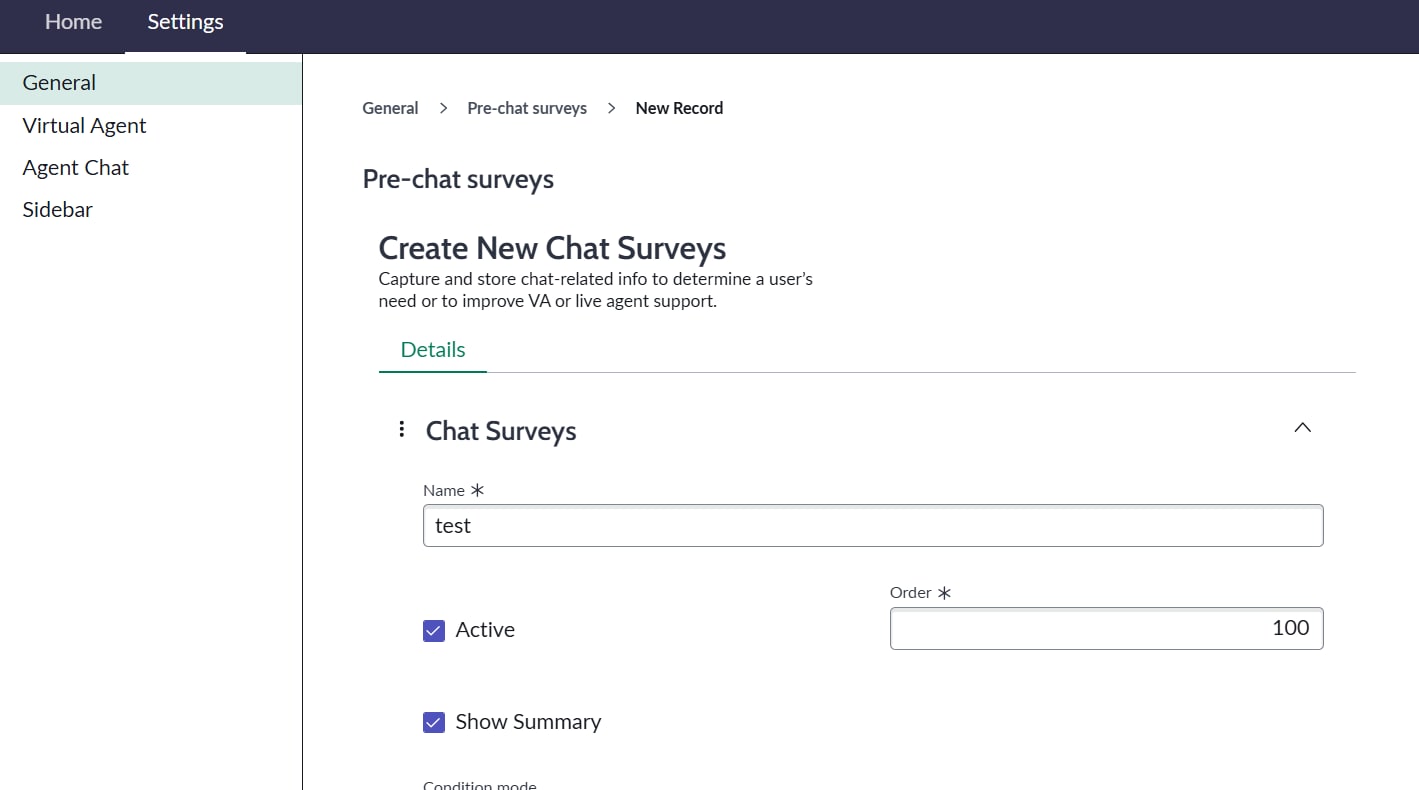
"Save" or "submit" button missing in pre-chat survey form

- Mark as New
- Bookmark
- Subscribe
- Mute
- Subscribe to RSS Feed
- Permalink
- Report Inappropriate Content
05-18-2026 10:35 PM
I can't save a pre-chat survey record or chat context variable record. There is no save or submit button
conversational interfaces--->settings--->General--->Pre-chat surveys(or context variables )--->view all--->New
I can see the save button in my PDI though.
Release version is Zurich and i have admin access. We are not using Virtual Agent. i need this pre-chat survey for Live agent interaction.
Why it's not visible? how can i save the pre-chat survey?

- Mark as New
- Bookmark
- Subscribe
- Mute
- Subscribe to RSS Feed
- Permalink
- Report Inappropriate Content
05-18-2026 10:55 PM
To Save the Record,
- Move your mouse to the top banner/header (the dark-grey or blue bar displaying).
- Right-click in this top bar area.
- Select Save from the drop-down context menu that appears
Define topic context intent configurations
Regards
Tanushree Maiti
ServiceNow Technical Architect
LinkedIn: https://www.linkedin.com/in/tanushreemaiti
- Mark as New
- Bookmark
- Subscribe
- Mute
- Subscribe to RSS Feed
- Permalink
- Report Inappropriate Content
05-18-2026 11:50 PM
Nope, it does not work like that. it's not a standard form.