- Mark as New
- Bookmark
- Subscribe
- Mute
- Subscribe to RSS Feed
- Permalink
- Report Inappropriate Content
08-05-2019 07:58 AM
Hi ,
I am looking fro Date validation in service catalog date fields .
1) Start Date must be greater than TODAY .
2 End Date must be greater than Start Date .
I am using the below code but it is not working and giving zero for startDateMs and endDateMs all the time even though the date value is valid all the time .
var startDate = g_form.getValue("from_date");
var endDate = g_form.getValue("to_date");
var format = g_user_date_time_format;
var startDateMs = getDateFromFormat(startDate, format);
alert(startDateMs);
var endDateMs = getDateFromFormat(endDate, format);
alert(endDateMs);
if(endDateMs <= startDate){
alert(g_form.getValue('from_date')+' '+g_form.getValue('to_date'));
alert('End date must be after Start date.');
}
How to fix this ? Thanks in advance !
Solved! Go to Solution.


- Mark as New
- Bookmark
- Subscribe
- Mute
- Subscribe to RSS Feed
- Permalink
- Report Inappropriate Content
08-05-2019 09:00 AM
That's correct, it's only a validation on the onChange. You could clear the date field.
Else you have to implement a check onSubmit.
If my answer helped you in any way, please then mark it as helpful.
Kind regards,
Mark
---
Kind regards,
Mark Roethof
Independent ServiceNow Consultant
10x ServiceNow MVP
---
~444 Articles, Blogs, Videos, Podcasts, Share projects - Experiences from the field
- Mark as New
- Bookmark
- Subscribe
- Mute
- Subscribe to RSS Feed
- Permalink
- Report Inappropriate Content
08-05-2019 08:00 AM
Hi there,
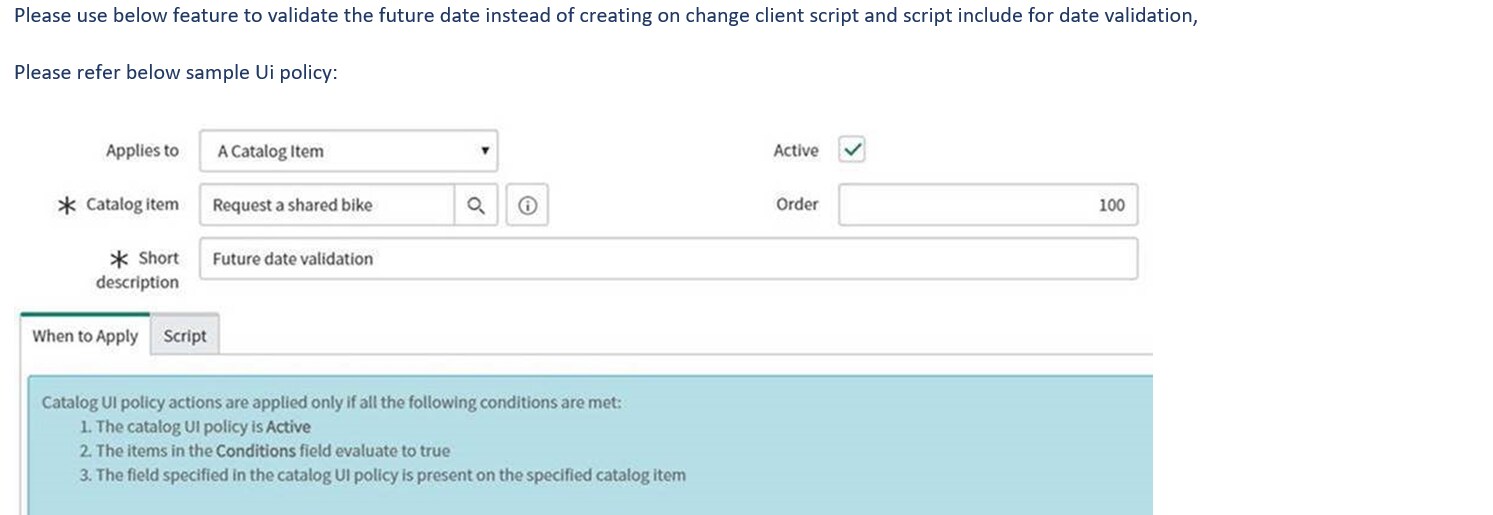
You could use Catalog UI Policies to do the date validation for you. Only in the script of the Catalog UI Policy low-code is needed, like giving the error message and maybe clearing the field.
Have a look at that instead of Catalog Client Script.
If my answer helped you in any way, please then mark it as helpful.
Kind regards,
Mark
---
Kind regards,
Mark Roethof
Independent ServiceNow Consultant
10x ServiceNow MVP
---
~444 Articles, Blogs, Videos, Podcasts, Share projects - Experiences from the field
- Mark as New
- Bookmark
- Subscribe
- Mute
- Subscribe to RSS Feed
- Permalink
- Report Inappropriate Content
08-05-2019 08:27 AM
With applying a UI Policy that performs the date validation, the scripting part in the script field could be limited to something like:
g_form.addErrorMessage(getMessage('End date must be after Start date'));
g_form.clearValue('to_date');
If my answer helped you in any way, please then mark it as helpful.
Kind regards,
Mark
---
Kind regards,
Mark Roethof
Independent ServiceNow Consultant
10x ServiceNow MVP
---
~444 Articles, Blogs, Videos, Podcasts, Share projects - Experiences from the field

- Mark as New
- Bookmark
- Subscribe
- Mute
- Subscribe to RSS Feed
- Permalink
- Report Inappropriate Content
08-05-2019 08:15 AM


- Mark as New
- Bookmark
- Subscribe
- Mute
- Subscribe to RSS Feed
- Permalink
- Report Inappropriate Content
08-05-2019 08:46 AM
after I use the above UI Policy When submit it is allowing me to Submit . How to restrict user not to submit .
Need to add script ?