- Mark as New
- Bookmark
- Subscribe
- Mute
- Subscribe to RSS Feed
- Permalink
- Report Inappropriate Content
10-03-2025 07:00 AM
Hi All,
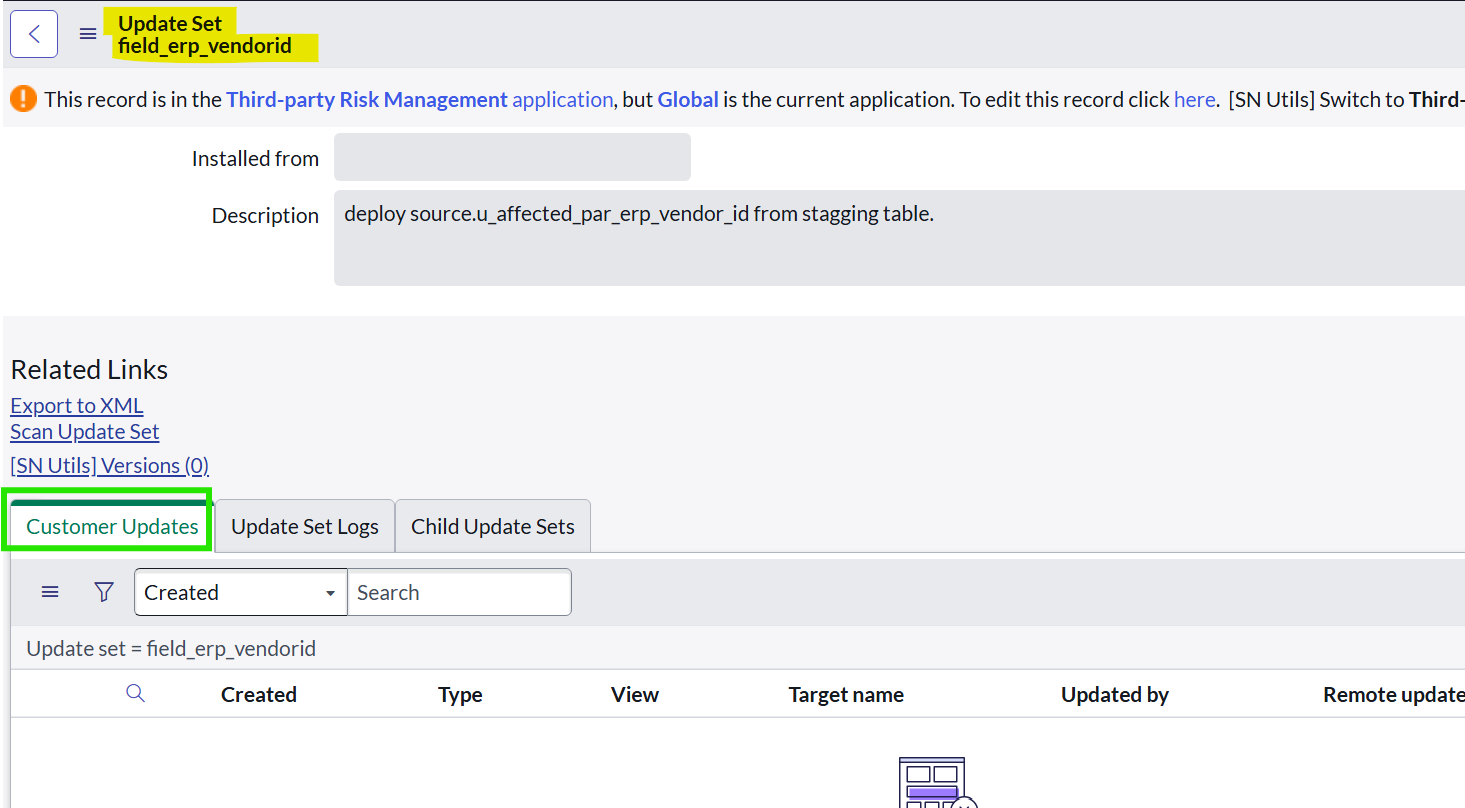
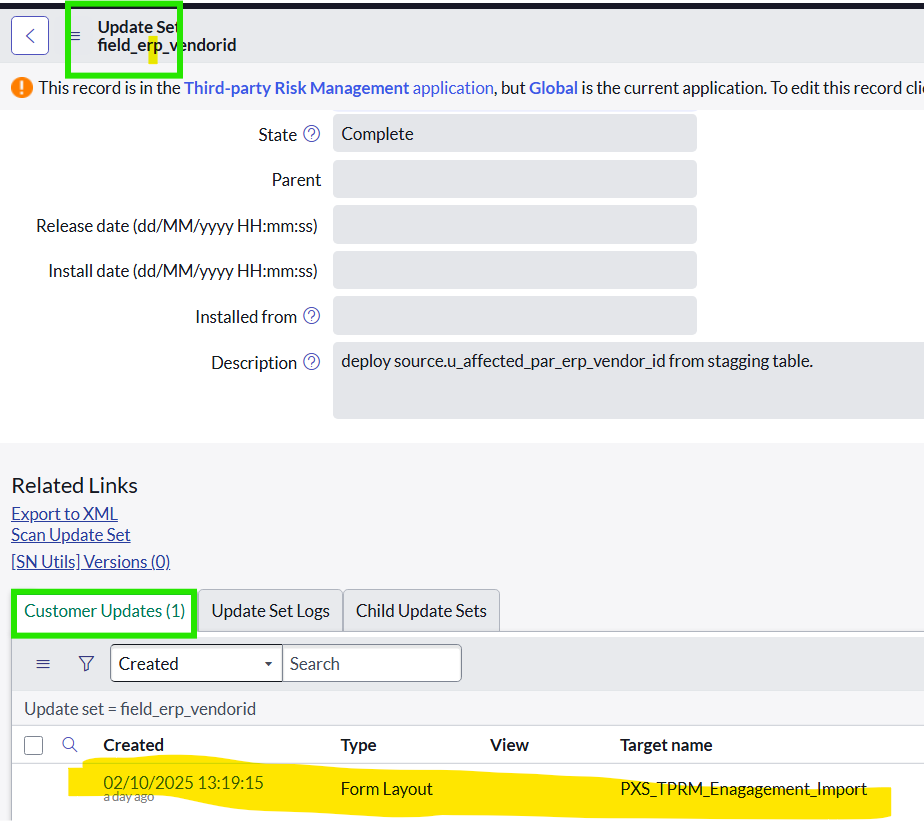
I was capturing the changes on Local update set of UAT moving the changes to demo instance on Retrieved Update set. After the migration,update set is captured on local update set of demo instance instead of retrieved update set and also no changes are captured on local update set of demo instance.(screenshot attached)
Could anyone suggest what was the cause of the issue why the update set is not moving into retrieved update set.And how to fix this??
Regards,
Nithya.
Solved! Go to Solution.

- Mark as New
- Bookmark
- Subscribe
- Mute
- Subscribe to RSS Feed
- Permalink
- Report Inappropriate Content
10-03-2025 07:16 AM - edited 10-03-2025 07:31 AM
@Nithya Devi can you verify and ensure the update set in UAT is marked "Completed," then retrieve it on the Demo instance, preview it, and commit it.
clicked related link export to XML after making UAT update set is complete,

then open demo instance goto retrieved update set and click on "Import Update Set from XML" upload from XML from computer, and find uploaded updated set and preview it, and commit it.

if your demo instance using remote instance then verify your set up is correct:

- Mark as New
- Bookmark
- Subscribe
- Mute
- Subscribe to RSS Feed
- Permalink
- Report Inappropriate Content
10-03-2025 07:20 AM
Steps you should follow
1) Export your update set from source instance, get XML
2) you should import the xml by going to Retrieved Update set
3) then upload, preview and commit

If my response helped please mark it correct and close the thread so that it benefits future readers.
Ankur
✨ Certified Technical Architect || ✨ 10x ServiceNow MVP || ✨ ServiceNow Community Leader
- Mark as New
- Bookmark
- Subscribe
- Mute
- Subscribe to RSS Feed
- Permalink
- Report Inappropriate Content
11-27-2025 07:05 AM
Hope you are doing good.
Did my reply answer your question?
💡 If my response helped, please mark it as correct ✅ and close the thread 🔒— this helps future readers find the solution faster! 🙏
Ankur
✨ Certified Technical Architect || ✨ 10x ServiceNow MVP || ✨ ServiceNow Community Leader
- Mark as New
- Bookmark
- Subscribe
- Mute
- Subscribe to RSS Feed
- Permalink
- Report Inappropriate Content
10-03-2025 08:11 AM
Done as per the suggested steps.But the update set is not migrated to retrieve update set table on demo instance .Instead captured on local update set of demo instance with no updates.
- Mark as New
- Bookmark
- Subscribe
- Mute
- Subscribe to RSS Feed
- Permalink
- Report Inappropriate Content
10-03-2025 09:08 AM
did you load the way I shared and committed it?
If my response helped please mark it correct and close the thread so that it benefits future readers.
Ankur
✨ Certified Technical Architect || ✨ 10x ServiceNow MVP || ✨ ServiceNow Community Leader


- Mark as New
- Bookmark
- Subscribe
- Mute
- Subscribe to RSS Feed
- Permalink
- Report Inappropriate Content
10-03-2025 09:11 AM
Hello @Nithya Devi ,
you should follow the above instructions that Ankur guided but you have to validate/cross check is that changes are scoped application or custom or domain separated and if that application is available in your PDI or not.
Go to Retrieved Update sets Module
use import update set XML link to upload the update set.


Its working for me.
Because I see in your screen shot there is a scoped application.

try to export global app update set and that is migrating or not.
Please mark my response correct and helpful if response resolves your query.
Thanks
Sanjay Bagri