Adding information to the SC Shopping Cart v2 widget

- Mark as New
- Bookmark
- Subscribe
- Mute
- Subscribe to RSS Feed
- Permalink
- Report Inappropriate Content
07-24-2024 01:46 PM
Hello,
I am looking for some assistance with editing the sc-shopping-cart-v2 and the large_shopping_cart_v2.html. I have already copied both and have been able to edit the Short Description of the item in the cart.
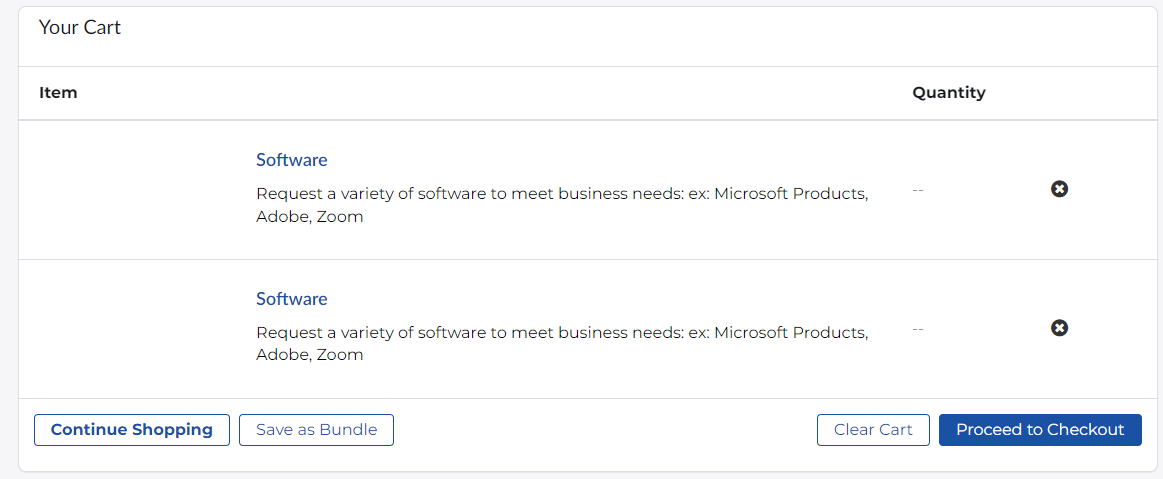
Here is our issue, we have 1 software request for all of our companies software. I need to be able to access the variables from the items in the cart so I can display the name of the software and not the name of the catalog item (Screenshot 1). I followed this article from the community but I think the fact that it is outdated I am unable to pass the variables with the same method. I do not believe SPcart script include is being called in sc-shopping-cart-v2 as it was in sc-shopping-cart. Screenshot 2 shows that I am not seeing Variables passed.
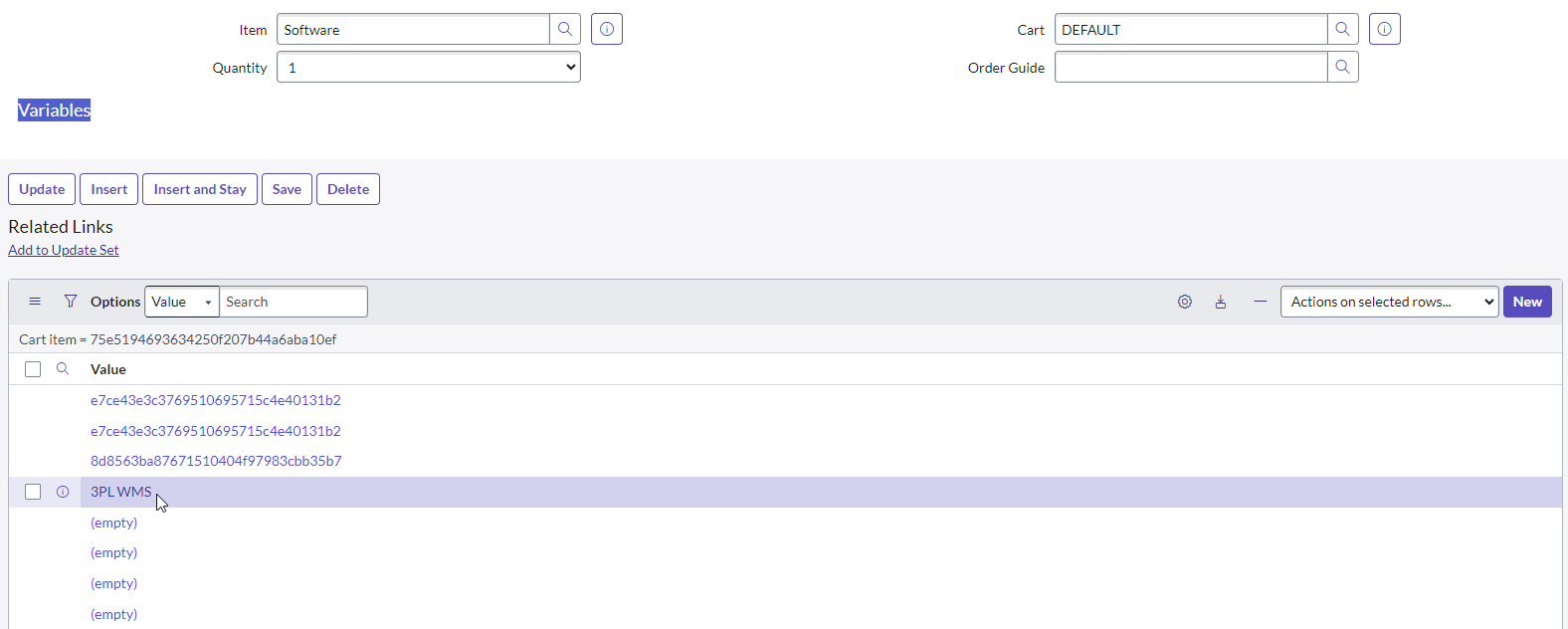
I followed the cart_item_id of Screenshot 2 and can see the Cart in Screenshot 3, I did a configure-form layout and was able to add a section called Variables but it doesn't contain any information. I can see my software name in the related list for Options but am unsure how to access it in the widget. I am hoping I just need some code in the Server Script for the widget but I do not know where that would go and what I would need to do to get that over to the large_shopping_cart_v2
Any direction would be greatly appreciated, thanks
- Mark as New
- Bookmark
- Subscribe
- Mute
- Subscribe to RSS Feed
- Permalink
- Report Inappropriate Content
11-30-2025 10:48 PM
Hello Eheitman,
Did you get any solution for this, I'm also facing the same issue. thank in advance
- Mark as New
- Bookmark
- Subscribe
- Mute
- Subscribe to RSS Feed
- Permalink
- Report Inappropriate Content
12-07-2025 08:03 PM
There is no configurable way to get the variables to show on the cart page but it can be achieved quite easily. Don't take this as an implementation guide but rather a demonstration:
/*
cart item objects are created with cartjs so we have to hydrate the cart items with the variables
var cartJS = new sn_sc.CartJS(cartName, '' + userID);
data.cart = cartJS.getCartDetails(true);
--> data.cart.cart_items
 */
	data.cartItems = data.cartItems.map(function (item) {
		var cartItemVarsGr = new GlideRecord("sc_item_option");
		cartItemVarsGr.addQuery("cart_item", item.cart_item_id);
		cartItemVarsGr.addExtraField("item_option_new.question_text");
		cartItemVarsGr.query();
		var varsArray = [];
		while (cartItemVarsGr.next()) {
			var obj = {};
			obj.value = cartItemVarsGr.getValue("value");
			obj.key = cartItemVarsGr.item_option_new.question_text.getValue();
			varsArray.push(obj);
		}
		if (varsArray.length) {
			item.vars = varsArray;
		}
		return item;
	})
Add the information to the table in the cart angular template
<!-- add the cells in the angular template however you want -->
             <th id="id-header-variables" scope="col" class="col-sm-2 wrapper hidden-xs"> ${Vars}</th>
.......
             <td>
          	<div ng-repeat="var in item.vars" ng-style="{'background-color': ($index % 2 === 0) ? '#f0f0f0' : ''}"><span>{{var.key}} : {{var.value}}</span></div>
            </td>