AI Search in ESC

- Mark as New
- Bookmark
- Subscribe
- Mute
- Subscribe to RSS Feed
- Permalink
- Report Inappropriate Content
03-30-2026 10:39 AM
In Zurich, we have enabled the AI search for esc portal for 1 of our customers.
The search application and search profile used is OOTB esc related.
The search sources is mapped.
The navigation tabs are present OOTB at the configuration level.
The tables are indexed , cache cleared tried logging out and then re-login. Despite all the mentioned actions being performed the Navigation tabs on the ESC search result is Missing.
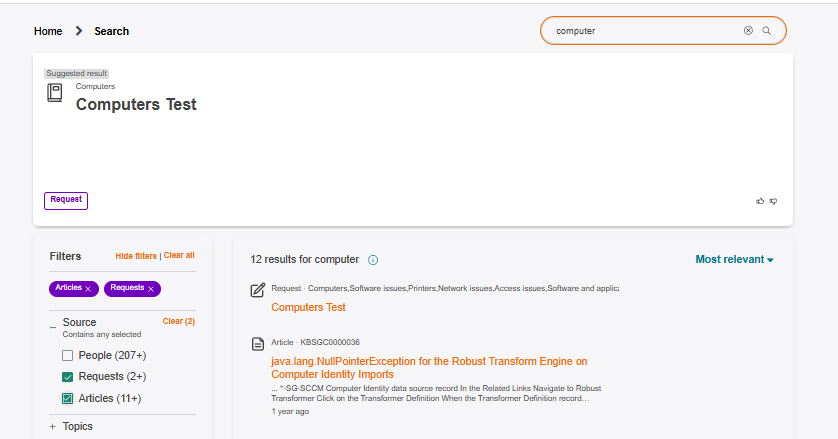
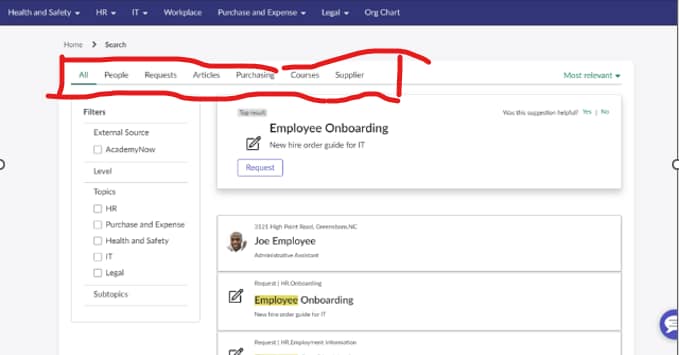
We do not have a single tab. (All , knowledge , Catalogs).
Can someone please help us here.
Attaching the below image for ref.
Image 1 - what we want to achieve.
Image 2 - what we see in the instance.

- Mark as New
- Bookmark
- Subscribe
- Mute
- Subscribe to RSS Feed
- Permalink
- Report Inappropriate Content
03-30-2026 10:53 PM
Hi @Ankita40
When search is performed on ESC portal, it is considering "Now Assist in VA" as the search application, instead of "ESC Portal Default Search Application" configured on the portal
ESC Portal Default Search Application - https://<instance-name>.service-now.com/sys_search_context_config.do?sys_id=7296910f53171010069addee...
Now Assist in VA - https://<instance-name>..service-now.com/sys_search_context_config.do?sys_id=a3f76e4377853110f9b9f8fb8c5a991d
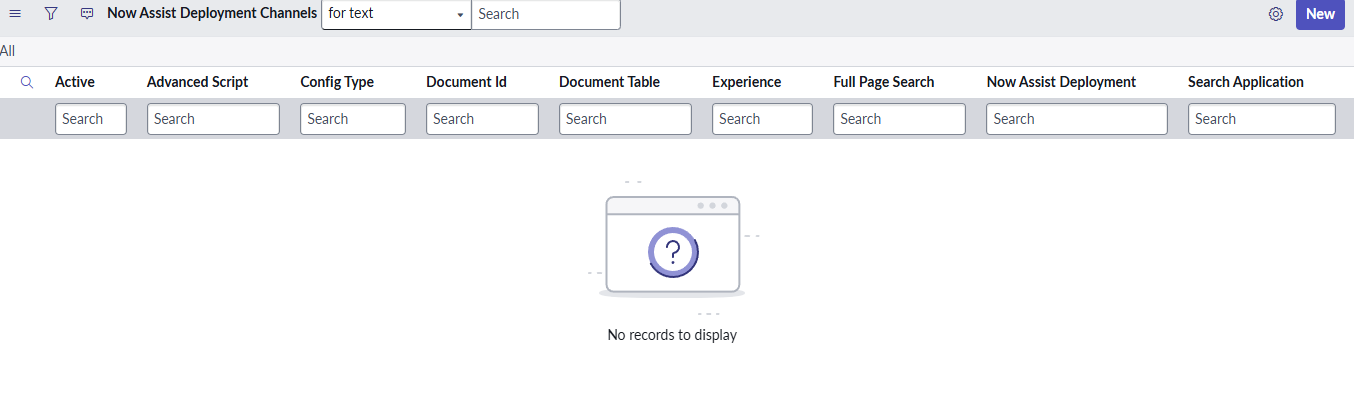
As there is an active deployment channel associated with ESC Portal [https://<instance-name>..service-now.com/sys_now_assist_deployment_channel.do?sys_id=4da54ec6879f2610185742ed0ebb3508], it is fetching the search application config for NASS enabled portal. In this case, it is "Now Assist in VA" so it is using the filters associated with this search application.
Tried de-activating the deployment channel [https://<instance-name>..service-now.com/sys_now_assist_deployment_channel.do?sys_id=4da54ec6879f2610185742ed0ebb3508] and then performed a search. The tabs were consistent with the ones configured on ESC Search application. Please find attached the screenshot for the same
Source - https://support.servicenow.com/kb?id=kb_article_view&sysparm_article=KB2490375
- Mark as New
- Bookmark
- Subscribe
- Mute
- Subscribe to RSS Feed
- Permalink
- Report Inappropriate Content
03-31-2026 12:43 AM
- Mark as New
- Bookmark
- Subscribe
- Mute
- Subscribe to RSS Feed
- Permalink
- Report Inappropriate Content
03-31-2026 12:46 AM
@Laveena-Agarwal Can you please let me know what can we check further on this topic please
- Mark as New
- Bookmark
- Subscribe
- Mute
- Subscribe to RSS Feed
- Permalink
- Report Inappropriate Content
03-31-2026 04:36 AM
Hi @Ankita40
Check out this video from Servicenow, it talks about needed configuration for AI search. If you want to jump directly to demo part go to timestamp 31:00
- https://www.youtube.com/watch?v=Z1PGuqrayLA&t=6s