Taxonomy Topics are not visible on Employee Center Portal even though i have added Connected Content

- Mark as New
- Bookmark
- Subscribe
- Mute
- Subscribe to RSS Feed
- Permalink
- Report Inappropriate Content
09-13-2024 12:46 PM
Hi Folks,
I am trying to configure Taxonomy Topics for Employee Center Portal.
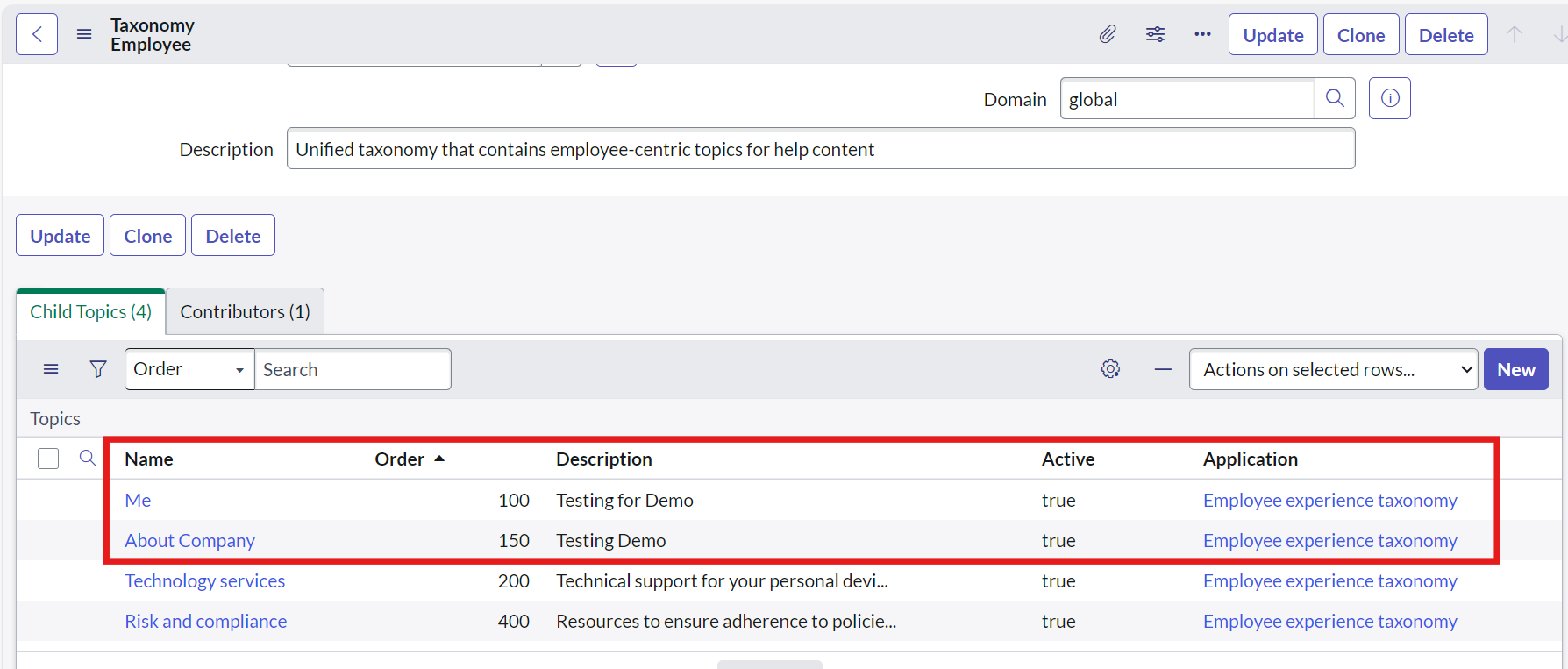
I have created two new Child Topics inside the OOB Taxonomy Employee. (Please refer to the below Screenshot)

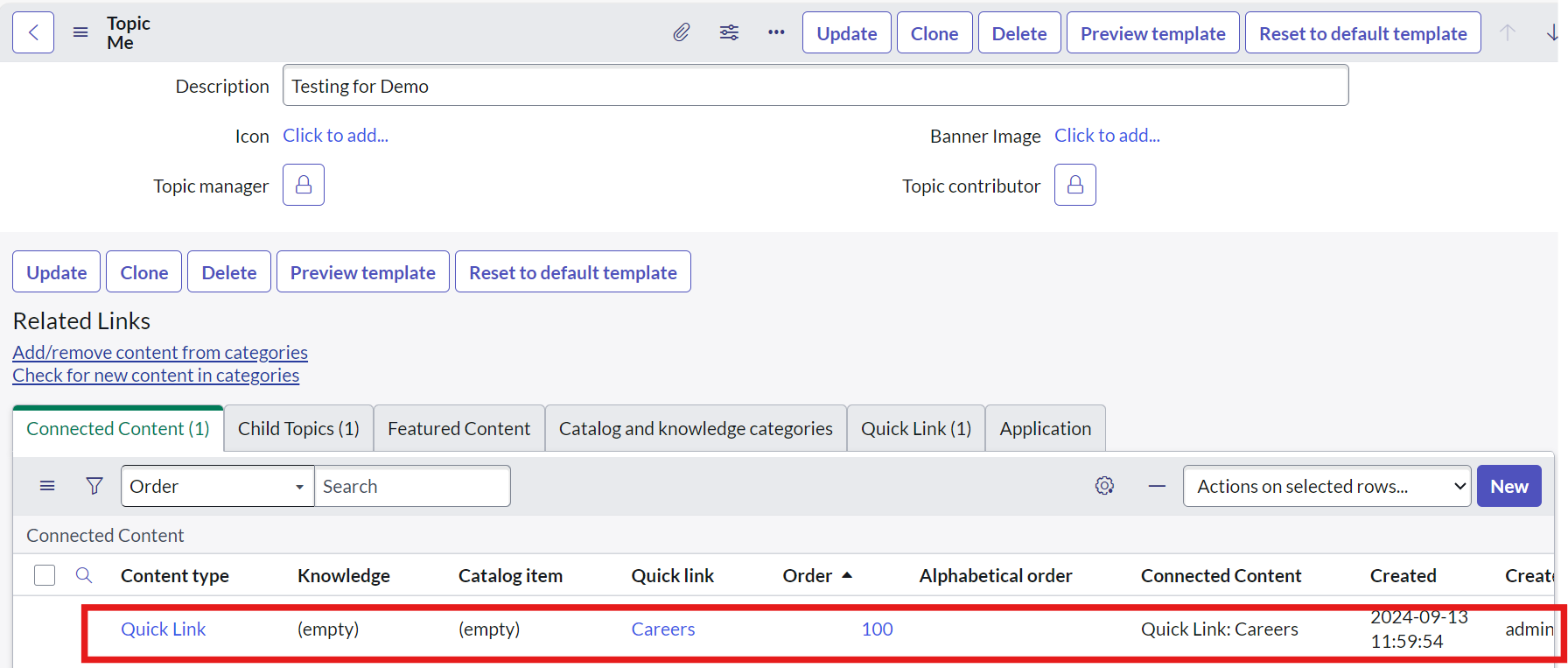
Also I have created Connected Contents for these two custom topics. (Please refer to the below screenshots)


The content which i have selected in Connected Content is in Active/Published State(Catalog Item/Knowledge Articles/Quick Links).
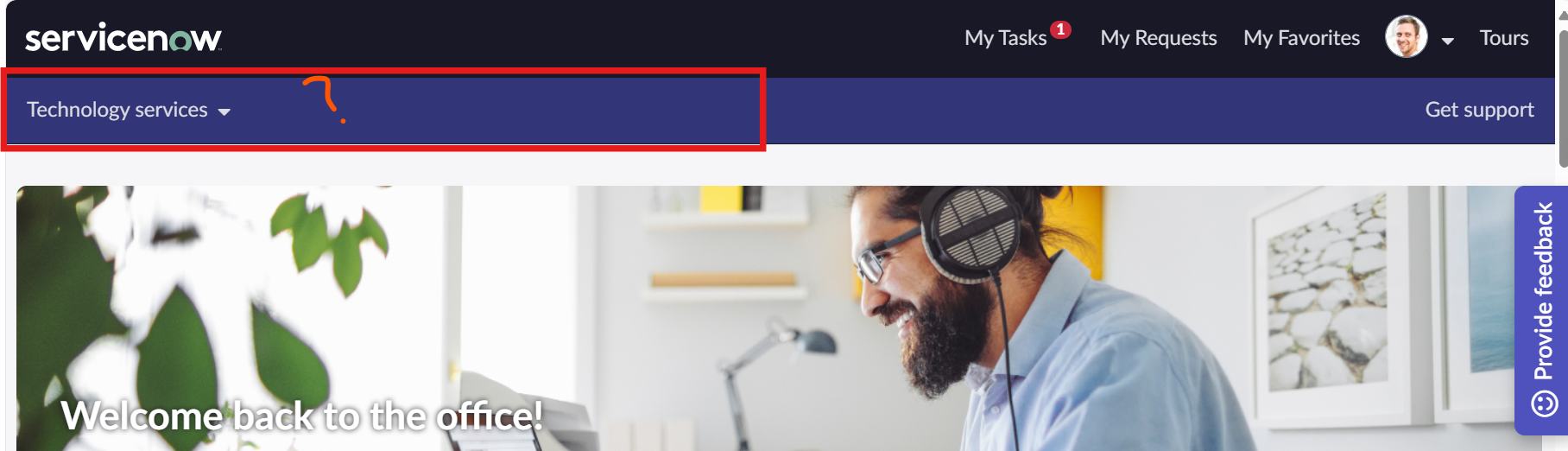
Still I am not able to see these topics on my ESC Portal. I have tried Login/Logout multiple times, I have tried clearing the Cache of Browser and Instance too. (Please refer to below Screenshot)

Can anyone help me here to provide the solution or RCA why it is happening?
Small help will be really appreciated.
Thanks,
Yash

- Mark as New
- Bookmark
- Subscribe
- Mute
- Subscribe to RSS Feed
- Permalink
- Report Inappropriate Content
12-25-2024 07:08 PM
Hi @Yash Kumar Taya ,
Check If the No Search check box field from list view is checked for the item, uncheck it so that the item can be browsed and searched on the Portal.
If my response helped, please mark it as the accepted solution ✅ and give a thumbs up👍.
Thanks,
Anand
- Mark as New
- Bookmark
- Subscribe
- Mute
- Subscribe to RSS Feed
- Permalink
- Report Inappropriate Content
03-24-2025 03:58 AM
Hi @Anand Kumar P,
The kb articles are syncing in the portal but it's not showing when I search by article number. Could u pls explain properly about search check box field in list view?
Thanks
Hiranmayee Mohanta
- Mark as New
- Bookmark
- Subscribe
- Mute
- Subscribe to RSS Feed
- Permalink
- Report Inappropriate Content
10-21-2025 05:16 AM
Hi, for me it suddenly worked after I logged out and logged back in again
