EA workspace is not available

- Mark as New
- Bookmark
- Subscribe
- Mute
- Subscribe to RSS Feed
- Permalink
- Report Inappropriate Content
04-29-2025 11:12 PM
Hi All. I can't get the EA workspace to appear on my instance.


- Mark as New
- Bookmark
- Subscribe
- Mute
- Subscribe to RSS Feed
- Permalink
- Report Inappropriate Content
04-29-2025 11:22 PM
Hi @Tedy
Please install the below plugin
Regards
Dr Atul G. - Learn N Grow Together ServiceNow Techno - Functional Trainer
LinkedIn: https://www.linkedin.com/in/dratulgrover
YouTube: https://www.youtube.com/@LearnNGrowTogetherwithAtulG
******************************************************************************************


- Mark as New
- Bookmark
- Subscribe
- Mute
- Subscribe to RSS Feed
- Permalink
- Report Inappropriate Content
04-29-2025 11:23 PM
Did you explore prerequisites for EA Workspace as documented Install Enterprise Architecture Workspace ?
Yogesh
- Mark as New
- Bookmark
- Subscribe
- Mute
- Subscribe to RSS Feed
- Permalink
- Report Inappropriate Content
04-29-2025 11:57 PM
Hey Yogesh,
Yes I know those, I've ordered activation of SAM Professional instead ( I see this in PDI history: Activated | Activate all Software Asset Management Professional plugins April 30, 2025), and have the same issue there as no workspace is appearing for SAM also.
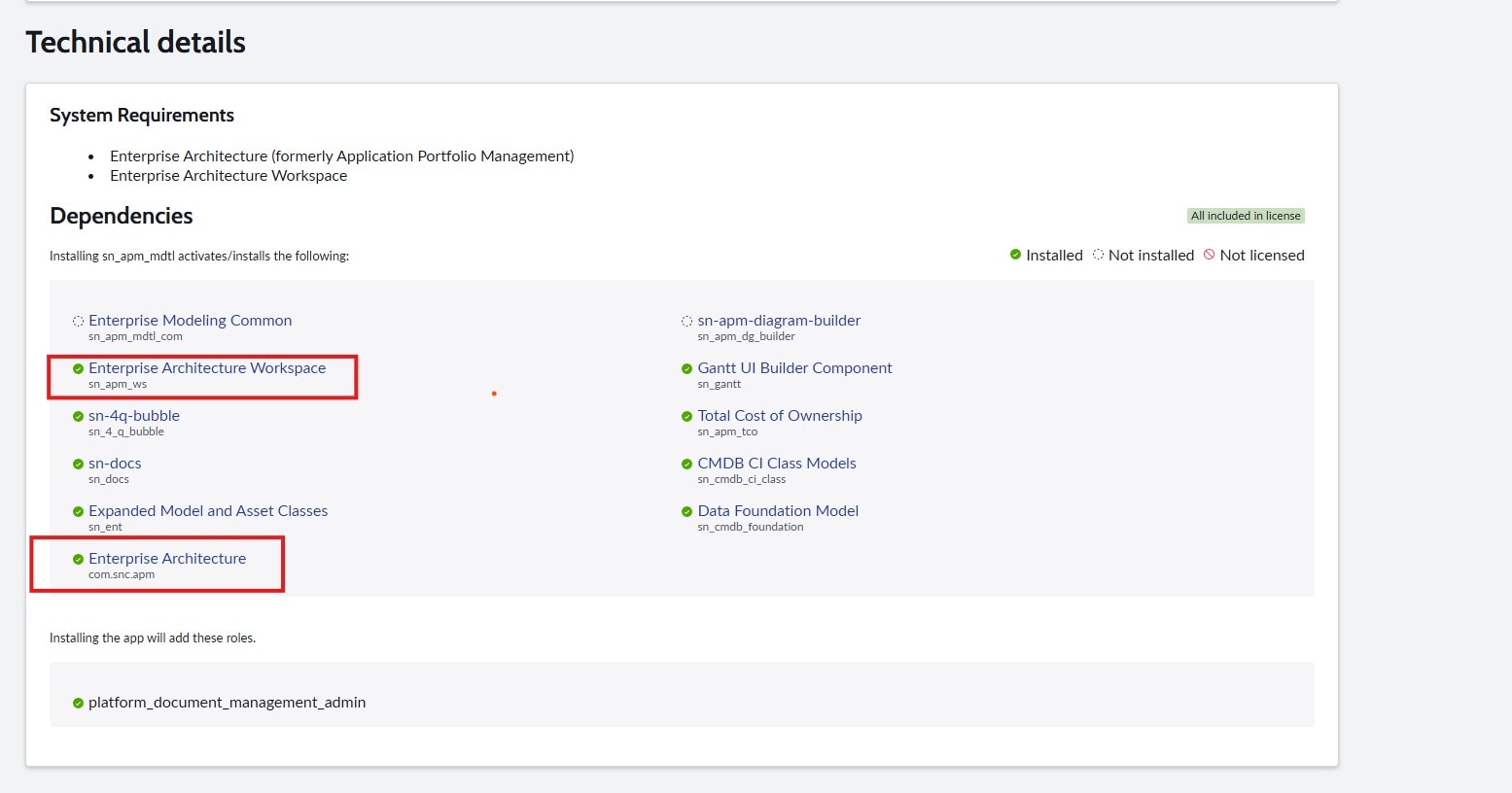
When I try to install i.e. "sn_apm_mdtl" is see in dependencies that both EA and EA Workspace is already installed. See screenshot attached.
- Mark as New
- Bookmark
- Subscribe
- Mute
- Subscribe to RSS Feed
- Permalink
- Report Inappropriate Content
04-30-2025 06:21 AM
EA Workspace requires that you have the proper roles, at least sn_apm.apm_read or better sn_apm.apm_user, or best sn_apm.apm_analyst. If you are an admin, that should allow you to see the workspace as well. Clearly it is installed.