- Mark as New
- Bookmark
- Subscribe
- Mute
- Subscribe to RSS Feed
- Permalink
- Report Inappropriate Content
01-10-2017 12:11 PM
Hello SNC,
On my incident form we have the below field, with the customer visible part being of importance.

On our task form, we have the following field

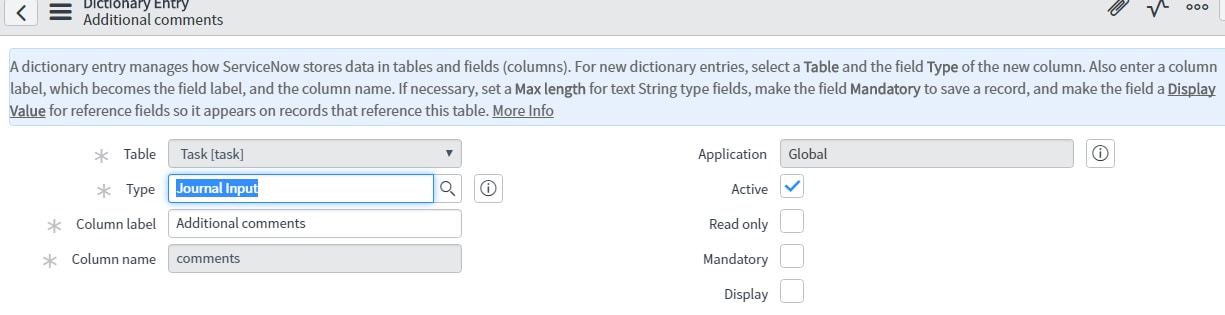
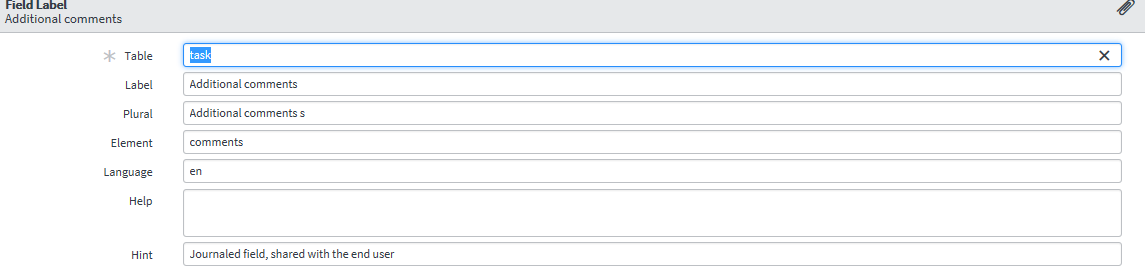
My goal is to add the (Customer Visible) to the Task form. My intuition was to check the label and dictionary associated with the Field on the incident form and make those changes to the task form (table). However I am working with the same field, that is when right clicking on the above two "Additional Comments", the incident form and the task form bring up the same Dictionary and Field labels, which can be seen below. My question is how do I add (Customer Visible) to be visible on the task form as it is on the incident form? It does not seem to deal with labels or the dictionary, but I could be wrong.
Thank you in advance


Solved! Go to Solution.