Accept / Reject Resolution buttons missing for external Alumni (snc_external) on /asc portal

- Mark as New
- Bookmark
- Subscribe
- Mute
- Subscribe to RSS Feed
- Permalink
- Report Inappropriate Content
yesterday
Hi everyone,
We are setting up the Alumni Service Center (/asc) portal for external alumni users (having snc_external and sn_asc.alumni roles).
When an HR Agent fulfills a request (e.g., Medical benefits inquiry) and moves the HR Case into the "Awaiting Acceptance" state:
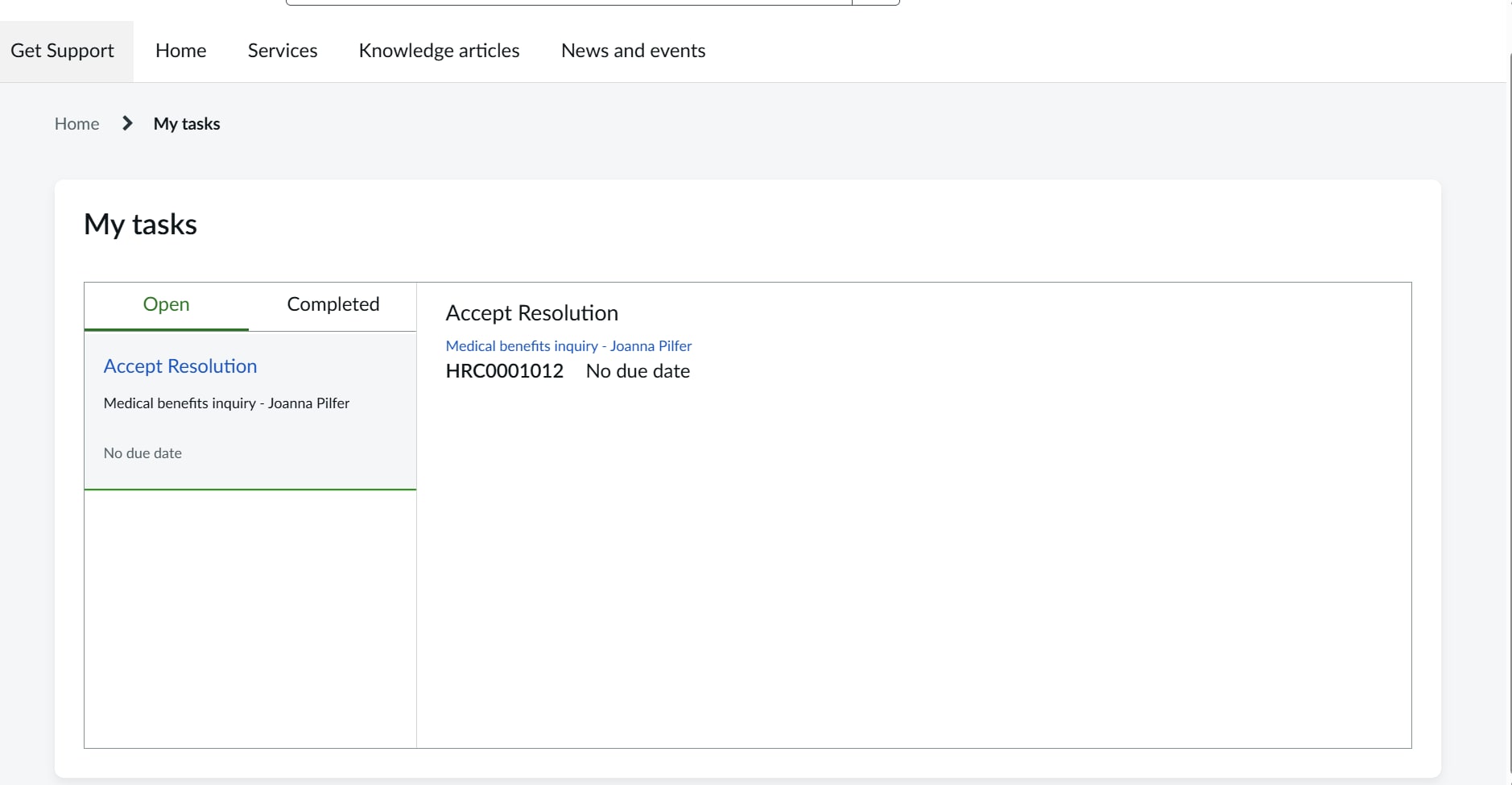
1. An "Accept Resolution" to-do appears under My Tasks (hrm_todos_page) on the /asc portal.
2. However, when the alumnus clicks on the task, the right-hand preview pane is blank and neither the "Accept" nor "Reject" resolution buttons are displayed.
- Mark as New
- Bookmark
- Subscribe
- Mute
- Subscribe to RSS Feed
- Permalink
- Report Inappropriate Content
51m ago
Hi @devikasaji ,
This behavior is typically caused by either ACL restrictions or role-based limitations for external users. Since the "Accept Resolution" task is visible but the details pane is blank and the Accept/Reject buttons are not displayed, I would recommend:
Verifying ACL access for the alumni user on sn_hr_core_todo and sn_hr_core_case.
Testing with Debug Security Rules enabled while impersonating the external user.
Comparing the roles of a working internal user against the alumni user to identify any missing HR-related roles.
Reviewing the hrm_todos_page widget and associated components for role checks that may exclude snc_external users.
If security and role configurations appear correct, it may be worth raising a ServiceNow HI case to confirm whether this is a known limitation or defect within the Alumni Service Center experience.
Regards,
Balateja
