🚩 HR Agent Workspace Issue – "Collect Employee Input" Task Not Displaying Survey Form.

- Mark as New
- Bookmark
- Subscribe
- Mute
- Subscribe to RSS Feed
- Permalink
- Report Inappropriate Content
05-11-2026 06:08 AM - edited 05-11-2026 06:14 AM
Hi Community,
I’m facing an issue with the "Collect Employee Input" HR Task type in HR Agent Workspace, and would appreciate any guidance or insights.
🔍Problem Statement
When using the Collect Employee Input task type:
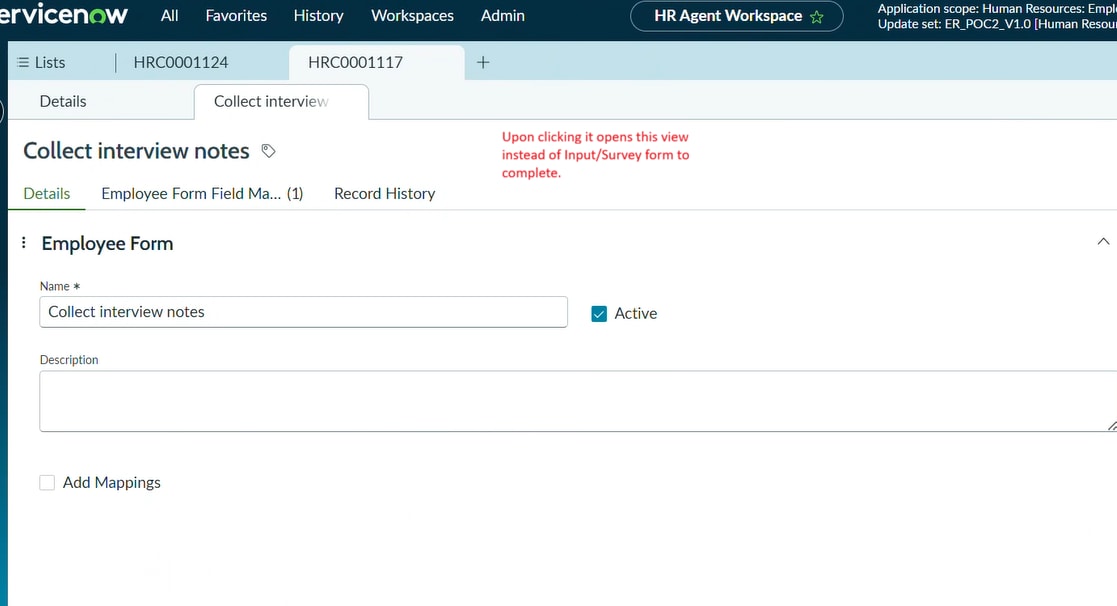
- The input/survey form (employee input form) is not being displayed in HR Agent Workspace
- As a result, the HR Agent is unable to complete the task directly from Workspace
However:
- The same task works perfectly when accessed via the Employee Service Portal
- Other task types like "Submit Catalog Item" are working fine within HR Agent Workspace
✅Expected Behavior
The requirement is:
- HR Agents should be able to view and complete the Collect Employee Input task directly within HR Agent Workspace
- Without needing to switch to the Portal
❌Current Behavior
- In Workspace, the task opens but does not render the survey/input form
- No option available for the HR agent to complete the questionnaire
- Works only when opened via Portal


✔ Comparison
| Collect Employee Input | ✅Works | ❌Not Working |
| Submit Catalog Item | ✅Works | ✅Works |
🧪 Troubleshooting Done
- Checked roles/ACLs for HR agents
- No errors observed on form load (basic checks)
- Confirmed it is not a general Workspace issue since other task types work
❓Questions
- Is Collect Employee Input task type supported in HR Agent Workspace out-of-the-box?
- Are there any additional configurations or plugins required to enable survey rendering in Workspace?
- Has anyone implemented a workaround or customization to allow HR Agents to complete these tasks within Workspace?
- Are there any known limitations related to assessment/survey rendering in Workspace?
Any insights, known limitations, or recommended approaches would be greatly appreciated!
Thanks in advance 🙂

- Mark as New
- Bookmark
- Subscribe
- Mute
- Subscribe to RSS Feed
- Permalink
- Report Inappropriate Content
05-11-2026 11:41 PM
Hi, @Chandu5
Collect Employee Input type is used for employee tasks, not for HR agent task.
https://www.servicenow.com/docs/r/employee-service-management/hr-service-delivery/employee-form-conf...
So, I don't think it is supported in HR Agent Workspace.