ben_hollifield
Kilo Sage
Options
- Subscribe to RSS Feed
- Mark as New
- Mark as Read
- Bookmark
- Subscribe
- Printer Friendly Page
- Report Inappropriate Content
12-02-2015
03:46 PM
If you've wandered far at all into the wide world of the ServiceNow platform, then you've likely begun to build custom user interfaces within UI Pages. UI Pages are addressable URLs in ServiceNow that contain custom HTML and Javascript to power whatever user interface you can imagine. This is great for modern web developers who wish to build things like AngularJS single page applications.
ServiceNow includes a ton of baseline functionality to expedite the build-out of custom user experiences - jQuery, PrototypeJS, Bootstrap CSS, and even AngularJS (in the Geneva release) are all available by default. This makes it quick and easy to spin up a new application in record time!
Sadly, though, the control freaks out there may eventually hit a wall. You're a power user, and you want to fully utilize the JS and CSS libraries at your disposal and include new libraries. However, some of the inclusions above are customized for ServiceNow and may conflict with your wacky mad-scientist designs. What's a person to do?
Historically, this has been a difficult challenge. You have always been able to append ?sysparm_direct=true to your UI Page URL in order to load it up without any CSS or JS inclusions. However, this also eliminates one especially handy tool, GlideAjax, that can be critical for data transport. Also, that parameter just makes for an ugly URL!
Thankfully, in the Geneva release, two new features have been introduced to make life easier for the modern web developer harnessing ServiceNow for custom user experiences:
-
The new Direct flag on the UI Page form
Forget ugly URL parameters. Now, if you wish to omit all ServiceNow-specific Javascript and CSS inclusions, simply check the Direct flag on your UI Page form, and you'll start from a clean slate! -
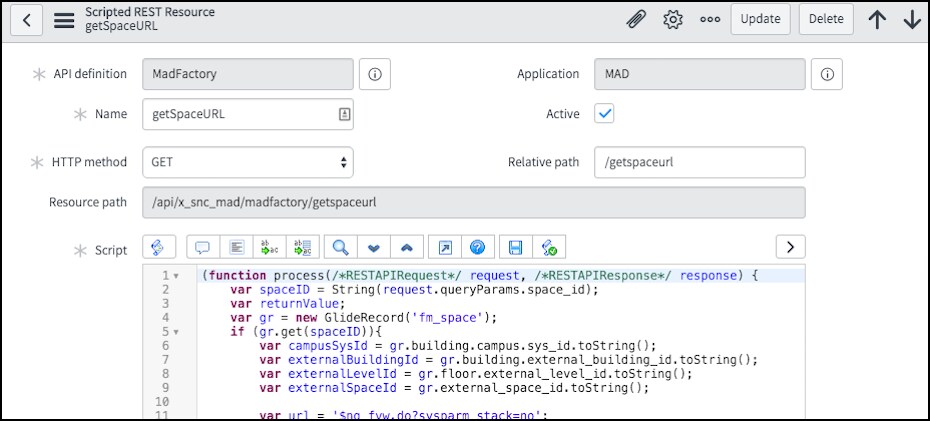
Scripted REST APIs
Scripted REST APIs are the greatest thing since GlideAjax. GlideAjax has been the de facto method for asynchronous client/server data transport in ServiceNow since it was introduced many years ago. Scripted REST APIs now provide all of the same functionality that GlideAjax offers, without the baggage of pre-loaded JS libraries. We can utilize industry-standard REST for making data requests from the server - ServiceNow accepts the request, performs any scripted operations on the server, and returns the data in a tidy JSON payload. This method is leaner, faster, and highly compatible with modern JS alternatives like Angular. Not to mention the fantastic new REST API Explorer to make developing and testing your REST API easier and even a little bit fun (seriously).
And that's it! Sure, there's a lot more to building a custom user interface on ServiceNow. You need to include Javascript libraries, load up CSS stylesheets, interface with REST APIs, and tie all that together with code. There are gobs of posts on the Community & Wiki about how to do those things, so I shan't dwell on them here. The crux of this post is that the combination of these two Geneva features opens up a new level of freedom to web developers on ServiceNow, and we're very excited about that.
Most of the time, ServiceNow provides all the functionality you need to quickly deploy enterprise-caliber apps. Sometimes, though, the best way to start is with a green field. Bookmark this post for the next time you're in that position, and then go out and start building!
Additional Resources:
4 Comments
You must be a registered user to add a comment. If you've already registered, sign in. Otherwise, register and sign in.