Auto approve CEO requests using flow designer

- Mark as New
- Bookmark
- Subscribe
- Mute
- Subscribe to RSS Feed
- Permalink
- Report Inappropriate Content
12-16-2025 05:32 PM
Good morning,
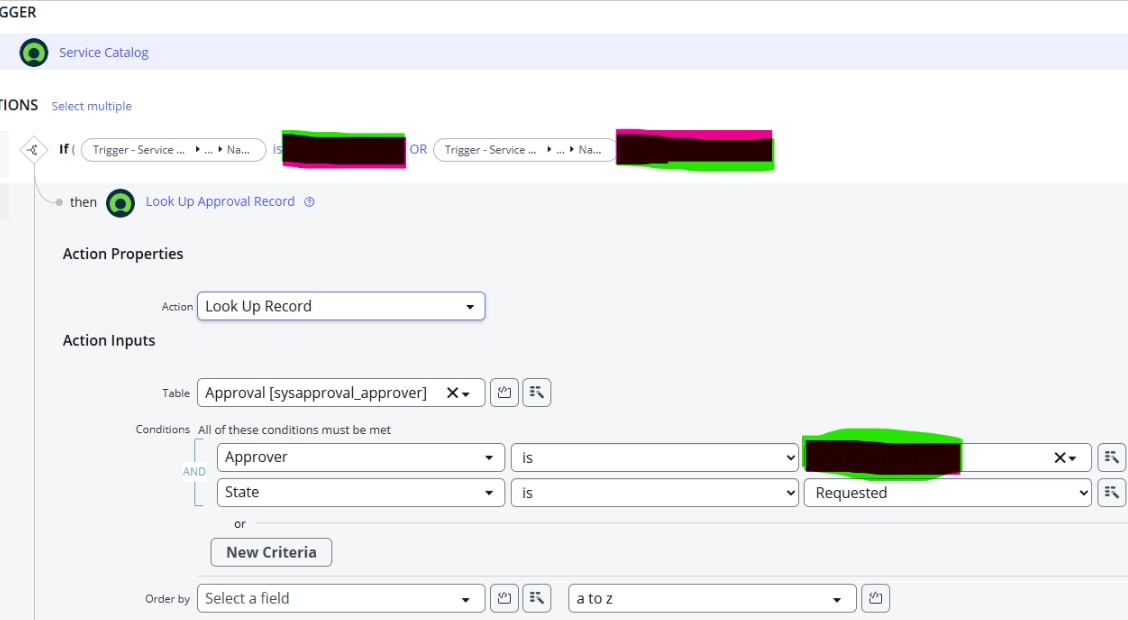
Im facing an issue here, Im trying to create a flow that auto approve all tickets being created by/or on behalf of our, but it is still does not work.
I did create a business rule which is working fine, but it does not exclude the users directly reporting to our CEO, meaning, if a user his/her manager is CEO, their ticket will be auto approved, we don`t want that. I even included a script in the Business rule, but the issue still there, all the tickets that have our CEO as an approver are getting auto approved ...
any advice?

- Mark as New
- Bookmark
- Subscribe
- Mute
- Subscribe to RSS Feed
- Permalink
- Report Inappropriate Content
12-16-2025 06:23 PM
use a lookup records and if/else in your flow to check who the requested_for or opened_by is, dot walk to their manager field and see if that manager title or sys_id matches your CEO criteria.......and then only call the Ask for Approval when it doesn’t match, otherwise you set the approval fields to Approved or skip the approval step so it auto approves........
If you found my response helpful, please mark it as ‘Accept as Solution’ and ‘Helpful’. This helps other community members find the right answer more easily and supports the community.
Kaushal Kumar Jha - ServiceNow Technical Consultant/Developer
- Mark as New
- Bookmark
- Subscribe
- Mute
- Subscribe to RSS Feed
- Permalink
- Report Inappropriate Content
12-16-2025 08:26 PM


- Mark as New
- Bookmark
- Subscribe
- Mute
- Subscribe to RSS Feed
- Permalink
- Report Inappropriate Content
12-16-2025 07:01 PM
without you sharing what you have done, I can't help
share script, screenshots etc
💡 If my response helped, please mark it as correct ✅ and close the thread 🔒— this helps future readers find the solution faster! 🙏
Ankur
✨ Certified Technical Architect || ✨ 10x ServiceNow MVP || ✨ ServiceNow Community Leader
- Mark as New
- Bookmark
- Subscribe
- Mute
- Subscribe to RSS Feed
- Permalink
- Report Inappropriate Content
12-16-2025 08:27 PM
I did the script in DEV instance, I didn`t save or take a backup