- Mark as New
- Bookmark
- Subscribe
- Mute
- Subscribe to RSS Feed
- Permalink
- Report Inappropriate Content
08-09-2024 06:47 AM
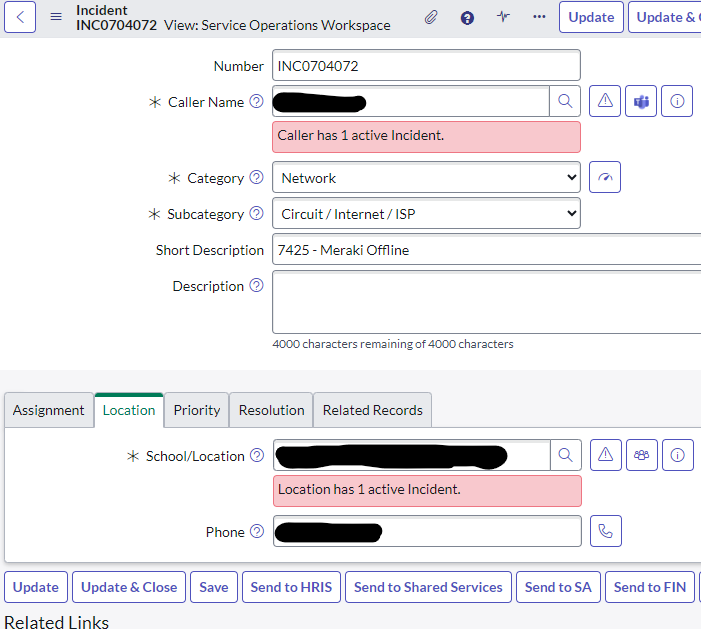
I have a functional client script that shows the field message in the classic UI for the SOW view. However, it does not show in the workspace. What am I missing here?
function onLoad() {
	//Don't waste an ajax call if the caller is empty
	if (g_form.getDisplayBox('caller_id').value == '')
		return;

	//If we're closed, don't query
	if (g_form.getValue('state') == 7)
		return;

	var ga = new GlideAjax('LCGIncCheck');
	ga.addParam('sysparm_name', 'getCallerIncidents');
	ga.addParam('sysparm_caller', g_form.getValue('caller_id'));
	ga.addParam('sysparm_num', g_form.getValue('number'));
	jslog("Calling LCGIncCheck for caller...");
	ga.getXML(doAlertCaller);
}

function doAlertCaller(response) {
	var answer = response.responseXML.documentElement.getAttribute("answer");

	jslog("LCGIncCheck for caller answer is: " + answer);

	if (answer != '' || answer != null) {
		g_form.showFieldMsg('caller_id', answer, 'error',true);
	} else g_form.hideFieldMsg('caller_id', true);
}
Solved! Go to Solution.
- Mark as New
- Bookmark
- Subscribe
- Mute
- Subscribe to RSS Feed
- Permalink
- Report Inappropriate Content
08-09-2024 10:32 AM
I was able to find the solution; The script included does work without a change. It would appear that
if (g_form.getDisplayBox('caller_id').value == '')is not supported in the workspace and instead needs to be.
if (g_form.getValue('caller_id') == '')
- Mark as New
- Bookmark
- Subscribe
- Mute
- Subscribe to RSS Feed
- Permalink
- Report Inappropriate Content
01-31-2025 10:06 AM
Same requirement i have, but it needs to only work on my SOW workspace , not in Native UI.
What should i do ? Can you please suggest.
- Mark as New
- Bookmark
- Subscribe
- Mute
- Subscribe to RSS Feed
- Permalink
- Report Inappropriate Content
01-31-2025 10:13 AM
Hello,
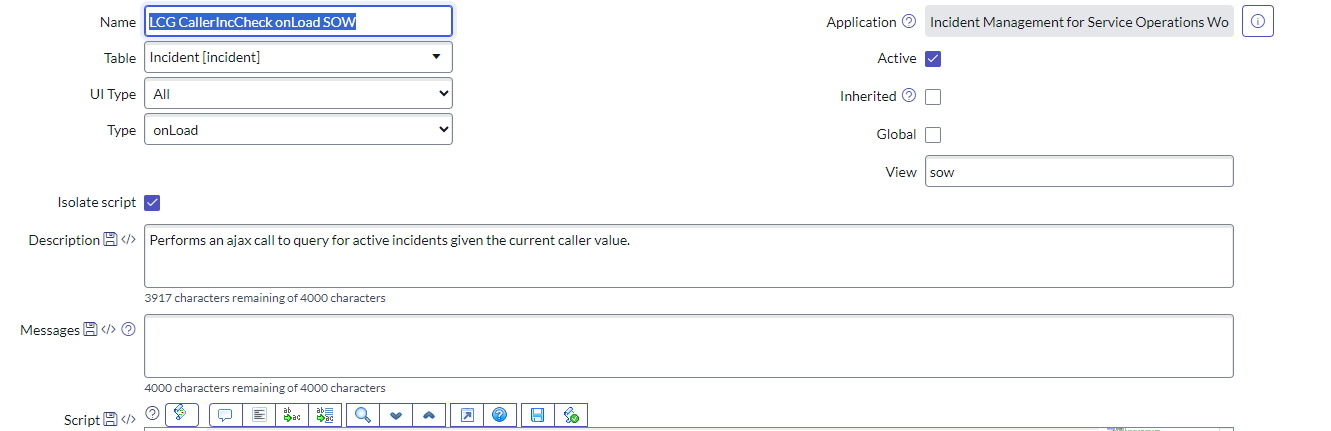
If you need a client script to only work in SOW un-check the global check box and update the view to sow.
This will have the client script only run in Service operations workspace.