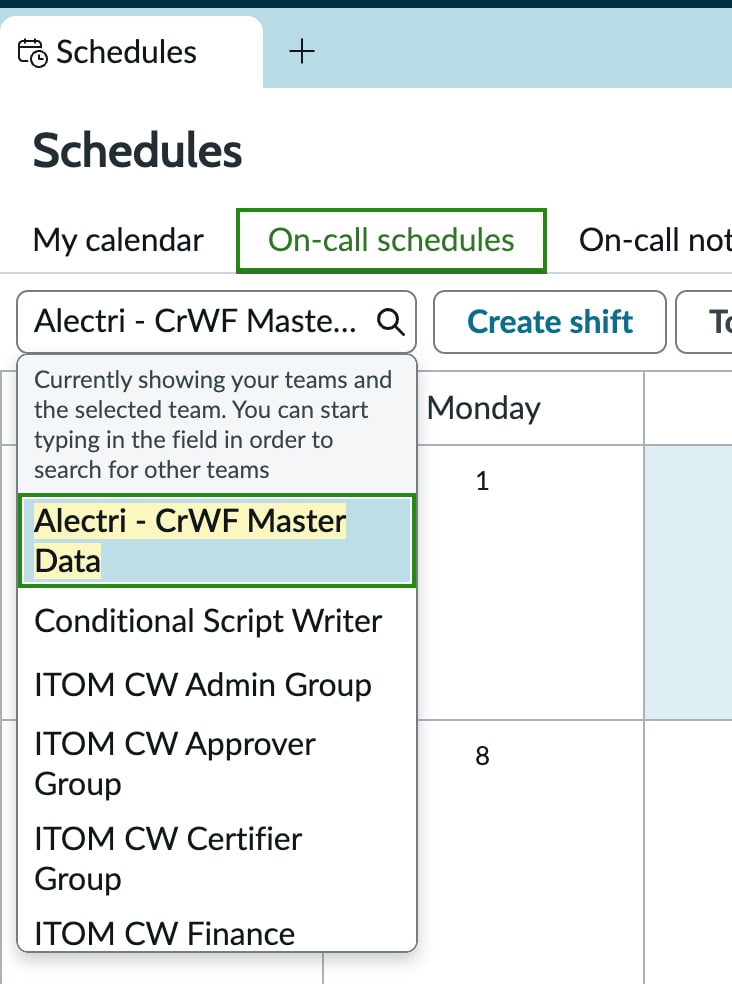
On-Call Schedules group selector in SOW showing all groups — how to filter groups?


- Mark as New
- Bookmark
- Subscribe
- Mute
- Subscribe to RSS Feed
- Permalink
- Report Inappropriate Content
06-02-2026 02:01 PM
Within the Schedules tab in Service Operations Workspace, the group selector on the On-Call Schedules page is displays all groups on the instance — including inactive groups, non-assignment groups, and assignment groups with no rotations configured.
How can the dropdown list be configured to show only groups that have active rotations? Thank you!
- Mark as New
- Bookmark
- Subscribe
- Mute
- Subscribe to RSS Feed
- Permalink
- Report Inappropriate Content
06-02-2026 05:44 PM
This happens because the Group picker on the On-Call Schedules page is using a broad reference to sys_user_group without filtering for rotation-enabled groups.
To restrict it so it only shows groups that actually have active on-call rotations, you need to add a reference qualifier (or modify the data source used by the Workspace widget).
Best Practice Fix (Service Operations Workspace)
In Service Operations Workspace (SOW), this dropdown is usually driven by a UI Builder Data Broker / Script Include, not just a simple field.
You need to filter groups based on whether they exist in an active rotation.
- Mark as New
- Bookmark
- Subscribe
- Mute
- Subscribe to RSS Feed
- Permalink
- Report Inappropriate Content
06-04-2026 06:12 PM
Thank you for your response, Abinaya. Could you provide the specific steps or navigation path to apply this? For example, which field or data broker needs to be modified?
- Mark as New
- Bookmark
- Subscribe
- Mute
- Subscribe to RSS Feed
- Permalink
- Report Inappropriate Content
06-10-2026 07:47 AM
Hi Abinaya,
Just wanted to follow up and see if you could assist here with specific steps.