Changing tagline color in Service Portal

- Mark as New
- Bookmark
- Subscribe
- Mute
- Subscribe to RSS Feed
- Permalink
- Report Inappropriate Content
12-17-2017 10:21 PM


- Mark as New
- Bookmark
- Subscribe
- Mute
- Subscribe to RSS Feed
- Permalink
- Report Inappropriate Content
12-18-2017 04:51 AM

- Mark as New
- Bookmark
- Subscribe
- Mute
- Subscribe to RSS Feed
- Permalink
- Report Inappropriate Content
12-18-2017 08:30 AM
Hi Einvald,
Thanks for the reply, but
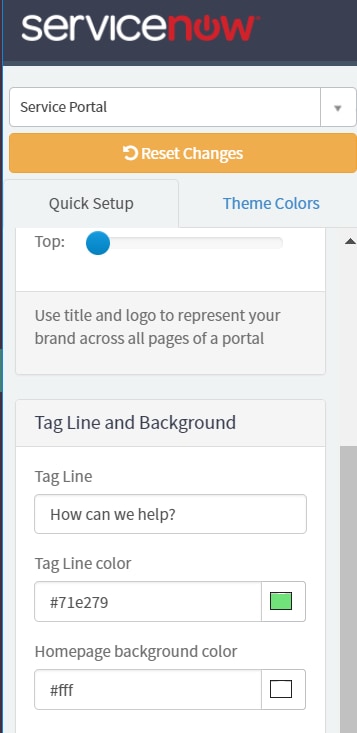
I can't see this options in my portal. I'm unable to see the Tag line and background tab.
- Mark as New
- Bookmark
- Subscribe
- Mute
- Subscribe to RSS Feed
- Permalink
- Report Inappropriate Content
12-18-2017 05:36 AM
Hi,
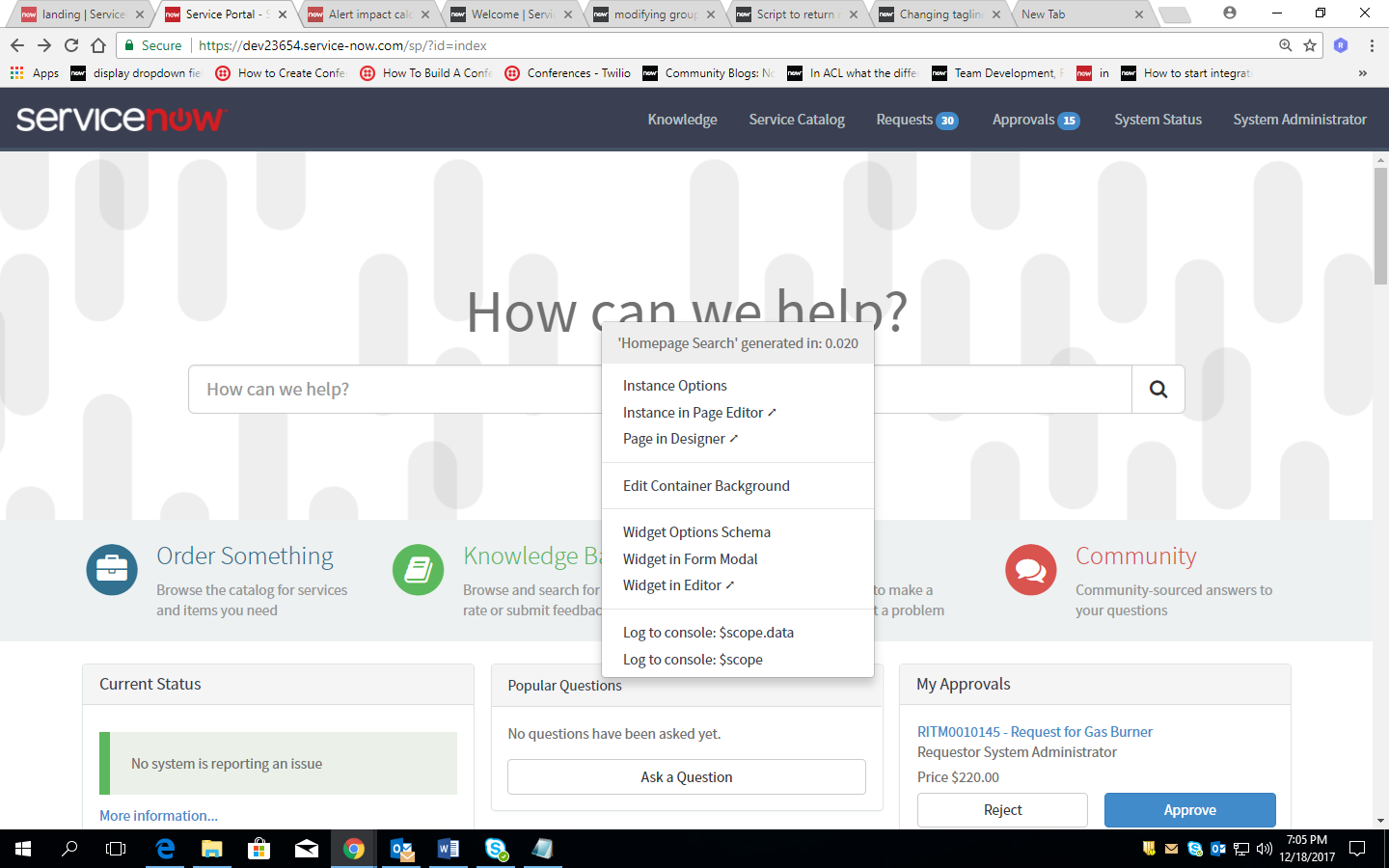
goto https://yourinstance.service-now.com/sp/?id=index
then ctrl+right click on tagline which you want to change.


click on instance options
change title and save it.
- Mark as New
- Bookmark
- Subscribe
- Mute
- Subscribe to RSS Feed
- Permalink
- Report Inappropriate Content
12-18-2017 08:32 AM
Hi Vishal,
Thanks for the reply but am unable to change the tagline color. I tried this method.
