Options
- Mark as New
- Bookmark
- Subscribe
- Mute
- Subscribe to RSS Feed
- Permalink
- Report Inappropriate Content
08-06-2022 07:52 AM
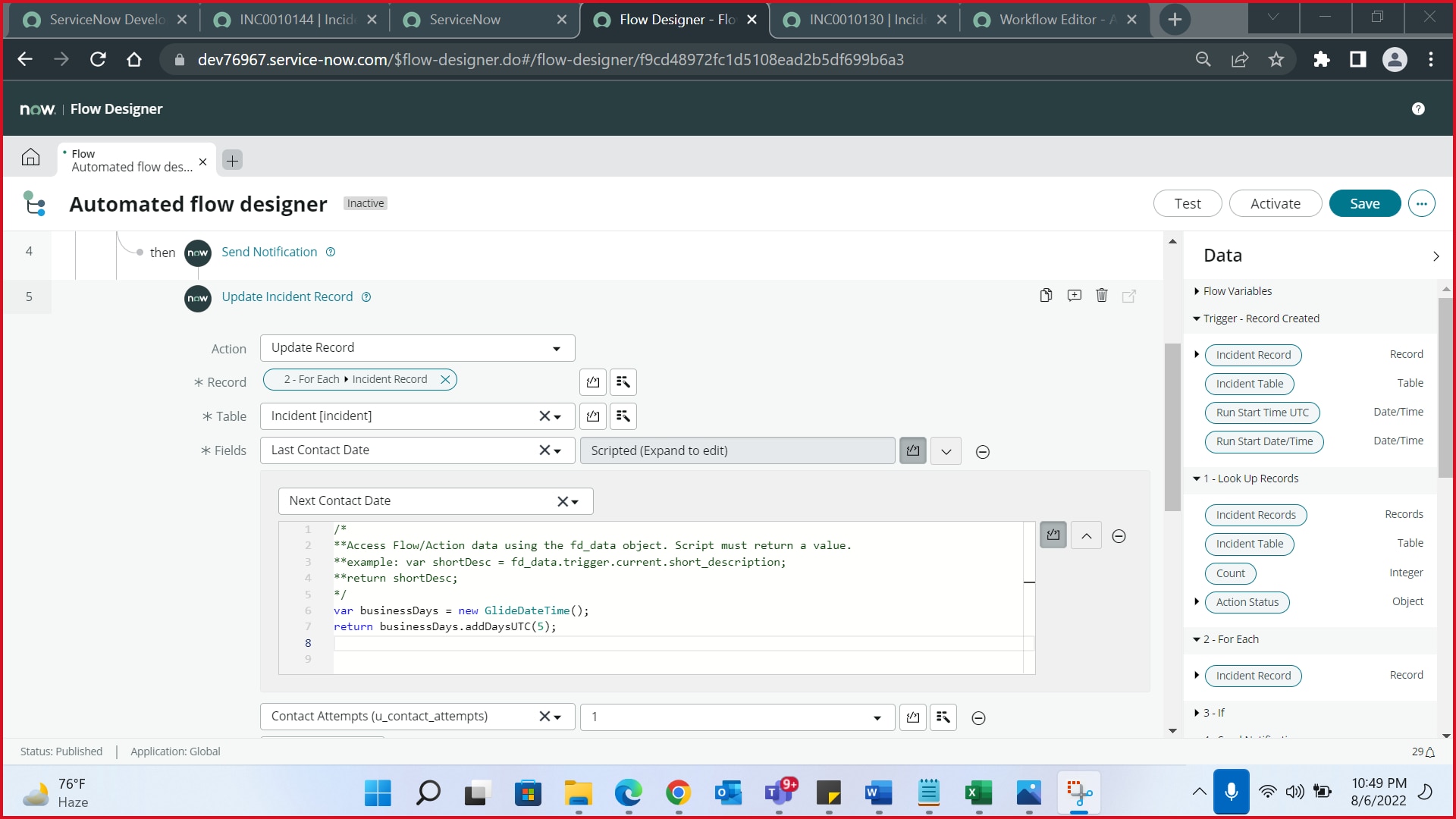
How to add 5 business days using flow designer? It should auto populate the next contact date once I run test. Please help me. Thank you!


Solved! Go to Solution.
1 ACCEPTED SOLUTION


Options
- Mark as New
- Bookmark
- Subscribe
- Mute
- Subscribe to RSS Feed
- Permalink
- Report Inappropriate Content
08-06-2022 08:19 AM
Hello ,can you try this below script
var contactDate = new GlideDateTime(fd_data.trigger.current.your_last_contact_field_backend_name);
var days = 5;
//assuming there are 8 business hours
days = days*8;
var dur = new GlideDuration(60 * 60 * 1000 * days);
var schedule = new GlideSchedule('your_schedule_sys_id'); //put your schedule sys_id here which can be 9 to 6 or 8 to 5 schedule which can be found in cmn_schedule table
return schedule.add(contactDate, dur);
MARK MY ANSWER CORRECT IF IT HELPS YOU
1 REPLY 1
Options
- Mark as New
- Bookmark
- Subscribe
- Mute
- Subscribe to RSS Feed
- Permalink
- Report Inappropriate Content
08-06-2022 08:19 AM
Hello ,can you try this below script
var contactDate = new GlideDateTime(fd_data.trigger.current.your_last_contact_field_backend_name);
var days = 5;
//assuming there are 8 business hours
days = days*8;
var dur = new GlideDuration(60 * 60 * 1000 * days);
var schedule = new GlideSchedule('your_schedule_sys_id'); //put your schedule sys_id here which can be 9 to 6 or 8 to 5 schedule which can be found in cmn_schedule table
return schedule.add(contactDate, dur);
MARK MY ANSWER CORRECT IF IT HELPS YOU