Moving of Pattern extension section from one instance to another.

- Mark as New
- Bookmark
- Subscribe
- Mute
- Subscribe to RSS Feed
- Permalink
- Report Inappropriate Content
04-21-2022 10:46 AM
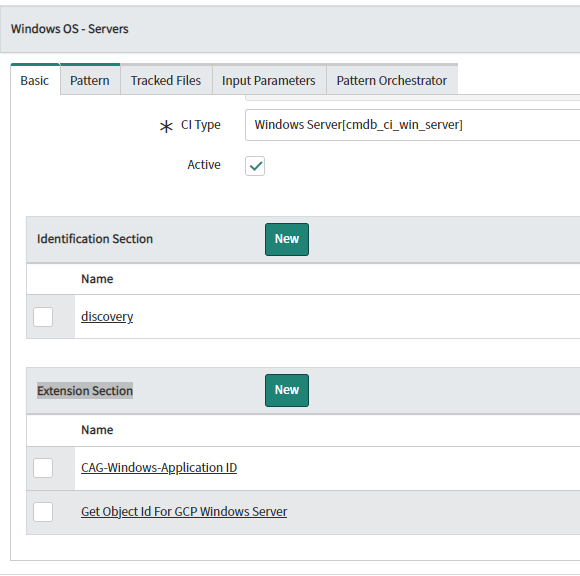
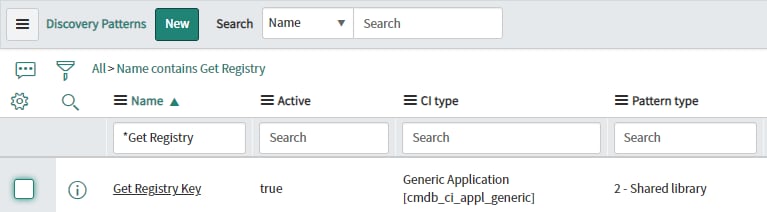
We tried to export extension section( Get registry key) created under Windows Server Pattern but it was not possible for 2 - Shared library. (Extension section).

We also tried to capture it in update set and move. It is getting imported under Discovery patterns.

But it is not found under extension section of the Windows Server Pattern from where it is extended and not used for Discovery.

Can anyone help on how can we move the extension section of patterns?
- Labels:
-
Discovery

- Mark as New
- Bookmark
- Subscribe
- Mute
- Subscribe to RSS Feed
- Permalink
- Report Inappropriate Content
04-21-2022 08:54 PM
try the sa_pattern_extension table...
- Mark as New
- Bookmark
- Subscribe
- Mute
- Subscribe to RSS Feed
- Permalink
- Report Inappropriate Content
04-22-2022 06:39 AM
There is no option to export pattern under sa_pattern_extension table.
- Mark as New
- Bookmark
- Subscribe
- Mute
- Subscribe to RSS Feed
- Permalink
- Report Inappropriate Content
04-22-2022 09:55 AM
Tried to capture it in update sets as well from sa_pattern_extension table . Even that was not working.

- Mark as New
- Bookmark
- Subscribe
- Mute
- Subscribe to RSS Feed
- Permalink
- Report Inappropriate Content
04-24-2022 09:51 PM