- Mark as New
- Bookmark
- Subscribe
- Mute
- Subscribe to RSS Feed
- Permalink
- Report Inappropriate Content
11-22-2016 07:21 AM
Hi,
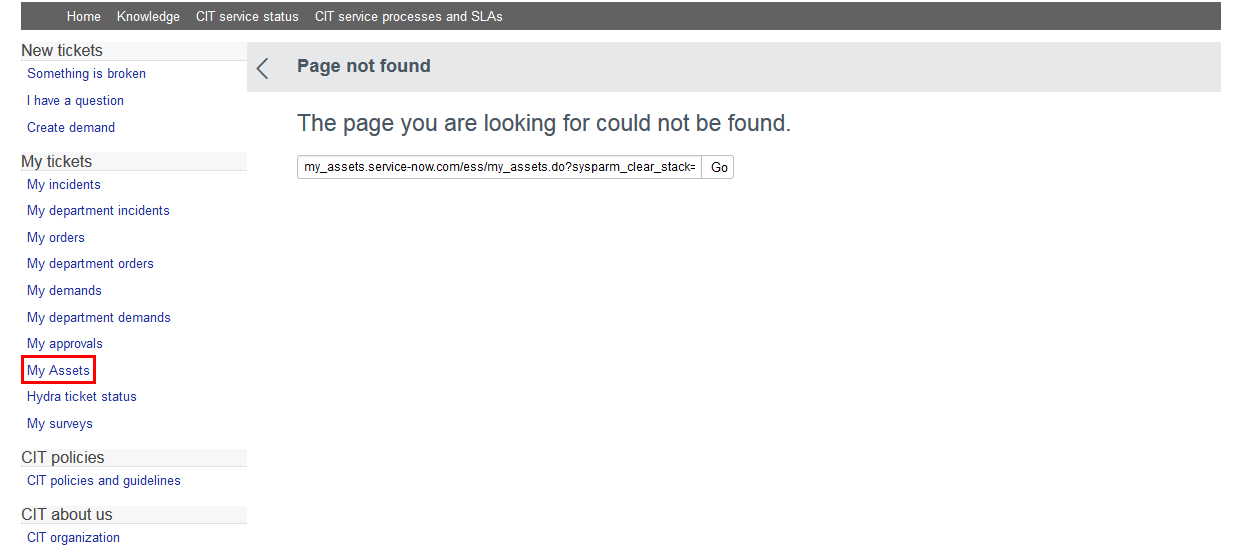
I would like to ask how can I display the assets owned by the user who is currently logged in on the computer? Please see attached screenshot:
Here's what I've done so far:
- Created the Page and the view of the Page and also added the link on the My Tickets area. I also created the IFrame so I can display a list of the assets owned by the user. But I do not know what to put on the URL. Can you help me?

Solved! Go to Solution.
- Labels:
-
Service Mapping
- Mark as New
- Bookmark
- Subscribe
- Mute
- Subscribe to RSS Feed
- Permalink
- Report Inappropriate Content
05-04-2017 06:04 AM
Hi All,
I have found the answer here. In my IFrame - Active Assets (Go To Content Management > IFrames) I put the following URL:
alm_asset_list.do?sysparm_query=install_state=1^assigned_to=javascript:gs.getUserID()&sysparm_view=assets_self_service
- Mark as New
- Bookmark
- Subscribe
- Mute
- Subscribe to RSS Feed
- Permalink
- Report Inappropriate Content
11-25-2016 12:51 PM

- Mark as New
- Bookmark
- Subscribe
- Mute
- Subscribe to RSS Feed
- Permalink
- Report Inappropriate Content
11-25-2016 01:56 PM
Hi Diane,
In the screenshot you posted, the url you are using is incorrect.

Notice how "my_assets" is tagged on in front of ".service-now.com" which is where the instance name should be not the actual page you're trying to look at. If you want the "ess" cms page to display then just use "ess/my_assets.do?sysparm_clear_stack=......"
- Mark as New
- Bookmark
- Subscribe
- Mute
- Subscribe to RSS Feed
- Permalink
- Report Inappropriate Content
05-04-2017 06:04 AM
Hi All,
I have found the answer here. In my IFrame - Active Assets (Go To Content Management > IFrames) I put the following URL:
alm_asset_list.do?sysparm_query=install_state=1^assigned_to=javascript:gs.getUserID()&sysparm_view=assets_self_service