Copy attachment from RITM to data source - GlideSysAttachment().copy not working !

- Mark as New
- Bookmark
- Subscribe
- Mute
- Subscribe to RSS Feed
- Permalink
- Report Inappropriate Content
08-01-2019 12:28 AM
Hi All,
I have one requirement to copy the attachment from one table to another table.
Requirement : Whenever a request is placed from catalog item(from only one item),attachment from RITM should be copied to data source table, to a particular data source record. In my case data source record name is TEST and sys_id is 0ec1ab04db8bbf4019d81ffa68961900.
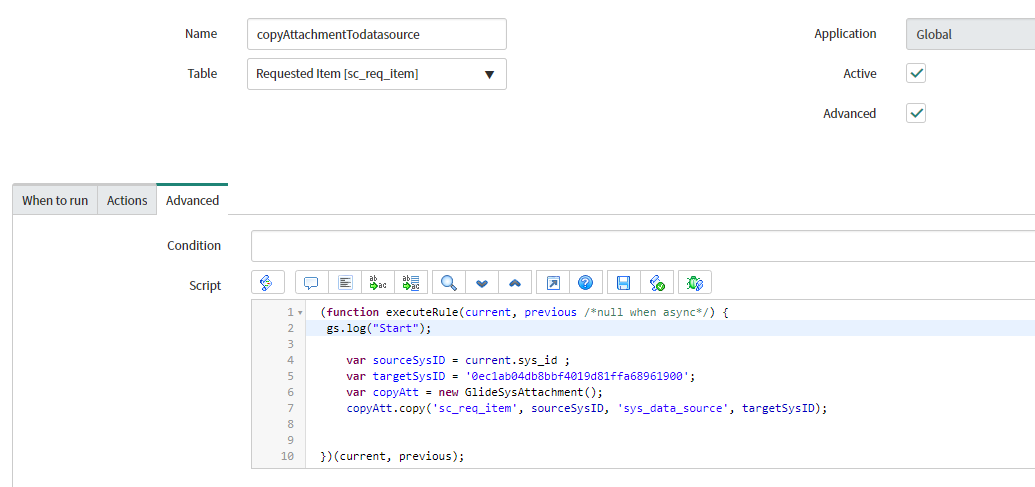
I have created below Business Rule to achieve this, but its not working .[working only for after update condition not after insert] attachment is not getting attached on TEST data source.
(function executeRule(current, previous /*null when async*/) {
gs.log("Start");
var sourceSysID = current.sys_id ;
var targetSysID = '0ec1ab04db8bbf4019d81ffa68961900'; //target record ID
var copyAtt = new GlideSysAttachment();
copyAtt.copy('sc_req_item', sourceSysID, 'sys_data_source', targetSysID);
})(current, previous);
BR screenshots has been attached.Can anyone help me to achieve this?


Thanks in Advance!!


- Mark as New
- Bookmark
- Subscribe
- Mute
- Subscribe to RSS Feed
- Permalink
- Report Inappropriate Content
08-01-2019 02:14 AM
Hi Sana,
with admin user also you are facing this issue?
Regards
Ankur
- Mark as New
- Bookmark
- Subscribe
- Mute
- Subscribe to RSS Feed
- Permalink
- Report Inappropriate Content
08-01-2019 02:26 AM
Yes Anukar. Its working only for after update condition not for after insert condition.
Is there anything wrong with my code? am I passing correct source and destination tables?Kindly look into that.

- Mark as New
- Bookmark
- Subscribe
- Mute
- Subscribe to RSS Feed
- Permalink
- Report Inappropriate Content
08-01-2019 01:44 AM
Hello Sana,
You need to do this on sys_attachment (after update), bcoz first attachmetn is inserted and then table_sys_id and table_name will be updated. And your Br need to run after update.
Secondly, you need to add a condition, otherwise this will execute eerytime.
So check if current.table_name=="your table name" or current.table_sys_id="your sysid"
Mark the comment as a correct answer and helpful once worked.
- Mark as New
- Bookmark
- Subscribe
- Mute
- Subscribe to RSS Feed
- Permalink
- Report Inappropriate Content
08-01-2019 01:54 AM



- Mark as New
- Bookmark
- Subscribe
- Mute
- Subscribe to RSS Feed
- Permalink
- Report Inappropriate Content
08-01-2019 03:12 AM
Okay. Can you add a log statement in your scirpt and tell me if its working or not.
