How can I save the group by in the list filter in the agent workspace?

- Mark as New
- Bookmark
- Subscribe
- Mute
- Subscribe to RSS Feed
- Permalink
- Report Inappropriate Content
07-15-2020 02:01 AM
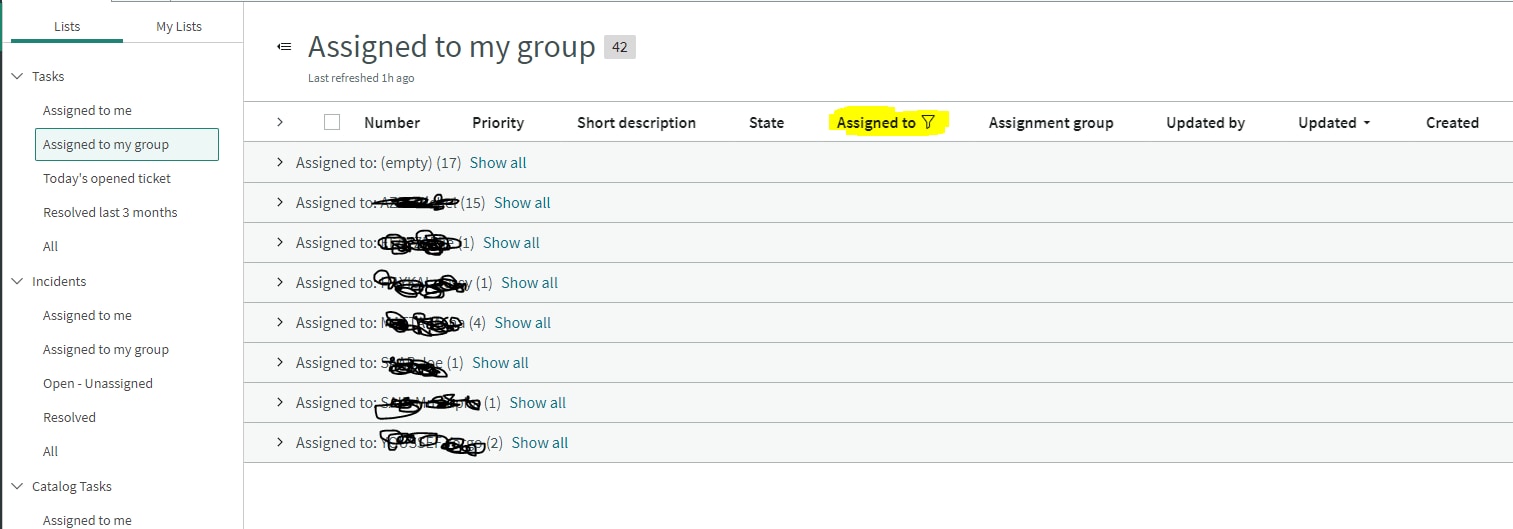
In the agent workspace, under the list filter I am unable to save the group by assignee to be the same for all the users.
This is feasible under my list category but nit feasible under lists category. Any idea how can I save the filter?

In the picture attached this list is grouped by assignee but once i go to another list or i refresh the page, the group by is removed. I can't find a way to save it.
- Labels:
-
Agent Workspace
- 4,086 Views
- Mark as New
- Bookmark
- Subscribe
- Mute
- Subscribe to RSS Feed
- Permalink
- Report Inappropriate Content
04-14-2021 10:24 AM
I see, thank you for the prompt reply, this was helpful to know :)!
- Mark as New
- Bookmark
- Subscribe
- Mute
- Subscribe to RSS Feed
- Permalink
- Report Inappropriate Content
07-02-2021 01:23 AM
Looking for a solution too..

- Mark as New
- Bookmark
- Subscribe
- Mute
- Subscribe to RSS Feed
- Permalink
- Report Inappropriate Content
02-11-2022 06:37 AM
I tried a lot, but I would say with the normal agent workspace it is not possible.
But there are good news the new configurable workspace allows us to add a grouping column. The new object "UX list" have the grouping choice available.

Unfortunately that would mean, that you can not use the "old" one. And you would have some functions not available.
- Mark as New
- Bookmark
- Subscribe
- Mute
- Subscribe to RSS Feed
- Permalink
- Report Inappropriate Content
02-11-2022 06:46 AM