- Mark as New
- Bookmark
- Subscribe
- Mute
- Subscribe to RSS Feed
- Permalink
- Report Inappropriate Content
01-31-2022 11:55 AM
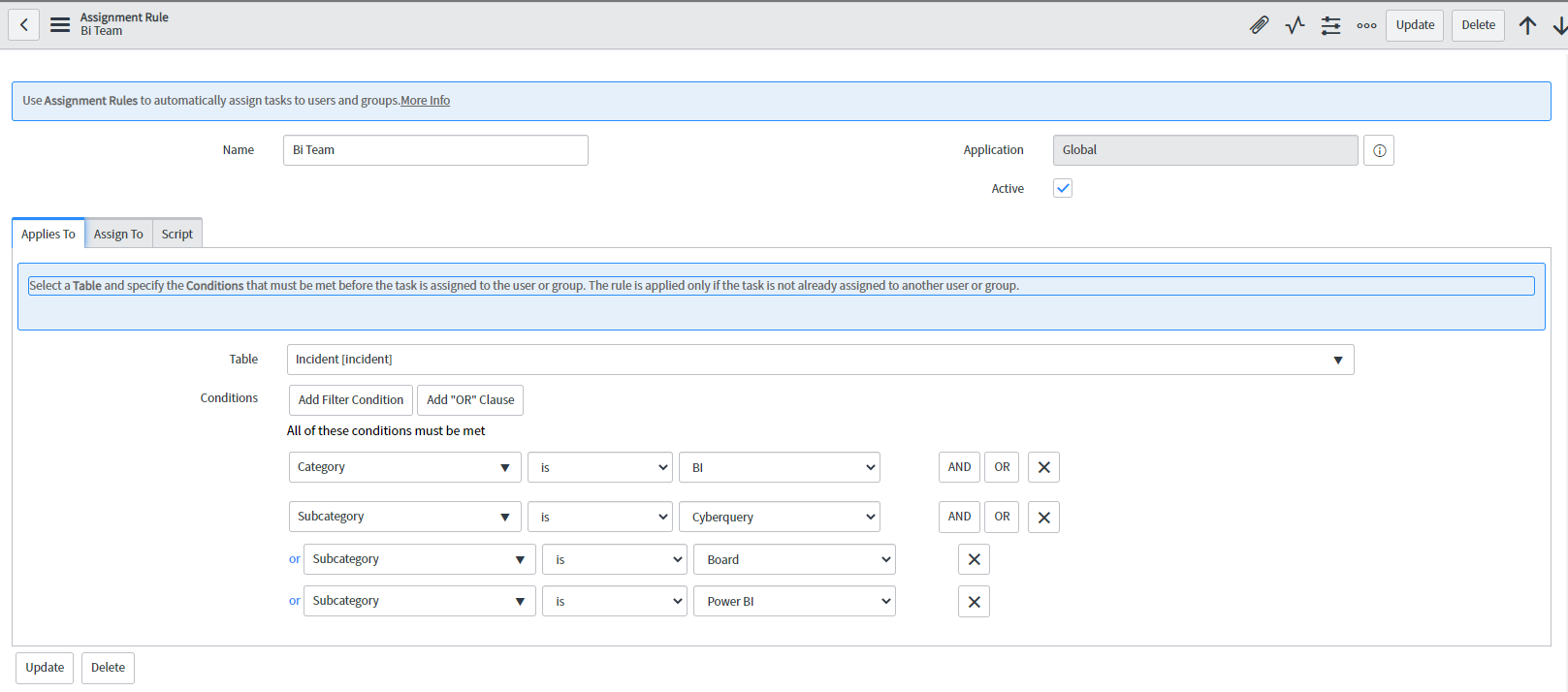
Is there a way to auto-populate the assignment group based on the criteria of the category and sub-category? For example, if the category is bi team and the subgroup is Cyberquery the assignment group will automatically populate to the BI Team.
Solved! Go to Solution.
- Labels:
-
Incident Management


- Mark as New
- Bookmark
- Subscribe
- Mute
- Subscribe to RSS Feed
- Permalink
- Report Inappropriate Content
01-31-2022 12:03 PM
Hello
There are quite a few ways to do it
Onchange client script
Business rule
Assignment rule
It's upto you how you want to do it based on your instance setup
Please mark answer correct/helpful based on impact

- Mark as New
- Bookmark
- Subscribe
- Mute
- Subscribe to RSS Feed
- Permalink
- Report Inappropriate Content
03-29-2022 01:39 PM
That's strange, can you paste the full screenshot.
Have you tried to like the above screenshot which I sent?
- Mark as New
- Bookmark
- Subscribe
- Mute
- Subscribe to RSS Feed
- Permalink
- Report Inappropriate Content
03-30-2022 04:06 AM
I attached the screenshot. The default assignment group still will not change when the category is selected.
- Mark as New
- Bookmark
- Subscribe
- Mute
- Subscribe to RSS Feed
- Permalink
- Report Inappropriate Content
03-30-2022 04:06 AM

- Mark as New
- Bookmark
- Subscribe
- Mute
- Subscribe to RSS Feed
- Permalink
- Report Inappropriate Content
03-30-2022 04:33 AM


- Mark as New
- Bookmark
- Subscribe
- Mute
- Subscribe to RSS Feed
- Permalink
- Report Inappropriate Content
03-30-2022 09:47 AM
Thanks for the response, but it does not change when the Assignment group does not change from the default when the Category is selected.