How to deactivate Change Management Risk Assessment plugin

- Mark as New
- Bookmark
- Subscribe
- Mute
- Subscribe to RSS Feed
- Permalink
- Report Inappropriate Content
09-18-2019 08:35 AM
I want to use Best Practice - Change Risk Calculator only
I want to deactivate Change Management - Risk Assessment
My role is admin and I cannot change Status from Active to Inactive

- Labels:
-
Change Management

- Mark as New
- Bookmark
- Subscribe
- Mute
- Subscribe to RSS Feed
- Permalink
- Report Inappropriate Content
09-18-2019 08:42 AM
Hello jwilson,
Doing a little bit of research, I found that you cannot disable a plugin once it is activated in your instance. You can however edit the application menu and disable it to hide it under the application filter.
- Mark as New
- Bookmark
- Subscribe
- Mute
- Subscribe to RSS Feed
- Permalink
- Report Inappropriate Content
09-18-2019 08:55 AM
Hey Jwilson,
I would suggest raise a HI Request , that might help.
Regards,
Ajay

- Mark as New
- Bookmark
- Subscribe
- Mute
- Subscribe to RSS Feed
- Permalink
- Report Inappropriate Content
09-18-2019 08:55 AM
Here is the documentation.


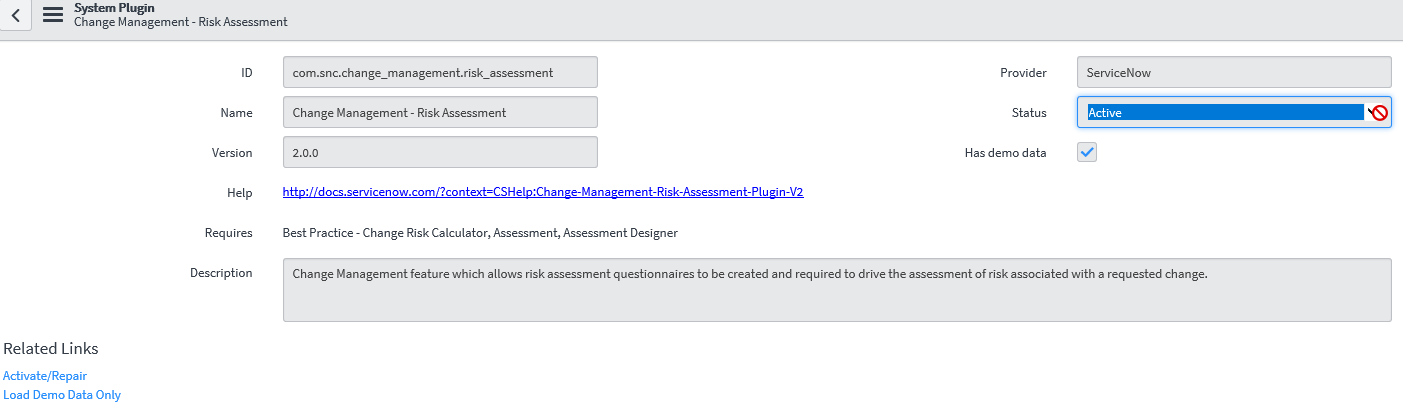

But you can disable the application that it installed from the navigator.
If this is installed i your lower instances, you can clone down the lower instances from production instance where this plugin is not installed


- Mark as New
- Bookmark
- Subscribe
- Mute
- Subscribe to RSS Feed
- Permalink
- Report Inappropriate Content
09-18-2019 08:55 AM
You cannot deactivate a plugin once it is enabled.
If you have no active Risk Assessments, the Risk will be purely calculated on the Risk conditions. Also disable the Risk Assessment UI Action.
