
- Mark as New
- Bookmark
- Subscribe
- Mute
- Subscribe to RSS Feed
- Permalink
- Report Inappropriate Content
06-14-2022 11:17 PM
Hi All
How to display only Ritm list(requested item) on below search bar which is referring to task table
Filed name ->Parent
Right now all incident, problem ,change etc are showing we need only Ritm list over here


Solved! Go to Solution.
- Labels:
-
Request Management

- Mark as New
- Bookmark
- Subscribe
- Mute
- Subscribe to RSS Feed
- Permalink
- Report Inappropriate Content
06-14-2022 11:32 PM
Hey,
Go to your Parent field on the RITM, and configure dictionary.
Find Related list "Dictionary Override" and search for table = "sc_req_item", if record doesn't exist, create by using New button.
Now check on Override reference qualifier and enter:
sys_class_name=sc_req_item
Feel free to mark correct, If I answered your query.
Will be helpful for future visitors looking for similar questions 🙂
- Mark as New
- Bookmark
- Subscribe
- Mute
- Subscribe to RSS Feed
- Permalink
- Report Inappropriate Content
06-14-2022 11:58 PM
Awesome!
Glad to assist 🙂
- Mark as New
- Bookmark
- Subscribe
- Mute
- Subscribe to RSS Feed
- Permalink
- Report Inappropriate Content
06-15-2022 05:01 AM

- Mark as New
- Bookmark
- Subscribe
- Mute
- Subscribe to RSS Feed
- Permalink
- Report Inappropriate Content
06-15-2022 05:07 AM
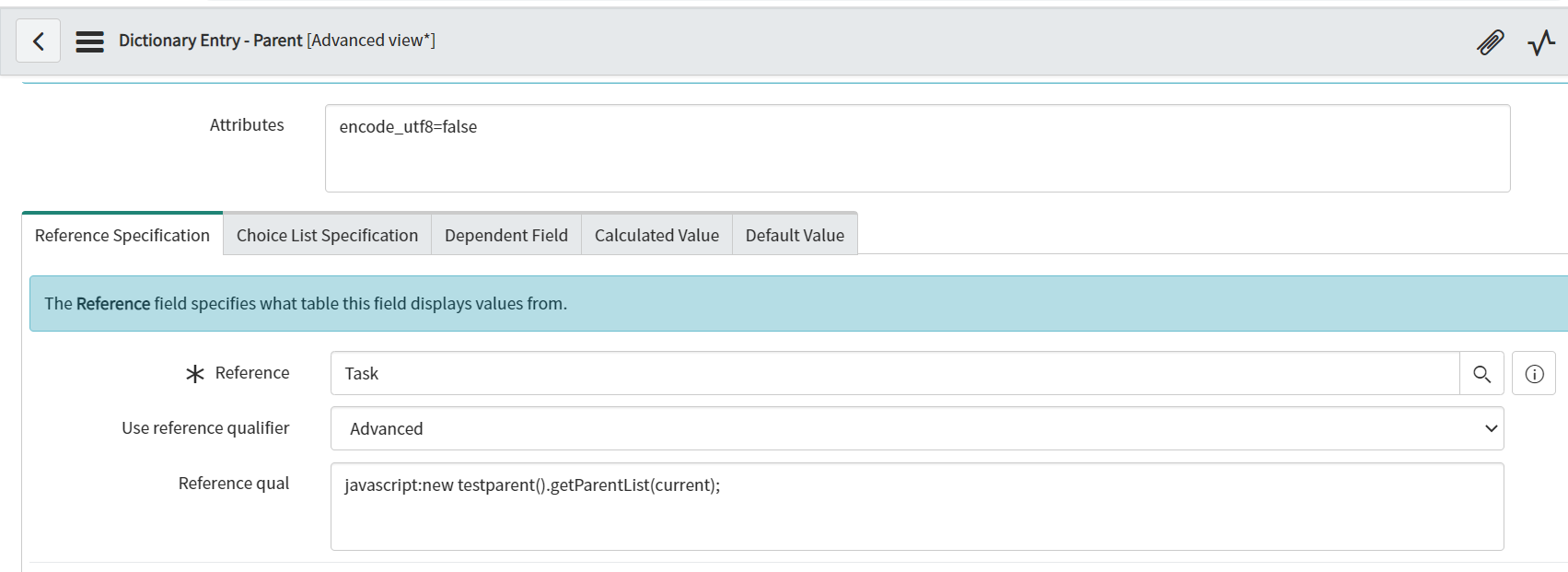
You can't run both, you have to include this one as well in your dictionary override.
Also, this ref qual if I remember correctly is the one I suggested for parent child one,
please move this to your dictionary override and restore this one to old value, else it will impact all task table records
- Mark as New
- Bookmark
- Subscribe
- Mute
- Subscribe to RSS Feed
- Permalink
- Report Inappropriate Content
06-15-2022 05:14 AM




- Mark as New
- Bookmark
- Subscribe
- Mute
- Subscribe to RSS Feed
- Permalink
- Report Inappropriate Content
06-15-2022 05:17 AM
Try updating in override dictionary as:
javascript: "sys_class_name=sc_req_item^"+new testparent().getParentList(current);
