- Mark as New
- Bookmark
- Subscribe
- Mute
- Subscribe to RSS Feed
- Permalink
- Report Inappropriate Content
06-30-2021 01:12 PM
Audit asks for a list of all users with admin role in ServiceNow. An out-of-the-box non-script solution is preferred.
Solved! Go to Solution.
- Labels:
-
Incident Management

- Mark as New
- Bookmark
- Subscribe
- Mute
- Subscribe to RSS Feed
- Permalink
- Report Inappropriate Content
06-30-2021 01:33 PM
Adam,
- Use the Application Navigator to open User Administration > Roles.
- Open the admin role.
- If you do not see the Users related list, right-click the form header and select Configure > Related Lists.
- Find the Users related list in the Available slushbucket and add it to the Selected slushbucket.
Once you have configured this related list, you can open a role to see any users who have the role.
Hope this helps.
Ben
- Mark as New
- Bookmark
- Subscribe
- Mute
- Subscribe to RSS Feed
- Permalink
- Report Inappropriate Content
06-30-2021 04:35 PM
Thank you so much! I am not aware of the exist of "Related Lists".
- Mark as New
- Bookmark
- Subscribe
- Mute
- Subscribe to RSS Feed
- Permalink
- Report Inappropriate Content
07-01-2021 10:18 AM
Zach's suggestion is another great way to see this same information. User Roles is the many-to-many table that connects users and roles.

- Mark as New
- Bookmark
- Subscribe
- Mute
- Subscribe to RSS Feed
- Permalink
- Report Inappropriate Content
06-30-2021 01:35 PM
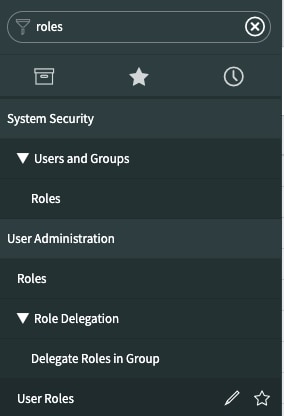
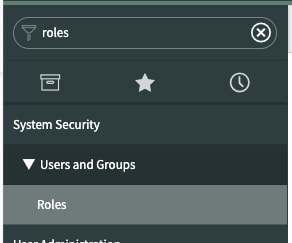
Go to the filter navigator and type roles then select User Roles

Then find Role:admin()
the number of users with the admin role with be listed as a number inside the parenthesis

If this solved your issue, please mark this correct and helpful, thank you!