- Mark as New
- Bookmark
- Subscribe
- Mute
- Subscribe to RSS Feed
- Permalink
- Report Inappropriate Content
11-10-2025 05:43 AM - edited 11-10-2025 05:57 AM
Is there any way to remove the percentage calculation to the right of this widget?
I have enable the entire helpful Yes/No by using a property "glide.knowman.show_yn_rating".
I still do want the Yes/No buttons but i only want the calculation text to be removed. I see that is a out of the box widget and cannot be edited. Rather cloned and make changes to it.
Solved! Go to Solution.

- Mark as New
- Bookmark
- Subscribe
- Mute
- Subscribe to RSS Feed
- Permalink
- Report Inappropriate Content
11-10-2025 05:50 AM
Hi @Kvb Kiran, yes, it's possible. Please check the widget itself and change it in the widget. You can use the following CSS style,
.kb-feedback .helpful-percentage {
display: none !important;
}
Just please check the exact class name via the developer tools,
Best regards,
Renat Akhmedov
- Mark as New
- Bookmark
- Subscribe
- Mute
- Subscribe to RSS Feed
- Permalink
- Report Inappropriate Content
11-26-2025 05:23 AM - edited 11-26-2025 05:25 AM
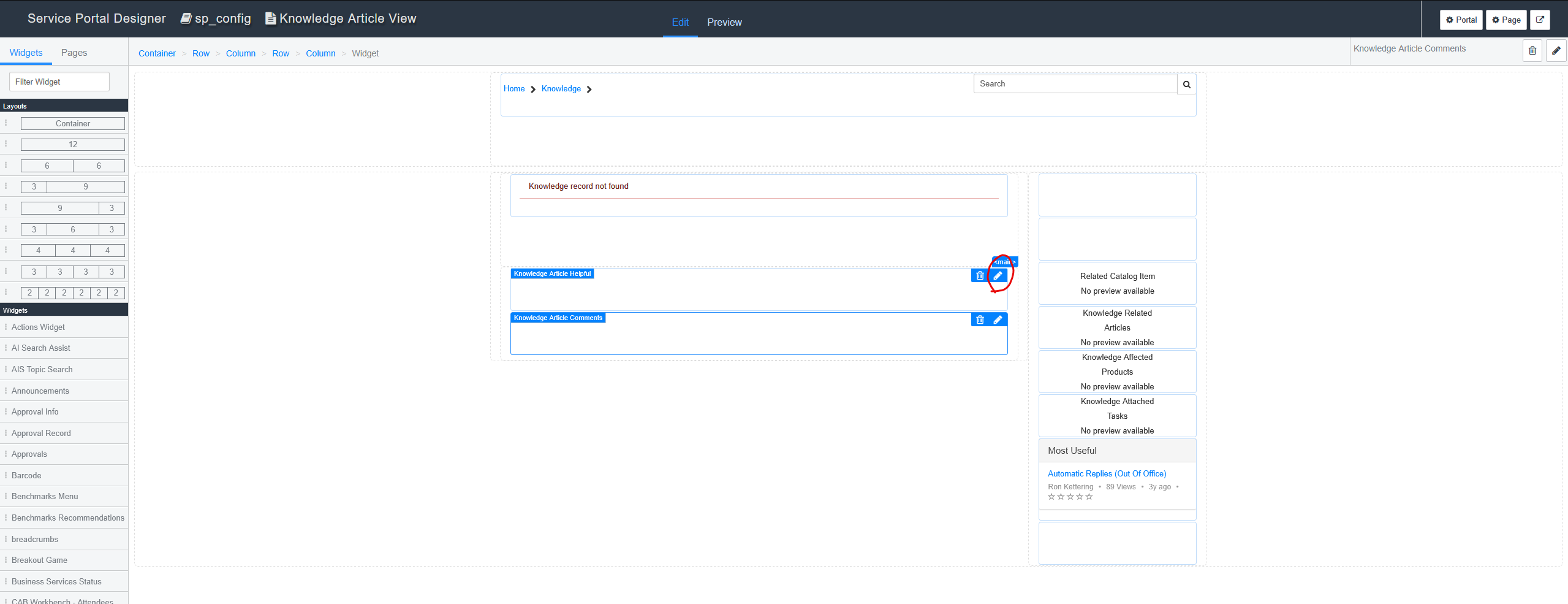
I found a checkbox in the widget instance options. When unchecked, the percentage calculation has been removed. I missed to look at the widget instance options. I kept checking the possibilities of the widget, when the real option lies in the widget instance where you load the widget into the portal page. You can click "edit" on the widget once you added into the page.
- Mark as New
- Bookmark
- Subscribe
- Mute
- Subscribe to RSS Feed
- Permalink
- Report Inappropriate Content
11-10-2025 07:45 AM
Did you mean, clone the widget and make modifications?


- Mark as New
- Bookmark
- Subscribe
- Mute
- Subscribe to RSS Feed
- Permalink
- Report Inappropriate Content
11-11-2025 04:26 AM
yes you can't edit OOTB widgets, you need to clone and then make changes
Then add that new widget on your page.
💡 If my response helped, please mark it as correct ✅ and close the thread 🔒— this helps future readers find the solution faster! 🙏
Ankur
✨ Certified Technical Architect || ✨ 10x ServiceNow MVP || ✨ ServiceNow Community Leader
- Mark as New
- Bookmark
- Subscribe
- Mute
- Subscribe to RSS Feed
- Permalink
- Report Inappropriate Content
11-10-2025 10:47 AM
Hi @Kvb Kiran , the out-of-the-box widgets can't be modified, that's right, but you can make a clone of the OOTB widget and modify it as you need. But please don't forget to reassign this modified widget to your Portal, and use it instead of the OOTB widget.
If my answers were helpful, please mark them with the thumbs-up. I highly appreciate it,
Best regads,
Renat Akhmedov
- Mark as New
- Bookmark
- Subscribe
- Mute
- Subscribe to RSS Feed
- Permalink
- Report Inappropriate Content
11-26-2025 05:23 AM - edited 11-26-2025 05:25 AM
I found a checkbox in the widget instance options. When unchecked, the percentage calculation has been removed. I missed to look at the widget instance options. I kept checking the possibilities of the widget, when the real option lies in the widget instance where you load the widget into the portal page. You can click "edit" on the widget once you added into the page.